The Future of Web Dev
The Future of Web Dev
Next.js 15 Fullstack Template with Auth & Database Setup – Titan
A Next.js 15 full-stack template with better-auth, Drizzle ORM, Tailwind CSS & Shadcn UI. Build modern web apps faster.

Titan is a Next.js full-stack template that integrates better-auth for authentication and drizzle-orm as its ORM, specifically for PostgreSQL databases.
You can use this template to accelerate the development of web applications that require user authentication, database interactions, and a contemporary user interface.
It’s great for developers who want a pre-configured environment with up-to-date technologies.
Features
🔒 Integrated Authentication: Includes social logins (Google, Github, Discord) through better-auth.
🚀 Next.js 15+ Capabilities: Leverages Next.js 15-canary for full-stack development, including API routes, server actions, and experimental middleware features.
🐘 PostgreSQL Database Support: Utilizes PostgreSQL, compatible with services like Neon, and managed by drizzle-orm.
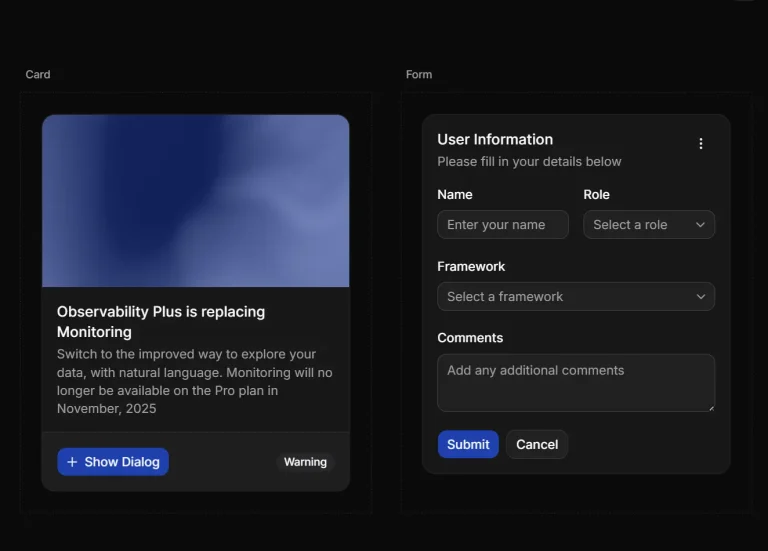
🎨 Modern UI Stack: Comes equipped with Tailwind CSS v4 for utility-first styling and Shadcn UI for ready-to-use components.
Use Cases
- SaaS Application Development – Build subscription-based web applications with the authentication and database infrastructure already in place
- Portfolio Projects – Create personal portfolio sites or showcases with user accounts and data persistence
- Prototyping and MVPs – Quickly develop and deploy minimum viable products without configuring authentication and database connections
- Educational Projects – Learn full-stack development with a properly structured project template
Installation
To get started with Titan, you need Git and the Bun runtime environment installed on your system.
Clone the repository:
git clone https://github.com/rudrodip/titan.gitNavigate into the project directory:
cd titanInstall the dependencies:
bun installCreate your environment file by copying the example:
cp .env.example .envYou will need to update the .env file with your specific credentials and configuration details.
Generate the database schema:
bun run db:generateMigrate the database:
bun run db:migrateUsage
After you complete the installation steps, you can run the development server:
bun devOpen your browser and go to http://localhost:3000 to see the application.
Related Resources
- Next.js Official Documentation: https://nextjs.org/docs – The primary resource for learning about Next.js features and APIs.
- Drizzle ORM Documentation: https://orm.drizzle.team/docs – Comprehensive guides on how to use Drizzle ORM for your database operations.
- better-auth Repository: https://github.com/patmood/better-auth – The GitHub repository for
better-auth, where you can find more information about this authentication library. - Shadcn UI: https://ui.shadcn.com/ – Explore a wide range of components to build your Next.js application’s interface.
- Tailwind CSS Documentation: https://tailwindcss.com/docs – Official documentation for Tailwind CSS, covering all utility classes and customization options.
Preview