The Future of Web Dev
The Future of Web Dev
Build SEO-Optimized Multilingual Websites with Astro i18n Starter Template
Use the Astro i18n Starter to build fully localized websites. Get SEO-friendly URLs, static generation, and complete i18n support.
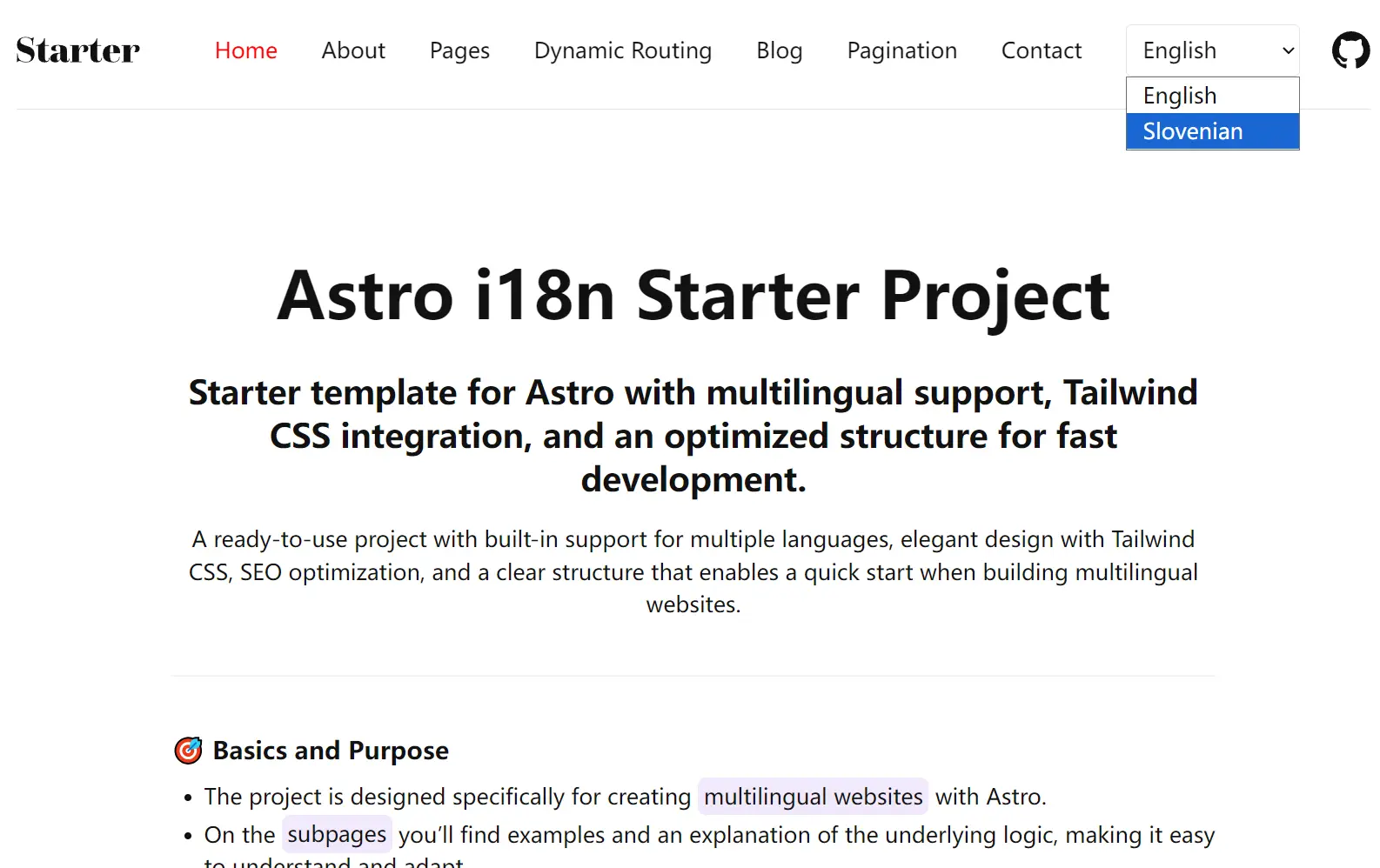
Astro i18n Starter is a production-ready template for building multilingual websites using the Astro framework with complete URL localization capabilities.
It provides a simple i18n solution for URL localization, a feature not natively built into Astro, which is important for search engine optimization in multilingual contexts.
For example, you can build websites where /nextjs becomes /es/nextjs for Spanish visitors while maintaining proper SEO optimization and static site generation benefits.
Features
🌐 SEO-optimized URL localization with language-specific routing patterns.
⚡ Static site generation at build time with dynamic path resolution.
📝 Content management system with multilingual blog posts and pagination support.
🔄 Context-preserving language switching that maintains user navigation state.
🎨 Svelte component integration with modern reactive patterns.
♿ Accessibility compliance with proper ARIA attributes and semantic markup.
🎯 Translation namespace organization for scalable content management.
🚀 Optimized image processing through Astro’s asset pipeline.
🔍 Search engine optimization with localized meta tags and structured data.
📦 Ready-to-deploy configuration for major hosting platforms.
Use Cases
- Corporate websites requiring multiple language versions with professional URL structures for international markets.
- Technical documentation sites that need content translation while maintaining proper cross-reference linking between language versions.
- E-commerce platforms where product pages must display localized URLs for regional SEO optimization and user experience.
- Blog platforms with multilingual content creation capabilities and language-specific archive organization.
- Portfolio websites for international clients that require professional presentation in multiple languages with proper navigation.
How to Use It
1. Clone the repository to your local machine using git.
git clone https://github.com/Scorpio3310/astro-i18n-starter.git
cd astro-i18n-starter
2. Install the project dependencies. This template uses pnpm as the package manager.
pnpm install3. The project uses environment variables to manage site-wide settings. Copy the example environment file to create your own local configuration.
cp .env.example .env4. Open the new .env file and set the PRODUCTION_DOMAIN to your website’s final domain name. This variable is necessary for generating correct canonical URLs, Open Graph images, and the robots.txt file for production builds.
# Set your production domain here for SEO
# This ensures search engines only index your production site, not staging/dev environments
# Replace with your actual domain: https://your-production-domain.com
PRODUCTION_DOMAIN = "https://your-domain.com"
5. Start the local development server. You can now access the multilingual starter project at http://localhost:4321.
pnpm run dev6. The internationalization system operates through route definitions in src/i18n/routes.ts. This file maps English routes to their localized equivalents across supported languages.
export const routes = {
  en: {
    about: "about",
    blog: "blog",
    contact: "contact"
  },
  es: {
    about: "sobre-nosotros",
    blog: "blog",
    contact: "contacto"
  }
};
7. Language-specific content files reside in the src/locales/ directory, organized by language code. Create JSON files for each page or component that requires translation.
// src/locales/en/common.json
{
  "nav": {
    "home": "Home",
    "about": "About",
    "blog": "Blog"
  },
  "meta": {
    "description": "Multilingual Astro starter template"
  }
}
8. Multilingual pages use dynamic routing with bracket notation to handle multiple language versions. Create page files using the pattern [route-name]/[...index].astro for proper URL generation.
// src/pages/[about]/[...index].astro
export function getStaticPaths() {
  return [
    { params: { about: "about" }, props: { lang: "en" } },
    { params: { about: "/sl/o-projektu" }, props: { lang: "sl" } }
  ];
}

const { lang } = Astro.props;
import Layout from '../../layouts/Layout.astro';
import { getTranslations } from '../../i18n/utils';

const t = getTranslations(lang);
---

<Layout lang={lang}>
  <h1>{t('about.title')}</h1>
  <p>{t('about.description')}</p>
</Layout>
9. Blog posts and other content utilize Astro’s Content Collections feature for type-safe multilingual content management. Define collections in src/content/config.ts:
import { defineCollection, z } from 'astro:content';

const blog = defineCollection({
  type: 'content',
  schema: z.object({
    title: z.string(),
    description: z.string(),
    publishDate: z.date(),
    lang: z.enum(['en', 'sl']),
    slug: z.string()
  })
});

export const collections = { blog };
10. Create content files in language-specific subdirectories:
---
# src/content/blog/en/first-post.md
title: "Getting Started"
description: "Learn how to use this template"
publishDate: 2024-01-15
lang: "en"
slug: "getting-started"
---

Your English content here...
11. Update navigation menus through the src/data/navigationData.ts file. This centralized configuration ensures consistent menu structure across all language versions.
export const navigationData = {
  en: [
    { name: 'Home', href: '/' },
    { name: 'About', href: '/about' },
    { name: 'Blog', href: '/blog' }
  ],
  sl: [
    { name: 'Hogar', href: '/es' },
    { name: 'Sobre Nosotros', href: '/es/sobre-nosotros' },
    { name: 'Blog', href: '/es/blog' }
  ]
};
12. Build the production version with static file generation for all language routes:
pnpm run build13. Preview the production build locally before deployment:
pnpm run previewRelated Resources
- Astro Documentation – Complete framework documentation with guides for internationalization implementation and best practices.
- Svelte Documentation – Modern component framework documentation covering reactive patterns and integration techniques.
- Tailwind CSS Documentation – Utility-first CSS framework with styling options and responsive design patterns.
- Astro Content Collections Guide – Official guide for implementing type-safe content management in Astro projects.
FAQs
Q: How does URL localization affect SEO performance?
A: The template generates proper hreflang tags, localized meta descriptions, and canonical URLs for each language version, which helps search engines understand your multilingual content structure and improves international SEO rankings.
Q: Can I use this template with a CMS or headless content management system?
A: The template works with any headless CMS by modifying the content collection configuration to fetch data from your CMS API endpoints instead of local markdown files.
Q: What happens to existing URLs when I change route translations?
A: Changing route translations will modify the generated URLs, so you should implement redirects for any existing URLs to maintain SEO value and prevent broken links.
Q: Does this template support right-to-left languages?
A: The current template focuses on left-to-right languages, but you can extend it by adding RTL CSS classes and direction attributes based on the language configuration.