The Future of Web Dev
The Future of Web Dev
30+ Copy-paste Components for Docs and Dashboards – jal-co/ui
30+ composable UI components for documentation sites, dev dashboards, and open-source project pages. Tailwind CSS, no paywall.
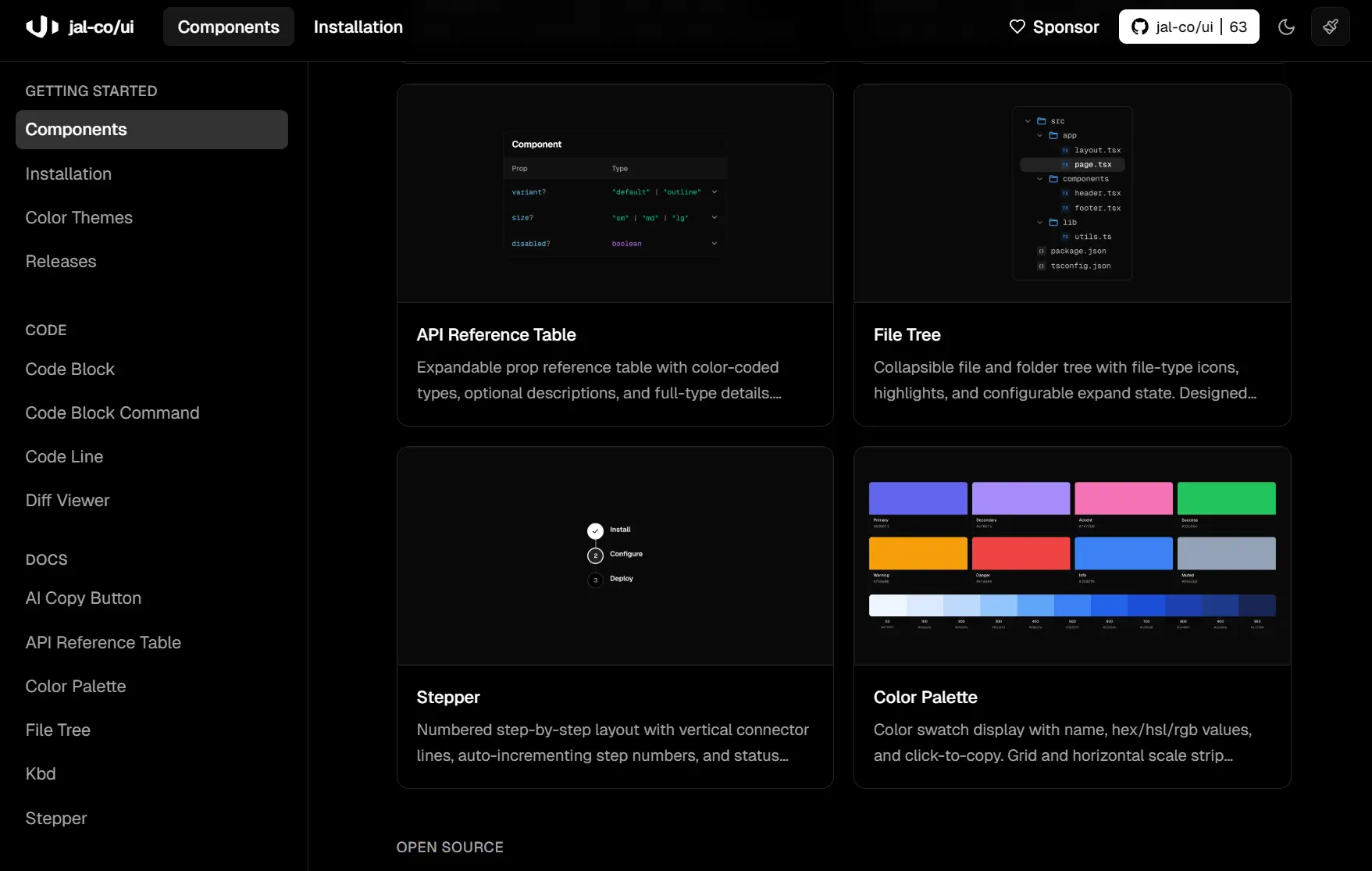
jal-co/ui is an open-source React component library that provides 30+ modern, copy-paste UI components for React, Next.js, and TailwindCSS projects.
Some components run as async server components that fetch live GitHub metrics, npm stats, and contributor data at build time through ISR caching. That keeps client JavaScript minimal in Next.js App Router projects and delivers real data on first paint.
It works well for developers building documentation sites, open-source project pages, or internal dev dashboards who need data-backed UI components they can adapt directly in source.
Features
✨ Shadcn Registry Install: Adds components directly into your project through the shadcn CLI.
🧩 Composable Source Files: Places editable component code inside your app.
🔓 Open Source Access: Keeps every component free to use, modify, and distribute.
⚛️ React and Tailwind Stack: Targets React projects that use Tailwind CSS.
🖥️ Server First Patterns: Uses async server components for data driven UI where that model fits.
📚 Documentation UI Set: Covers code blocks, API tables, file trees, steppers, keyboard keycaps, and color palettes.
🛠️ Dev Tool: Includes cron displays, env tables, JSON viewers, log viewers, and request inspectors.
📈 Metrics UI: Renders GitHub stars, contributors, activity graphs, repo cards, npm badges, and Product Hunt stats.
📝 Marketing Blocks: Includes logo clouds and testimonial layouts.
💸 Donation UI: Supports crypto and platform based tip jar layouts with copy actions and QR code display.
🔤 Pretext Components: Adds balanced text, shrinkwrapped chat bubbles, and masonry layouts driven by Pretext.
🤖 MCP Support: Initializes the shadcn MCP server for AI editor context.
How to Use It
Table Of Contents
Prerequisites
Your project needs these before installing any components.
- Next.js (App Router recommended)
- Tailwind CSS v4
- shadcn/ui initialized
Install via shadcn CLI
The CLI handles source files, npm dependencies, and registry dependencies in one command.
Register the @jalco namespace
npx shadcn@latest registry add @jalcoThis writes the following entry into your components.json:
{
  "registries": {
    "@jalco": "https://ui.justinlevine.me/r/{name}.json"
  }
}
Install a component
npx shadcn@latest add @jalco/github-stars-buttonThe CLI downloads the component source into your project, installs required npm dependencies, and resolves any shadcn registry dependencies such as button or card.
Import and render the component
import { GitHubStarsButton } from "@/components/github-stars-button"
export default function Page() {
  return <GitHubStarsButton repo="jalco/ui" />
}
Manual Registry Setup
Add the registry entry to components.json by hand:
{
  "registries": {
    "@jalco": {
      "url": "https://ui.justinlevine.me/r"
    }
  }
}
Then install components with the CLI as usual:
npx shadcn@latest add @jalco/github-stars-buttonMCP Integration
Initialize the shadcn MCP server to give your AI editor full context of the jal-co/ui library:
npx shadcn@latest mcp initOnce initialized, your AI editor can query available components, props, and usage patterns directly.
Available UI Components
| Group | Components |
|---|---|
| Code | Code Block, Code Block Command, Code Line, Diff Viewer |
| Docs | AI Copy Button, API Reference Table, Color Palette, File Tree, Kbd, Stepper |
| Open Source | Activity Graph, Commit Graph, Contributor Grid, GitHub Button Group, GitHub Stars Button, License Badge, npm Badge, Product Hunt, Repo Card |
| Dev Tools | Cron Schedule, Env Table, JSON Viewer, Log Viewer, Request Viewer |
| Marketing | Logo Cloud, Testimonial |
| Infrastructure | Status Indicator |
| Payments | Crypto + Tip Jar |
| Pretext | Pretext Hooks, Pretext Balanced Text, Pretext Chat Bubble, Pretext Masonry Grid |
Related Resources
- shadcn/ui: The registry standard jal-co/ui builds on. Manages component installation, dependency resolution, and project configuration.
- Shiki: The syntax highlighting engine.
- Tailwind CSS: The utility CSS framework all jal-co/ui components are styled with.
- Pretext: The DOM-free text measurement library behind the Pretext component group.
FAQs
Q: Do these components work outside of Next.js?
A: Most components work in any React project on Tailwind CSS. The async server components (GitHub Stars Button, npm Badge, Repo Card, and others) depend on React Server Components, so they need Next.js App Router or another RSC-compatible runtime.
Q: Can I use jal-co/ui alongside existing shadcn/ui components?
A: Yes. The registry installs components as source files into your project next to whatever shadcn components you already have.
Q: What happens after I install a component and want to change it?
A: Every component is a source file in your project. Edit it directly.
Q: What kind of projects fit this library best?
A: It fits docs sites, developer dashboards, open-source project pages, internal tools, and product pages that need repo metrics, code presentation, request inspection, or JSON and log rendering.