The Future of Web Dev
The Future of Web Dev
Free Tailwind CSS Dashboard Template for React, Next.js & More
A free Tailwind CSS dashboard UI kit for React, Next.js, Vue, Angular, and TanStack Start. Includes pre-built pages, 30+ UI components, and chart blocks.
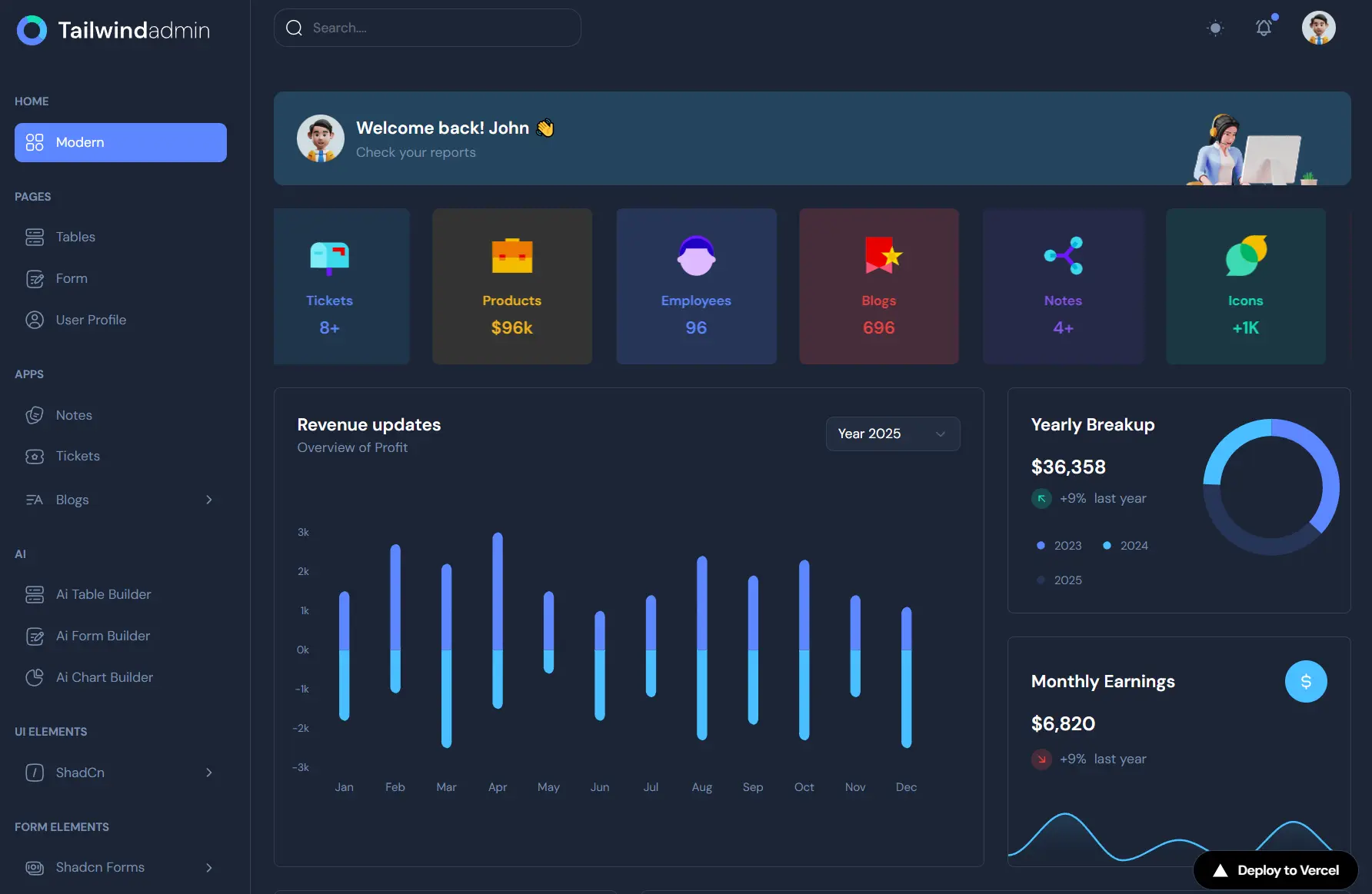
TailwindAdmin is a free, open-source admin dashboard template built with Tailwind CSS, React, and Shadcn UI. It includes a full UI component library and pre-built UI blocks across 5 framework versions (Next.js, React, Angular, Vue, and TanStack Start).
The UI kit works well for developers who want a ready-to-use, multi-framework admin panel template built on Tailwind CSS. It runs locally with standard Node.js tooling and builds into static assets or server-rendered applications, depending on which framework version you select.
Features
🌐 Multi-Framework: 5 codebases for Next.js, React, Angular, Vue, and TanStack Start.
🎨 Tailwind CSS Styling: Styles every component and layout using Tailwind’s utility-first class system.
🧩 Shadcn UI: Builds interactive form controls, dialogs, comboboxes, and command menus on Radix UI primitives.
🌙 Dark Mode: Toggles between light and dark themes at the root layout level.
📱 Responsive Design: Adapts all pages and components across desktop, tablet, and mobile screen sizes.
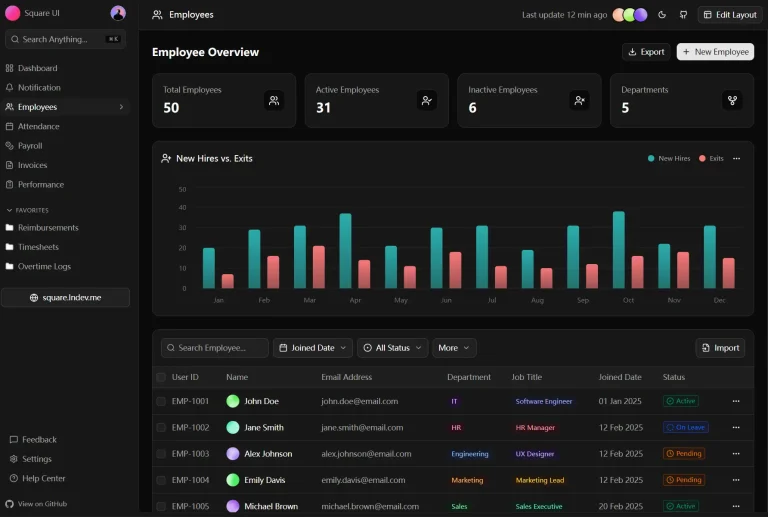
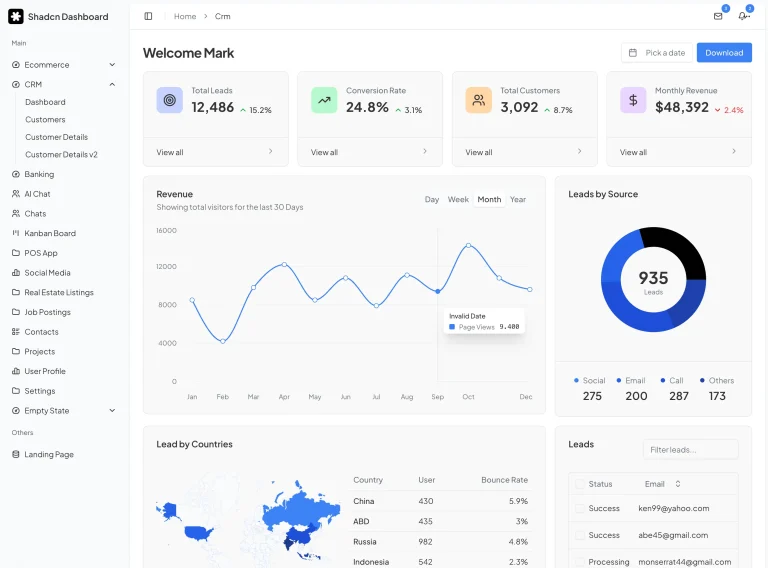
📄 Pre-Designed Pages: Includes dashboard, login, register, user profile, data tables, chart pages, and error pages.
📊 Chart Library: Area, bar, line, pie, radar, and radial chart variants across 58 total configurations.
🗂️ UI Blocks: Card blocks, chart blocks, banner blocks, and authentication blocks.
🔲 Flexible Navigation Layouts: Sidebar, topbar, horizontal menu, and mini-sidebar layout.
🎨 Color Customization: Accepts brand colors through the Tailwind configuration file.
Use Cases
- SaaS admin panel with chart cards, auth pages, and account screens.
- CRM back office with sidebar navigation and reusable data widgets.
- Internal operations dashboard with chart blocks and status cards.
- Analytics console in React, Next.js, or TanStack Start with the same design language.
How to Use It
Table Of Contents
Quick Start: Next.js
Requirements
Node.js 20 or higher and npm 10 or higher.
Installation
Install the repository from Github:
# npm
cd main
npm install
# yarn
cd main
yarn install
# pnpm
cd main
pnpm install
Start the development server
npm run dev
# or
yarn dev
# or
pnpm dev
The local server starts at http://localhost:3000. The terminal confirms the active version:
> [email protected] dev
> next dev
▲ Next.js 16.0.1
  - Local:        http://localhost:3000
  - Environments: .env
Build for production
Run the build command after configuring your target URL in the environment file:
npm run build
# or
yarn build
# or
pnpm build
The output is ready for static hosting or a Node.js server.
Quick Start: TanStack Start
Requirements
Node.js 20 or higher and npm 10 or higher.
Installation
Navigate to the main folder and install:
# npm
cd main
npm install
# yarn
cd main
yarn install
# pnpm
cd main
pnpm install
Start the development server
npm run dev
# or
yarn dev
# or
pnpm dev
TanStack Start runs on Vite internally. The dev server starts at http://localhost:3000:
> dev
> vite dev --port 3000
VITE v7.3.1  ready in 1338 ms
➜  Local:   http://localhost:3000/
➜  Network: use --host to expose
➜  press h + enter to show help
Build for production
npm run build
# or
yarn build
# or
pnpm build
Available UI Components
| Component | Variants |
|---|---|
| Buttons | 8 |
| Input | 10 |
| Select | 3 |
| Checkbox | 5 |
| Radio | 2 |
| Combobox | 4 |
| Command | 2 |
| Form Examples | 2 |
| Repeater Forms | 4 |
| Form Wizard | 2 |
| Tooltip | 1 |
| Skeleton | 1 |
| Alert | 2 |
| Card | 1 |
| Avatar | 1 |
| Badge | 5 |
| Progressbar | 1 |
| Breadcrumb | 4 |
| Tabs | 1 |
| Dropdown | 3 |
| Accordion | 1 |
| Carousel | 3 |
| Dialog | 3 |
| Drawer | 1 |
| Datepicker | 2 |
| Area Chart | 10 |
| Bar Chart | 10 |
| Line Chart | 10 |
| Pie Chart | 11 |
| Radar Chart | 12 |
| Radial Chart | 5 |
Available UI Blocks
Card Blocks: Top Cards, Best Selling Product Card, Payment Gateway Cards, Blog Cards, Product Cards, Music Card, Profile Card, User Card, Social Card, Settings Card, Gift Card, Upcoming Activity Cards, Recent Transaction Cards, Recent Comments, Task List, Recent Messages, User Info, Review Card, Feed Card, User Profile Card, Poll of Week Card, Result of Poll, Social Post Card.
Chart Blocks: Revenue Update Chart, Yearly Breakup Chart, Monthly Earning Chart, Yearly Sales Chart, Current Year Chart, Weekly Stats Chart, Expense Chart, Customer Chart, Earned Chart, Follower Chart, Income Chart, Page Impression Chart, Sales Overview Chart, Total Earning Chart, Views Chart.
Banner Blocks: Greeting Banner, Download Banner, Empty Banner, Error Banner, Mutual Friend Banner, Notification Banner, Greeting Banner 2.
Authentication Blocks: Login 1, Login 2, Login 3, Login 4, Signup 4, OTP 1, OTP 2, OTP 3.
Framework Documentation
- Next.js Documentation
- React.js Documentation
- TanStack Start Documentation
- Angular Documentation
- Vue.js Documentation
FAQs
Q: Can I use the React and Next.js versions in the same project?
A: No. Each framework version is a standalone codebase. Pick the version that matches your deployment model, clone it separately, and work from that codebase.
Q: Does the free version include Shadcn UI components?
A: Yes. The React, Next.js, Vue, and TanStack Start versions include Shadcn UI components built on Radix UI primitives at no cost. The Angular version uses Angular-specific component implementations.
Q: Is there a Pro version with additional components?
A: Yes. A paid Pro version exists with advanced features and priority support. The free version covered in this article is fully functional for building production admin UIs and carries no license restrictions for commercial use.