The Future of Web Dev
The Future of Web Dev
Build Multi-Provider AI Image Apps with AI SDK Image Generator
Deploy a customizable AI image generator supporting OpenAI, Replicate, and Vertex AI. Next.js template with Vercel SDK integration and modern UI components.
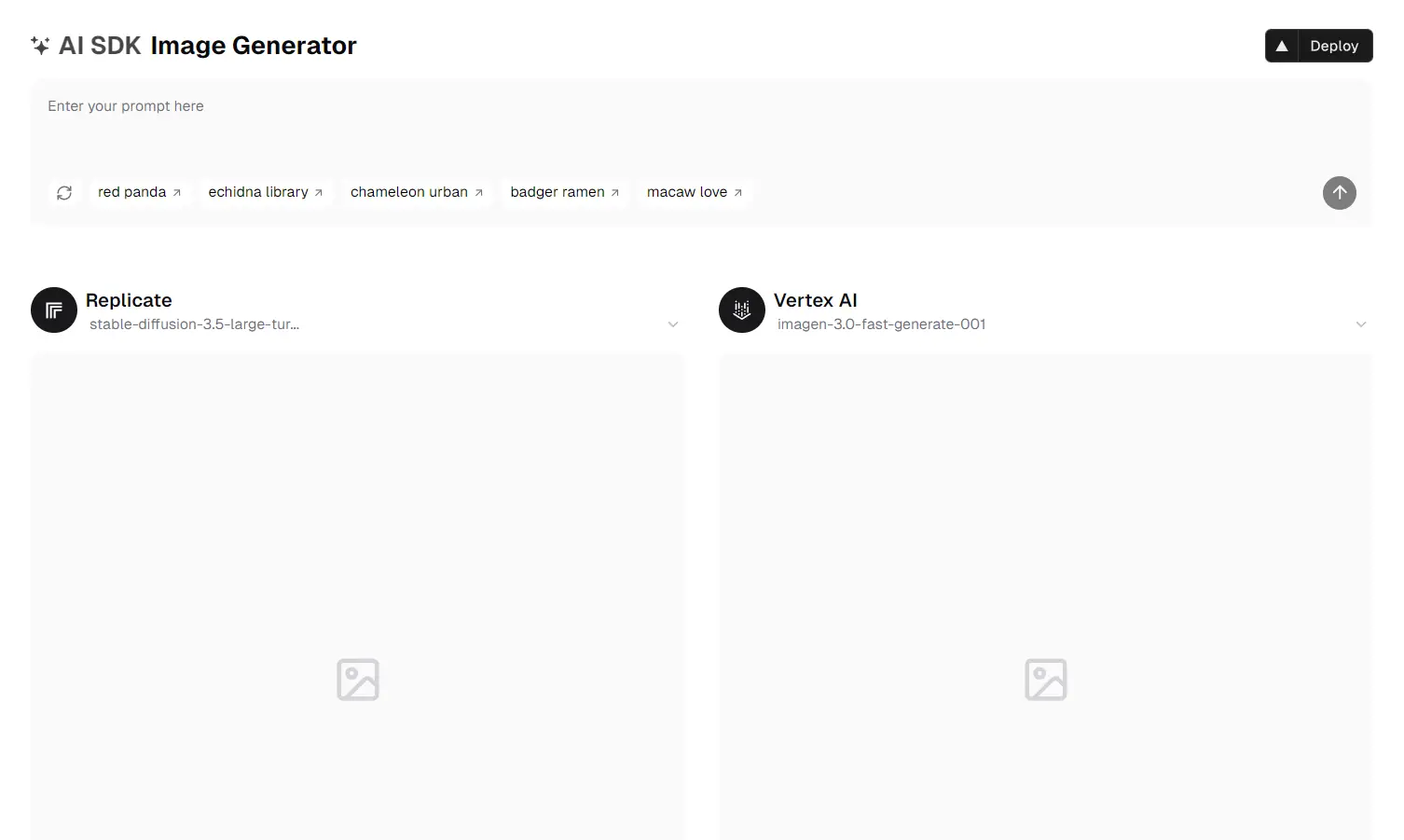
AI SDK Image Generator is an open-source SaaS app template for generating images with AI. It leverages Next.js, Vercel’s AI SDK, and a selection of AI providers. You get a ready-to-use foundation for building applications that create images from text prompts.
This template simplifies integrating AI image generation into your projects. It provides a unified interface, generateImage, from the AI SDK. This function allows you to switch between different AI providers (like Replicate, Fireworks, Google Vertex AI, and OpenAI) with minimal code changes.
Features
🤖 Multi-Provider Support: Use Replicate, Google Vertex AI, OpenAI, and Fireworks interchangeably.
⚙️ Unified API: Generate images across multiple providers with a single input.
💅 Modern UI: Includes shadcn/ui components and Tailwind CSS for a responsive, customizable design.
🚀 Next.js App Router: Built with the latest Next.js App Router.
Installation
1. Clone the repository and install dependencies:
npm install
# or
yarn install
# or
pnpm install
2. Create an .env.local file (or use the Vercel dashboard) to add your API keys:
# Standard API keys
OPENAI_API_KEY=...
REPLICATE_API_TOKEN=...
FIREWORKS_API_KEY=...
# Google Vertex AI settings
GOOGLE_CLIENT_EMAIL=...
GOOGLE_PRIVATE_KEY=...
GOOGLE_VERTEX_PROJECT=...
GOOGLE_VERTEX_LOCATION=...
3. Run the development server:
npm run dev
# or
yarn dev
# or
pnpm dev
4. Open http://localhost:3000 to view the application.
Usage
You can modify the configuration to switch between providers. The simple code structure allows you to experiment with different models and settings. The template gives you a clear path to customize and expand its functionality.
import { generateImage } from 'ai-sdk-core';
async function createImage() {
  const image = await generateImage({
    prompt: 'A description of your desired image',
    provider: 'replicate', // change to another provider if needed
  });
  console.log(image);
}
Related Resources
- Vercel AI SDK Documentation: https://sdk.vercel.ai/docs – Comprehensive guide to using the AI SDK.
- Next.js Documentation: https://nextjs.org/docs – Learn about Next.js features and API.
- shadcn/ui:https://ui.shadcn.com/ – Learn about how to use shadcn/ui components.
- Replicate API: https://replicate.com/docs – Explore Replicate’s models and API for image generation.
FAQs
Q: Do I need to set up all AI providers to use this template?
A: No, you can choose which providers to implement. The template is designed to work with one or more providers based on your needs and API access.
Q: Can I deploy this template without a Vercel account?
A: Yes, while the template includes a one-click deploy button for Vercel, you can deploy it to any hosting platform that supports Next.js applications.
Q: How can I customize the image generation parameters?
A: Each provider allows different parameters for customization. You can modify these in the code where the generateImage function is called.
Q: Can I add custom UI components to the template?
A: Yes, the template uses shadcn/ui and Tailwind CSS, making it easy to customize the interface or add new components.
Preview