The Future of Web Dev
The Future of Web Dev
Build AI Chat Apps with OpenAI’s Agent Builder – ChatKit Starter
Official OpenAI starter template for building AI chat interfaces with ChatKit and Agent Builder.
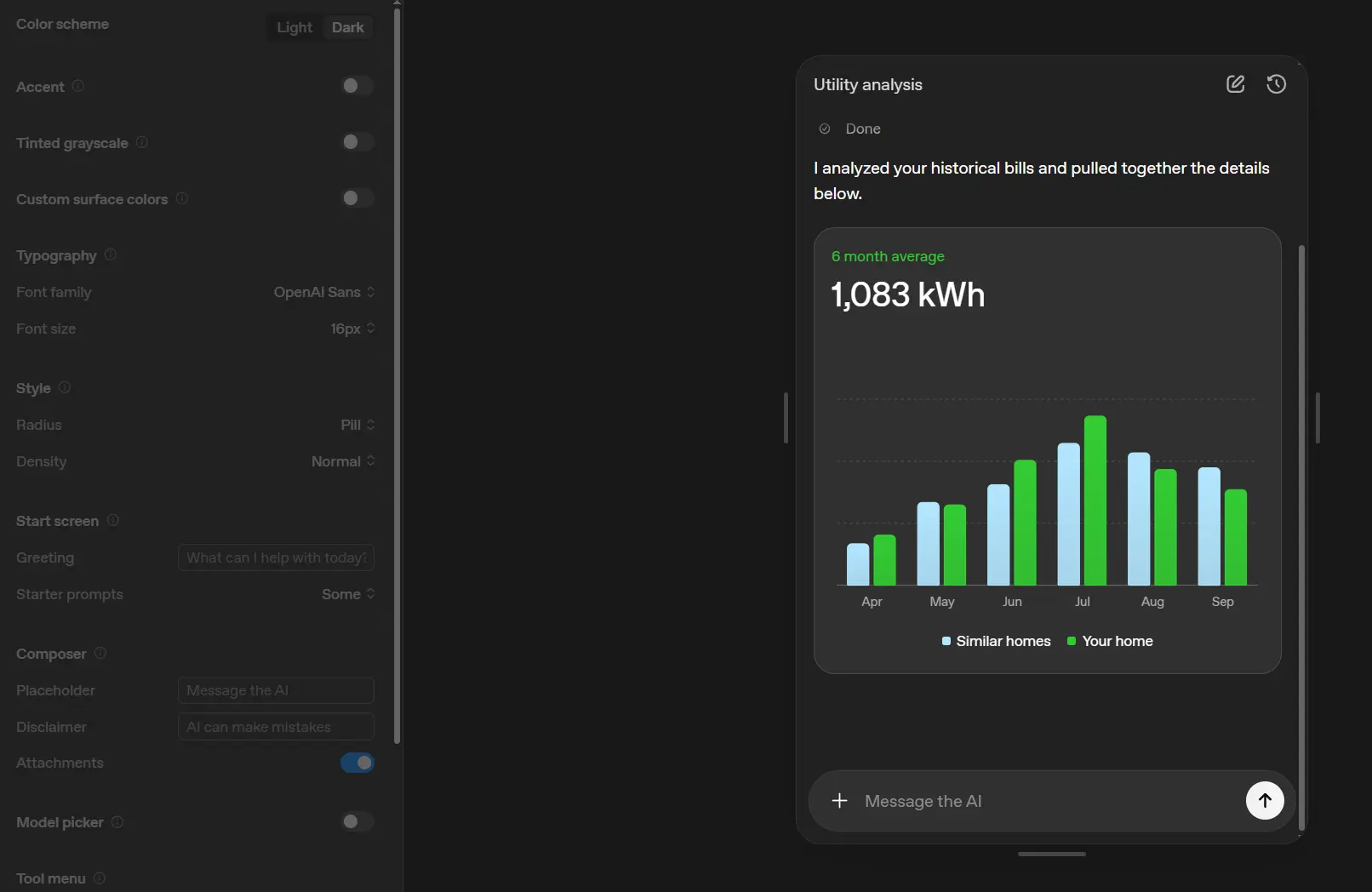
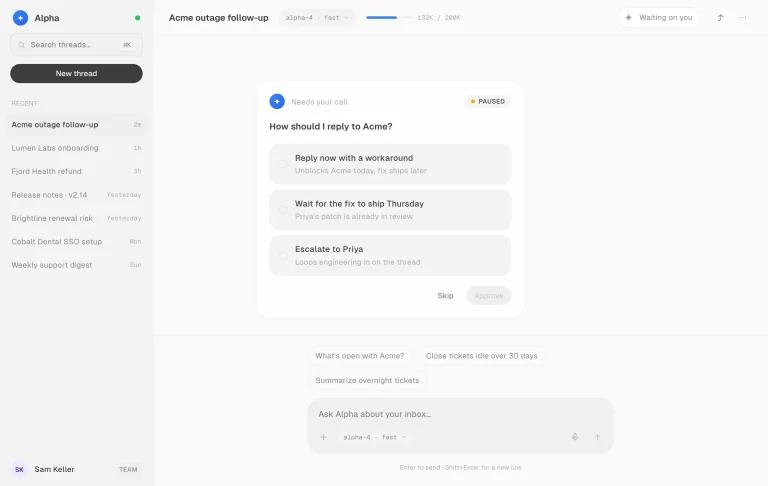
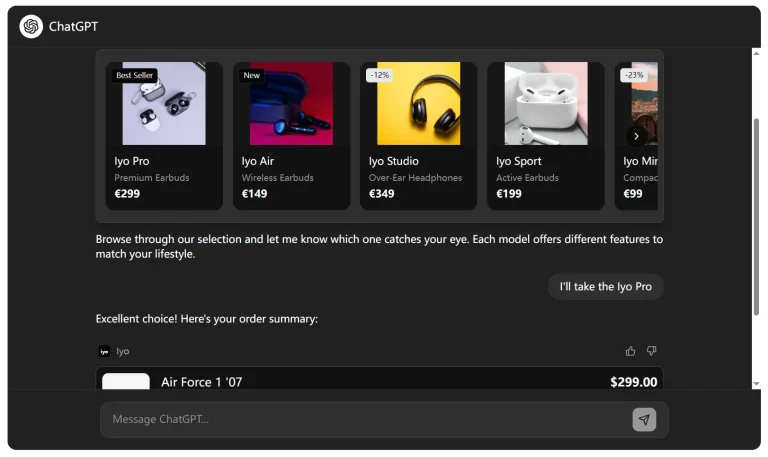
ChatKit Starter is an official starter template from OpenAI that helps you build AI chat applications using ChatKit and Agent Builder.
It provides a pre-configured Next.js application with the ChatKit web component integrated, ready for you to connect to OpenAI-hosted workflows.
You can use this template to quickly prototype and deploy a production-ready chatbot that connects to multi-step agent workflows created in Agent Builder.
Features
🔌 Ready-to-use API endpoint for session creation and workflow connection.
🎨 Built-in theming controls and customizable UI configuration.
💬 Response streaming support for real-time conversational interactions.
📎 File and image upload handling built into the chat interface.
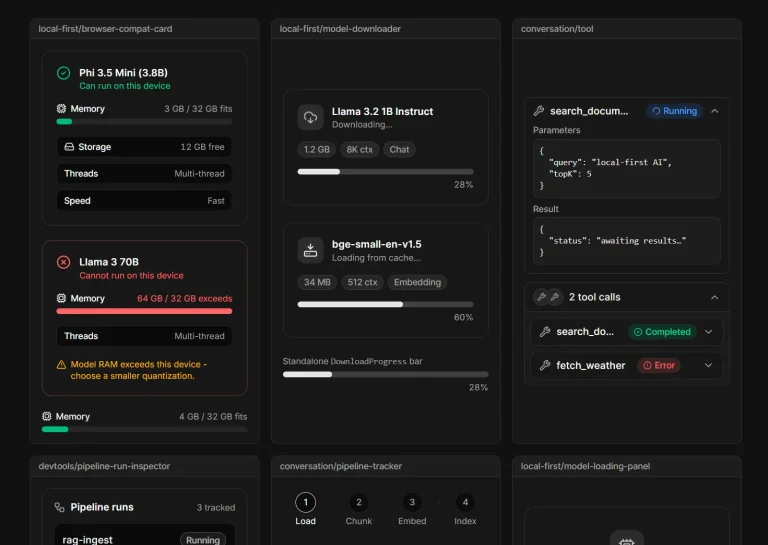
🔧 Tool and workflow visualization for agent actions and reasoning chains.
🧵 Thread and message management for organizing conversations.
📝 Configurable starter prompts, placeholder text, and greeting messages.
🌐 Framework-agnostic web component that works with any tech stack.
Use Cases
- Build customer support chat interfaces that connect to multi-step agent workflows for ticket routing, information retrieval, and issue resolution.
- Create internal tools for employee assistance where agents can access knowledge bases, perform calculations, and execute business logic through conversational interfaces.
- Develop AI-powered product demos that showcase agent capabilities with custom branding and domain-specific interactions.
- Prototype conversational AI features for SaaS applications where users interact with agents to complete complex tasks through natural language.
- Deploy domain-specific chat applications for industries like healthcare, finance, or education where agents need to follow structured workflows and maintain conversation context.
How to Use It
1. Clone the repository from GitHub and install the necessary dependencies.
npm install2. Create a local environment file by copying the example file.
cp .env.example .env.local3. Add your OpenAI API key and ChatKit Workflow ID to the .env.local file. You can obtain your workflow ID from the Agent Builder interface after publishing your agent. Your OpenAI API key can be found on the OpenAI API Keys page.
OPENAI_API_KEY=your-openai-api-key
NEXT_PUBLIC_CHATKIT_WORKFLOW_ID=your-chatkit-workflow-id
4. Run the development server. You can now access the application at http://localhost:3000.
npm run devYou can now access the application at http://localhost:3000 and begin interacting with your chat agent.
5. Before deploying your application, you need to add your domain to the allowlist in your OpenAI organization settings. After that, you can build and start the production server.
npm run build
npm start
6. Customize the chat interface by editing lib/config.ts. This file contains configuration for starter prompts, greeting messages, placeholder text, and theme settings.
export const STARTER_PROMPTS: StartScreenPrompt[] = [
  {
    label: "What can you do?",
    prompt: "What can you do?",
    icon: "circle-question",
  },
];

export const PLACEHOLDER_INPUT = "Ask anything...";

export const GREETING = "How can I help you today?";

export const getThemeConfig = (theme: ColorScheme): ThemeOption => ({
  color: {
    grayscale: {
      hue: 220,
      tint: 6,
      shade: theme === "dark" ? -1 : -4,
    },
    accent: {
      primary: theme === "dark" ? "#f1f5f9" : "#0f172a",
      level: 1,
    },
  },
  radius: "round",
  // Add other theme options here
  // chatkit.studio/playground to explore config options
});
7. You can modify the ChatKit theme using the visual editor at https://chatkit.studio/playground. The theme configuration accepts color values, typography settings, and layout options.
8. Modify event handlers in components/ChatKitPanel.tsx to integrate with your analytics or storage systems. The component fires events for message sent, message received, session started, and error conditions. You can attach custom logic to these events for logging, tracking, or data persistence.
Related Resources
- ChatKit JavaScript Library – Official documentation for the ChatKit framework with API references, component properties, and theming guides.
- OpenAI Agent Builder – Visual canvas for creating multi-step agent workflows with drag-and-drop nodes and live preview capabilities.
- ChatKit Advanced Samples – Collection of advanced implementation examples showing self-hosting, custom authentication, and complex integrations.
- Next.js Documentation – Official guide to the Next.js framework used in this starter template, covering routing, API routes, and deployment.
FAQs
Q: Do I need to create my own API endpoint for session management?
A: The starter template includes a pre-built session endpoint at app/api/create-session/route.ts. You can use this endpoint as-is or modify it for custom authentication or session logic.
Q: Can I use ChatKit with frameworks other than Next.js?
A: ChatKit is a framework-agnostic web component. You can integrate the <openai-chatkit> component into React, Vue, Angular, or vanilla JavaScript applications. The starter template uses Next.js for convenience, but you can extract the ChatKit component and use it anywhere.
Q: How do I test my agent workflow before deploying?
A: Use the starter prompts in the development environment to verify your workflow responds correctly. Agent Builder also provides a preview mode where you can test workflows with live data before publishing them.
Q: What happens if my API key and workflow are in different organizations?
A: The API key must belong to the same OpenAI organization and project as your Agent Builder workflow. Mismatched credentials cause authentication errors. Create your API key in the correct organization to fix this issue.
Q: Can I customize the chat UI beyond theme colors?
A: You can modify the ChatKit component properties and CSS variables for extensive customization. The theme configuration supports colors, typography, spacing, and borders. For deeper UI changes, you can fork the ChatKit component or wrap it in custom markup.