The Future of Web Dev
The Future of Web Dev
Next.js SaaS Boilerplate with Better Auth, PostgreSQL & File Uploads – IndieSaas Starter
Build SaaS applications faster with IndieSaas Starter. A Next.js boilerplate featuring Better Auth, PostgreSQL, and shadcn/ui components.

IndieSaas Starter is a modern Next.js SaaS boilerplate that accelerates the development of software-as-a-service applications.
It combines Better Auth authentication, shadcn/ui components, and a robust tech stack to provide a production-ready starter for SaaS projects.
Features
🔐 Better Auth Integration – Complete authentication system with email and social login support
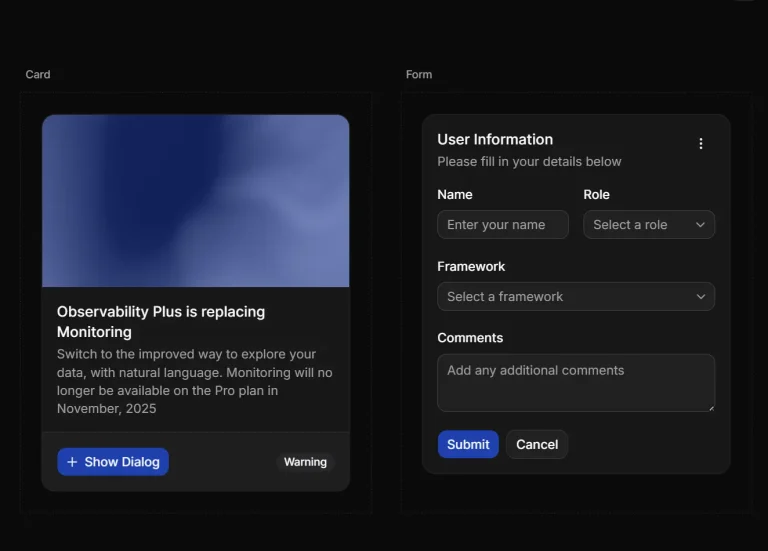
🎨 shadcn/ui Components – Beautiful, accessible UI components with dark mode support
🚀 Next.js Foundation – Lightning-fast performance with SEO optimization
🗄️ PostgreSQL Database – Production-ready database with Drizzle ORM for type-safe queries
📁 File Upload System – Secure file uploads with UploadThing integration
🏗️ Monorepo Structure – Turborepo setup for clean code organization
⚡ Biome Linting – Fast code formatting and linting
🔒 Session Management – Built-in user session handling and role management
📊 Dashboard Layout – Ready-to-use admin and user dashboard components
🎯 Production Ready – Enterprise-grade architecture for scalable applications
Preview

Use Cases
- SaaS Application Development – Build subscription-based software services with user authentication, payment processing, and content management
- MVP Prototyping – Rapidly prototype business ideas with pre-built authentication and UI components
- Client Project Foundation – Start client projects with a solid technical foundation that includes user management and file handling
- Educational Platform Creation – Develop online learning platforms with user registration, content upload, and progress tracking
- E-commerce Dashboard – Create admin panels for online stores with inventory management and user analytics
- Content Management Systems – Build custom CMS solutions with user roles, file uploads, and content organization
Installation
1. Clone the Repository from GitHub.
git clone https://github.com/indieceo/Indiesaas
cd indiesaas
2. Install Dependencies
npm install
# or
pnpm install
3. Create a .env.local file in the root directory:
# Required: Generate at https://www.better-auth.com/docs/installation#set-environment-variables
BETTER_AUTH_SECRET="your-secret-key-here"
# Required: PostgreSQL connection
DATABASE_URL="postgresql://username:password@localhost:5432/your-database"
# Required for avatars upload: UploadThing API keys
UPLOADTHING_TOKEN=""
# Optional: OAuth providers
# GOOGLE_CLIENT_ID=""
# GOOGLE_CLIENT_SECRET=""
# GITHUB_CLIENT_ID=""
# GITHUB_CLIENT_SECRET=""
5. Database Setup
# Generate Better Auth schema
npx @better-auth/cli generate
# Generate Drizzle migrations
npx drizzle-kit generate
# Run migrations
npx drizzle-kit migrate
6. Start Development Server
npm run dev
# or
pnpm dev
Related Resources
- Better Auth – Modern authentication library for TypeScript with built-in security features and multiple provider support
- shadcn/ui – Beautifully designed components built with Radix UI and Tailwind CSS for modern web applications
- Drizzle ORM – TypeScript ORM with SQL-like syntax and excellent performance for PostgreSQL, MySQL, and SQLite
- UploadThing – Simple file upload service with built-in storage and CDN for Next.js applications
FAQs
Q: Can I use this boilerplate for commercial projects?
A: Yes, IndieSaas Starter is licensed under MIT, allowing commercial use, modification, and distribution.
Q: Which databases are supported besides PostgreSQL?
A: The current setup uses PostgreSQL, but Drizzle ORM supports MySQL and SQLite. You can modify the configuration to use other databases.
Q: How do I add custom OAuth providers?
A: Better Auth supports multiple OAuth providers. Add provider credentials to your environment variables and configure them in the auth.ts file.
Q: Can I customize the UI components?
A: Yes, shadcn/ui components are fully customizable. You can modify themes in globals.css and component variants in individual files.