The Future of Web Dev
The Future of Web Dev
Headless GDPR Module for Nuxt – Simple Cookie Consent
Headless cookie consent module for Nuxt with reactive composables, multi-category scripts, and complete UI control. GDPR compliant.

Nuxt Simple Cookie Consent is a headless, fully customizable cookie consent module for Nuxt-powered applications.
This module focuses on script injection and removal based on user consent preferences, supporting multiple categories like analytics, advertising, and marketing.
You can organize scripts into different groups and mark certain categories as required to prevent users from opting out of essential functionality.
Features
🎯 Headless Design – Complete control over UI/UX with zero imposed styling
📊 Multi-Category Script Management – Organize scripts by purpose (analytics, ads, marketing)
🔒 Required Categories – Mark essential categories to prevent user opt-out
⚡ Reactive Composables – Built-in useCookieConsent() for real-time preference tracking
🚀 Dynamic Script Injection – Auto-inject/remove scripts based on user preferences
🏷️ Multi-Category Scripts – Single scripts can belong to multiple categories
⏰ Consent Expiration – Auto-expire and re-prompt after configured timeframe
🔄 Version Management – Force new prompts when privacy policies change
🛡️ SSR-Safe – Client-side only script injection prevents hydration issues
🎣 Post-Load Callbacks – Initialize tools like GTM or Facebook Pixel after consent
📱 Inline & Pixel Support – Supports scripts, iframes, and custom HTML
🔔 Lifecycle Events – Listen to consent acceptance, denial, and category changes
Use Cases
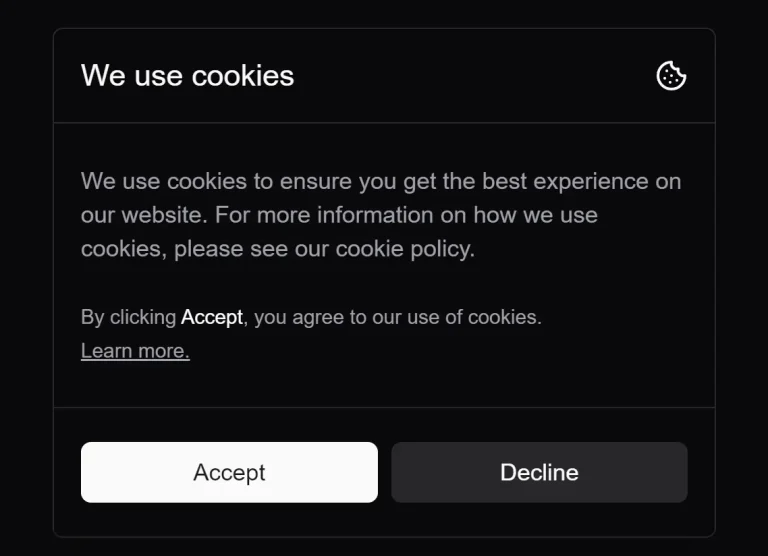
- Custom Branded Banners: Build a cookie consent banner that perfectly matches your website’s branding and style guide, rather than using a generic, pre-styled solution.
- Granular Consent Management: Implement a settings modal where users can individually toggle consent for different script categories, such as performance, marketing, or analytics.
- Multi-Lingual Support: Since you control the UI, you can easily integrate with internationalization libraries (like
nuxt-i18n) to display consent information in multiple languages. - Policy-Driven Re-Prompting: Use the versioning feature to automatically show the consent banner again to all users after you make significant changes to your privacy or cookie policy.
- A/B Testing Consent Flows: Developers can experiment with different banner designs, text, and interaction flows to find the most effective way to obtain user consent by building their own UI components.
Installation
1. Install the module with NPM.
npm install nuxt-simple-cookie-consent2. Add the module to your nuxt.config.ts file and configure the necessary options.
export default defineNuxtConfig({
  modules: ['nuxt-simple-cookie-consent'],
  cookieConsent: {
    // Number of days before consent expires
    expiresInDays: 180,
    // A version number for your consent policy
    consentVersion: '1.0.0',
    // Define script categories
    categories: {
      analytics: {
        label: 'Analytics',
        description: 'Used to improve website performance.',
        required: false,
      },
      ads: {
        label: 'Advertisement',
        description: 'Used for ad personalization.',
      },
    },
    // Add scripts and assign them to categories
    scripts: [
      {
        id: 'ga',
        src: 'https://www.googletagmanager.com/gtag/js?id=GA_ID',
        categories: ['analytics'],
      },
      {
        id: 'facebook',
        customHTML: `
            <iframe src="https://www.facebook.com/tr?id=FB_PIXEL_ID&ev=PageView&noscript=1"
                    height="1" width="1" style="display:none"></iframe>
          `,
        categories: ['ads'],
      },
    ],
  },
})
3. Use the built-in composable to create your cookie consent interface:
<template>
  <div v-if="!hasUserMadeChoice" class="cookie-banner">
    <h3>Cookie Preferences</h3>
    <p>We use cookies to improve your experience.</p>
    <div v-for="(category, key) in categoryMeta" :key="key">
      <label>
        <input
          type="checkbox"
          :checked="preferences[key]"
          :disabled="category.required"
          @change="updatePreferences({ [key]: $event.target.checked })"
        >
        {{ category.label }}
      </label>
      <p>{{ category.description }}</p>
    </div>
    <button @click="acceptAll">Accept All</button>
    <button @click="denyAll">Deny All</button>
  </div>
</template>
<script setup>
const {
  preferences,
  categoryMeta,
  updatePreferences,
  acceptAll,
  denyAll,
  hasUserMadeChoice
} = useCookieConsent()
</script>
Related Resources
- Nuxt Privacy Module – Privacy-focused module for Nuxt with built-in consent management and Google Analytics integration
- Vue Cookie Law – Vue component for displaying cookie consent notices with customizable styling options
- Cookiebot SDK – Commercial cookie consent platform with extensive API and customization capabilities
- Nuxt GDPR – GDPR compliance module for Nuxt applications with cookie management and data processing controls
FAQs
Q: Can I use this module with existing UI frameworks like Nuxt UI or Vuetify?
A: Yes, the module is completely headless and works with any UI framework. You build the interface using your preferred components while the module handles the consent logic.
Q: How do I handle scripts that belong to multiple categories?
A: Add multiple categories to the script configuration using the categories array. The script will only load when all specified categories are accepted by the user.
Q: Does the module work with server-side rendering?
A: Yes, scripts are only injected client-side using import.meta.client to prevent SSR hydration issues while maintaining proper consent management.
Q: Can I force users to re-consent when my privacy policy changes?
A: Yes, update the consentVersion in your configuration. Users will be prompted to provide consent again when the version doesn’t match their stored preferences.