The Future of Web Dev
The Future of Web Dev
Customizable Admin Dashboard Panel Template Using Next.js & shadcn/ui

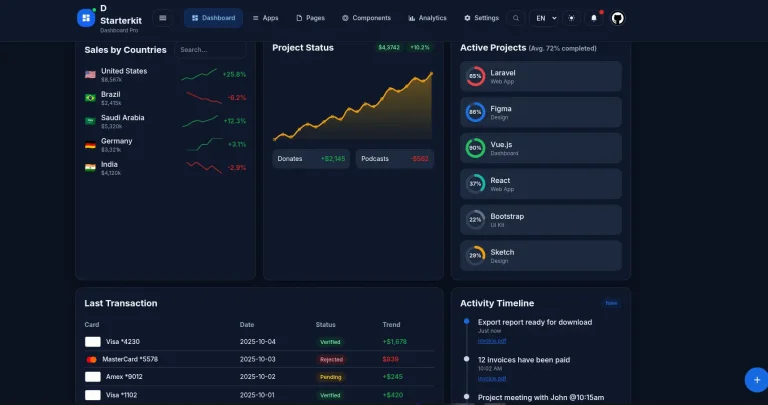
This is an open-source, modern, customizable admin dashboard template built with a modern tech stack including Next.js 15, TypeScript, and shadcn/ui.
You can use it to build admin panels, content management systems, analytics dashboards, or any web application that requires user authentication and data visualization capabilities.
Features
📱 Responsive design that works across desktop, tablet, and mobile devices.
🌈 Multiple theme presets including Tangerine, Neo Brutalism, and Soft Pop color schemes.
🔧 Customizable layouts with collapsible sidebar and content width variations.
🔐 Pre-built authentication screens and layouts for user login and registration.
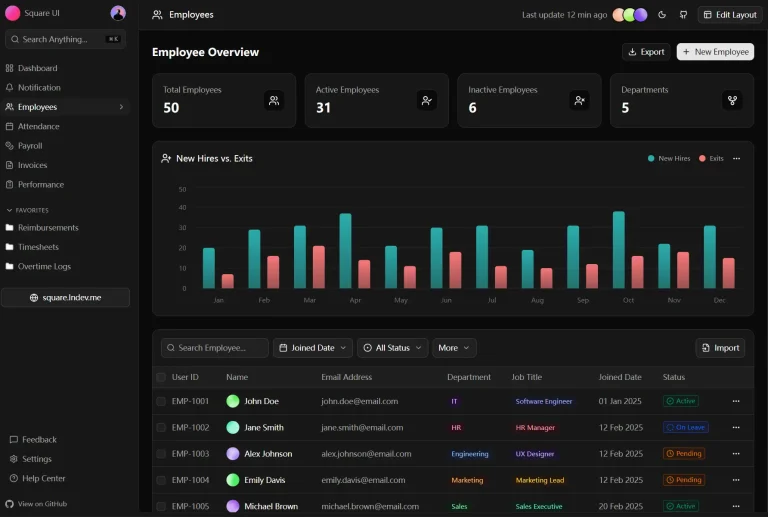
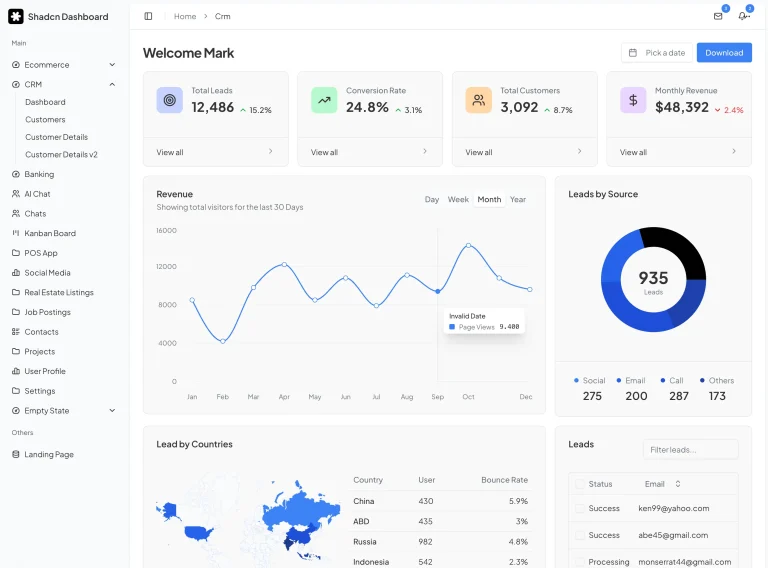
📊 Three dashboard variants covering default, CRM, and finance use cases.
📋 Form validation using Zod schema validation library.
🗃️ State management with Zustand for predictable application state.
📈 Data table implementation using TanStack Table for sorting and filtering.
🎯 Colocation file system architecture for better code organization.
⚡ Optimized with ESLint, Prettier, and Husky for code quality and consistency.
Use Cases
- CRM Systems: Develop a customer relationship management dashboard to track leads, manage contacts, and visualize sales data.
- E-commerce Admin Panels: Build a control panel for an online store to manage products, monitor inventory, and process orders.
- Project Management Tools: Create an internal platform for teams to organize tasks, track project timelines, and collaborate effectively.
- Financial Dashboards: Construct an interface for financial applications to display transactions, generate reports, and analyze financial metrics.
- Content Management Systems (CMS): Design the backend interface for a custom CMS to manage website content, user roles, and site settings.
Development
1. Clone the project from GitHub to your local environment.
git clone https://github.com/arhamkhnz/next-shadcn-admin-dashboard.git2. Install the necessary dependencies using npm.
cd next-shadcn-admin-dashboard
npm install
3. Start the local development server, and you can view the application at http://localhost:3000.
npm run devTheme Customization
The template supports multiple theme presets that you can switch between based on your design preferences. The default theme uses the Shadcn neutral color scheme, but you can modify this by updating the theme configuration files.
To change themes, locate the theme configuration files in your project structure. The template includes preset themes like Tangerine, Neo Brutalism, and Soft Pop. You can add custom themes by following the same structure pattern used in the existing presets.
Modify the Tailwind CSS configuration to include your custom color variables and design tokens.
Layout Configuration
The dashboard provides multiple layout options that you can customize based on your application requirements. The collapsible sidebar can be configured to show or hide by default, and you can adjust the content width to accommodate different screen sizes and content types.
Modify the layout components to change the sidebar behavior, header design, or main content area structure. The colocation file system architecture makes it easy to find and modify specific layout components without affecting other parts of the application.
Adding New Screens
The template includes five complete screens out of fifteen planned screens. You can add new dashboard screens by creating new route folders within the app directory structure.
Each new screen should follow the colocation pattern where page components, related hooks, and screen-specific logic are grouped together in the same folder. This approach keeps the codebase organized and makes it easier to maintain as your application grows.
Create new dashboard variants by copying the existing dashboard structure and modifying the components and data fetching logic to match your specific requirements.
Form Integration
The template uses React Hook Form combined with Zod for form validation and state management. Create new forms by defining Zod schemas for validation rules and connecting them to React Hook Form controllers.
The authentication screens demonstrate how to implement login and registration forms with proper validation and error handling. You can extend these patterns to create additional forms for user profiles, settings, or data entry screens.
Data Table Implementation
TanStack Table powers the data display functionality in the dashboard. Configure tables by defining column structures, sorting options, and filtering capabilities based on your data requirements.
The table components are reusable and can be adapted for different data types and display formats. Modify the table configuration to add features like pagination, row selection, or inline editing capabilities.
Related Resources
- Shadcn UI Documentation – Official documentation for the UI component library used in this template
- Next.js App Router Guide – Official guide for building applications with Next.js 15 and the App Router
- TanStack Table Documentation – Documentation for implementing advanced data tables and grid functionality
- Zod Schema Validation – TypeScript-first schema validation library for form handling and data validation
FAQs
Q: How do I add new theme presets to the dashboard?
A: You can add custom themes by following the same structure as existing presets like Tangerine or Neo Brutalism. Create new color variable definitions and update the theme configuration files to include your custom preset.
Q: What authentication methods does the template support?
A: The template includes pre-built authentication layouts and screens, but it does not include a specific authentication provider implementation. You need to integrate your preferred authentication service like Auth0, Supabase, or NextAuth.js.
Q: Can I deploy this template without coding knowledge
A: Yes, you can deploy it instantly with Vercel using the one-click deployment option without writing any code.