The Future of Web Dev
The Future of Web Dev
Next.js Ecommerce Dashboard Template for Product & Order Management
An open-source ecommerce admin dashboard built with Next.js, Supabase, and Shadcn UI for managing products, orders, and customers.
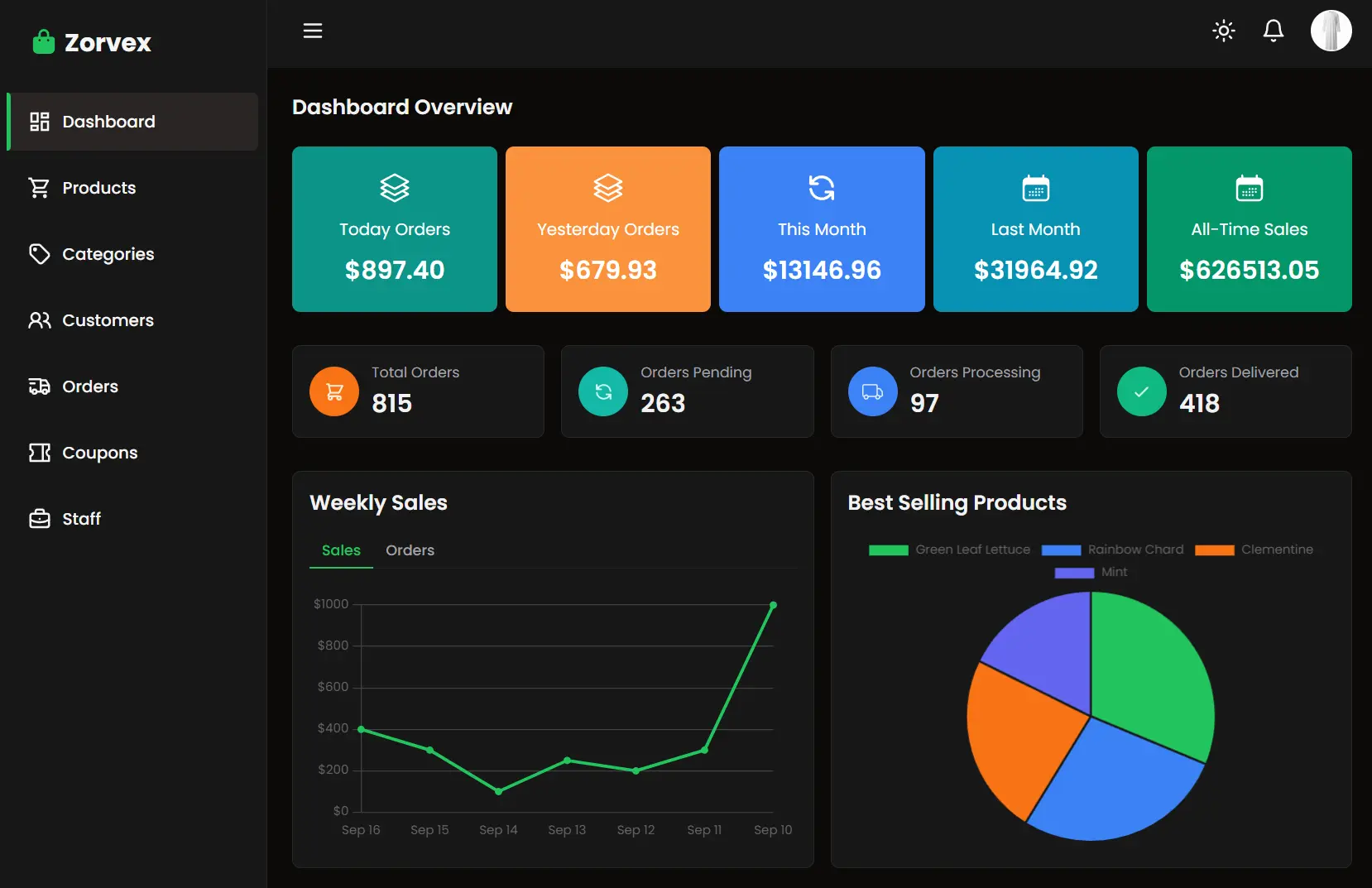
E-commerce Admin Dashboard is a Next.js dashboard template built for online store administrators who need to oversee products, orders, and customers from a single interface.
It provides a centralized control panel that simplifies the daily operations of running an e-commerce business.
Features
🔐 Multiple authentication options including email, Google, and GitHub with password recovery functionality.
🌙 Dark and light mode theming for comfortable viewing in different environments.
📊 Organized table views for managing orders, products, customers, and promotional coupons.
🔔 Built-in notification system for real-time communication and updates.
📱 Responsive design that works across desktop and mobile devices.
⚡ Fast loading times powered by Next.js and React Query for data fetching.
🎨 Modern user interface built with Shadcn UI components and Tailwind CSS.
🗄️ Reliable data storage and management through Supabase integration.
Use Cases
- Small to medium-sized online retailers managing daily store operations from a single dashboard.
- E-commerce managers tracking order fulfillment and customer service requests across multiple channels.
- Store administrators monitoring product inventory levels and updating product information regularly.
- Marketing teams managing promotional campaigns and coupon distribution for customer retention.
- Business owners analyzing customer data and order patterns to make informed decisions about store operations.
How to Use It
1. Clone the repository from GitHub.
git clone https://github.com/taiwo-adewale/ecommerce-admin.git2. Navigate into the newly created project directory.
cd ecommerce-admin3. Install all the necessary project dependencies.
npm install4. Start the local development server. You can now open a web browser and go to http://localhost:3000 to view and interact with the E-commerce Admin Dashboard.
npm run devRelated Resources
- Next.js Documentation provides guidance on building React applications with server-side rendering and static site generation.
- Supabase Documentation offers detailed instructions for implementing authentication, database management, and real-time features.
- Shadcn UI Components contains a complete library of accessible and customizable React components built on Radix UI.
FAQs
Q: Can I customize the dashboard to match my brand colors and styling?
A: Yes, the dashboard uses Tailwind CSS for styling, which allows you to modify colors, fonts, and layout elements. You can update the theme configuration to match your brand requirements.
Q: Does the dashboard support multiple user roles and permissions?
A: The current version focuses on admin functionality. You can extend the authentication system to include role-based access control by modifying the Supabase user metadata and adding permission checks throughout the application.
Q: How do I connect this dashboard to my existing e-commerce platform?
A: The dashboard uses Supabase as its data source. You can integrate it with your existing platform by setting up data synchronization between your current system and the Supabase database through API connections.