The Future of Web Dev
The Future of Web Dev
Advanced Shadcn Table: Server-Side Sort, Filter, Paginate
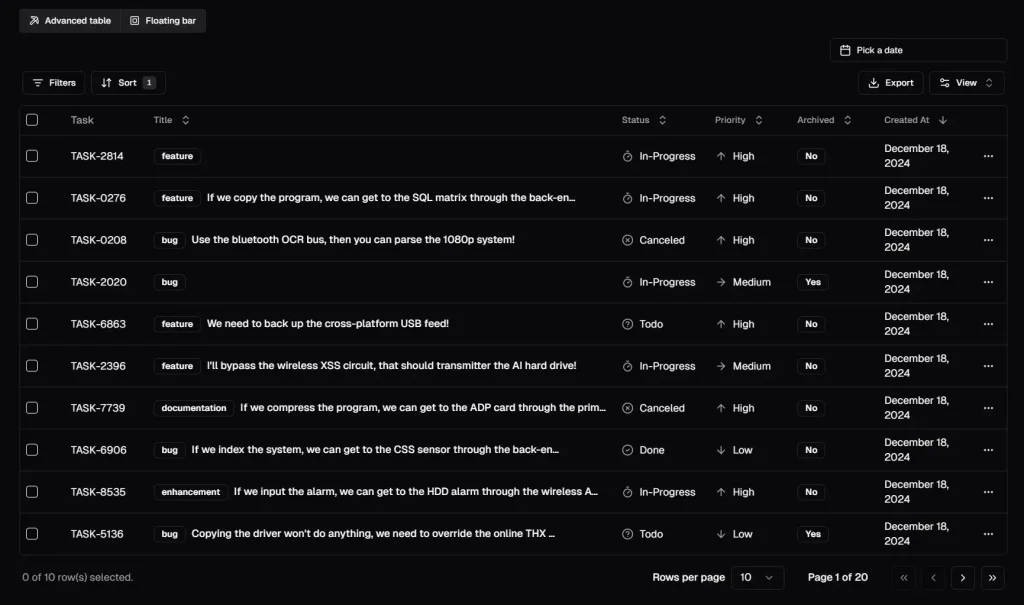
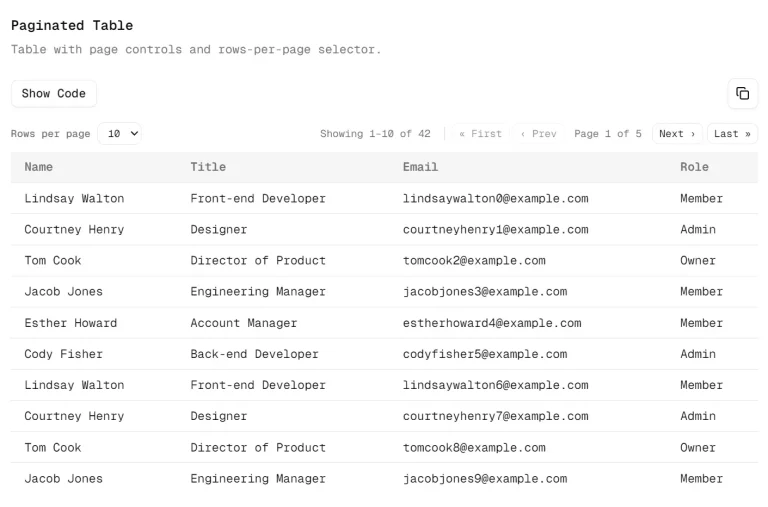
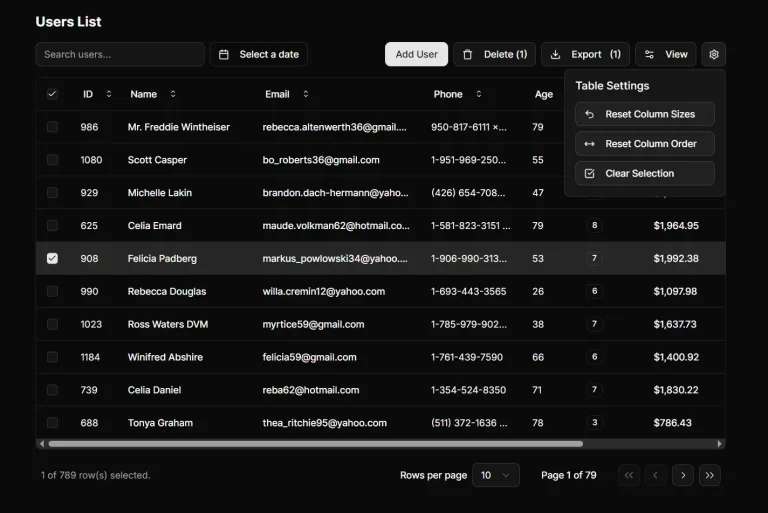
Use Shadcn table for React, with server-side sorting, filtering & pagination for large datasets. Built with TanStack Table, Next.js and TailwindCSS.
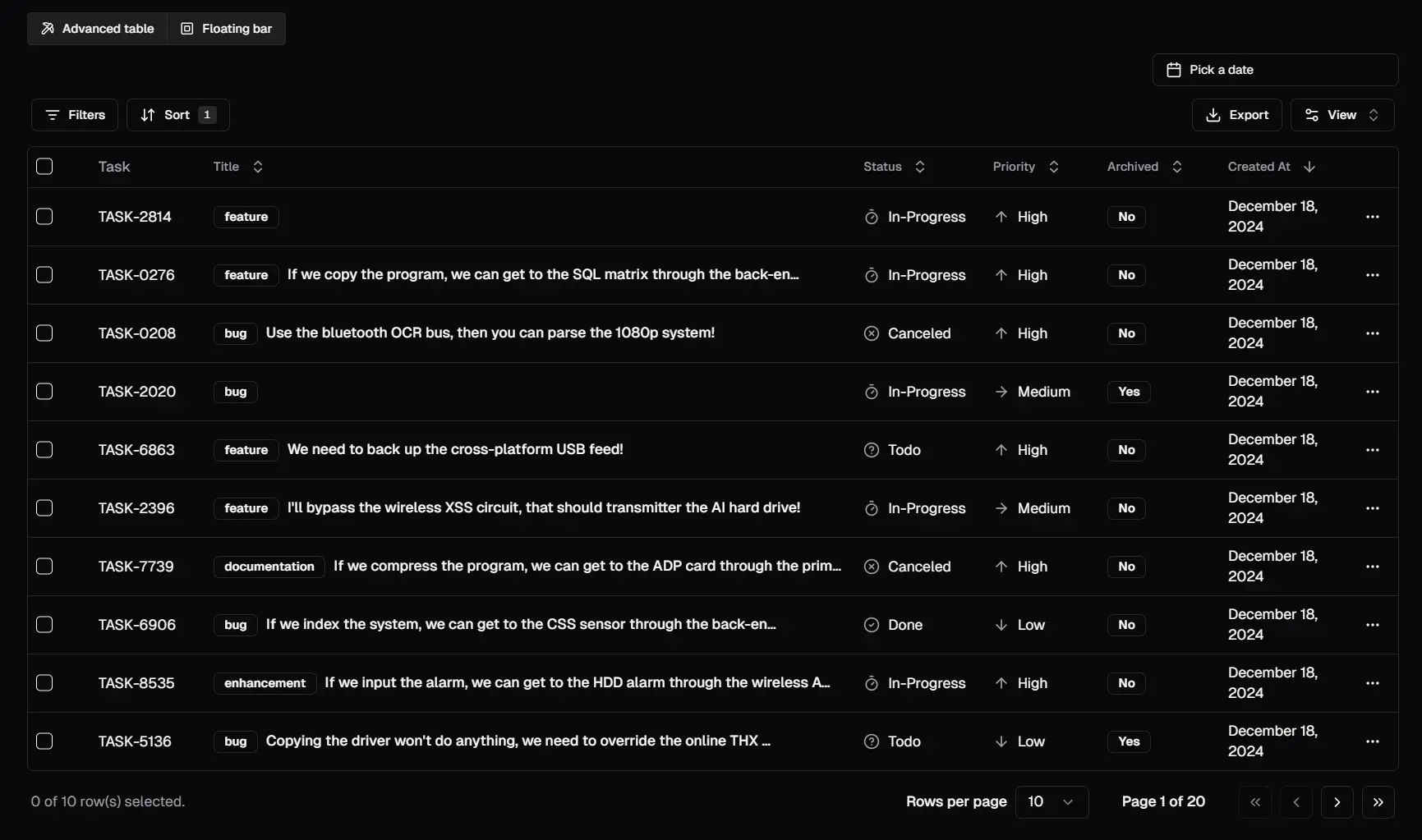
Shadcn Table provides a pre-built, customizable data table component for React applications built with Next.js, Tailwind CSS, and shadcn/ui. It leverages TanStack Table for core table logic and handles server-side pagination, sorting, and filtering. This setup allows developers to manage large datasets efficiently and offer a smooth user experience, especially in data-heavy applications.
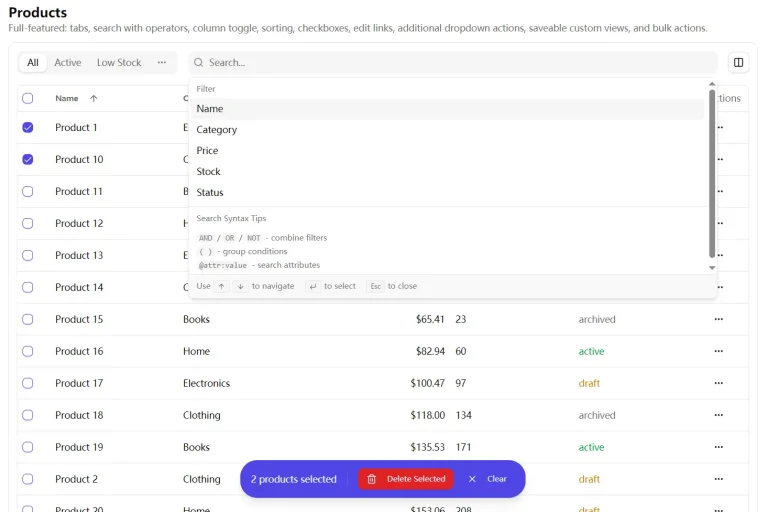
This component addresses the challenges of managing complex data tables with features like dynamic filtering and search, a customizable toolbar, and an optional floating bar for row selections. It also comes with options for advanced filtering, similar to Notion, and a selection bar similar to Linear, adding to its appeal.
Features
🚀 Server-Side Processing: Implements pagination, sorting, and filtering on the server for optimal performance.
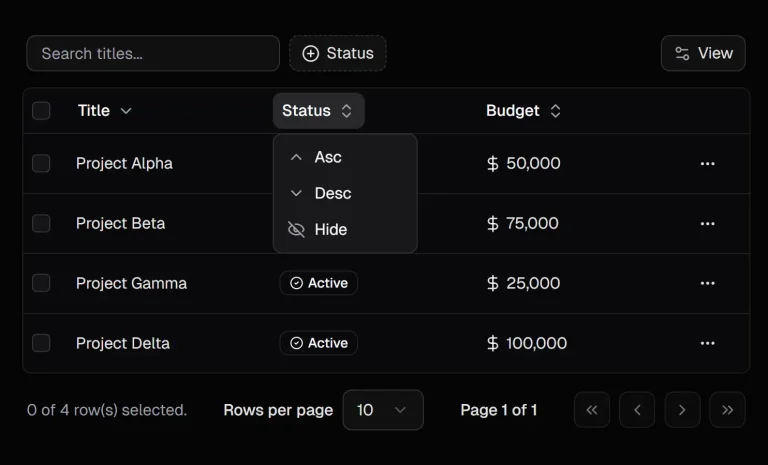
🔍 Dynamic Filtering: Features debounced search filters and faceted filters via the filterFields prop.
💡 Advanced Filtering: Optionally enables Notion-like advanced filtering via the enableAdvancedFilter prop.
🎨 Customizable Columns: Offers flexible table columns through dataTable and columns props.
🧰 Dynamic Toolbar: Includes a Data-Table-Toolbar for search, filters, and actions.
🎚️ Floating Bar: Optionally displays a Linear-like floating bar on row selection using the floatingBar prop.
Use Cases
- Admin Dashboards: Use the Shadcn Table to display and manage user accounts, system logs, and other administrative data, with server-side processing handling large datasets efficiently. This allows for smooth user interaction even with a considerable volume of data.
- E-commerce Product Listings: Implement the component to display product listings, enabling users to quickly sort, filter, and search products. The filtering capabilities make it easier for customers to find what they need.
- Project Management Tools: Utilize the table in project management apps to show tasks, deadlines, and team assignments. Server-side sorting and filtering help project managers stay organized and quickly assess project status.
- Financial Data Dashboards: Display financial transactions, account balances, or stock prices. The table’s sorting and filtering allow financial professionals to analyze information quickly and focus on specific areas.
- Analytics Platforms: Present detailed analytical data with the table, which makes large data volumes manageable. The filtering capabilities let users view data from different angles and pinpoint trends.
Installation
- Start by copying the
src/components/data-table,src/db/index.ts,src/hooks,src/lib, andsrc/typesfolders into their respective locations in your project. - Install required packages:
bash pnpm dlx shadcn@latest init pnpm dlx shadcn@latest add badge button calendar checkbox command dialog dropdown-menu form input label popover select separator skeleton sonner table toggle-group tooltip drawer pnpm add drizzle-orm postgres @tanstack/react-table zod @t3-oss/env-nextjs pnpm add -D drizzle-kit dotenv-cli pg tsx - Configure your database URL in your environment variables.
- Create your table schema (e.g.,
taskstable) at@/db/schema.ts. - Create associated Zod validations (e.g.,
@/lib/validations/tasks.ts). - Create
page.tsxand, if necessary,layout.tsxfiles in your app directory. - Copy
./_componentsand./_libdirectories into your project. - Modify
./_lib/queries.tsand./_lib/actions.tsto match your database operations. - Update
./_components/tasks-table-floating-bar.tsxto match your table’s actions, if needed. - Update
./_components/tasks-table-columns.tsxto define column headers, searchable columns, and filterable columns. - In
./page.tsx, definegetTasksPromise,getTaskCountByStatus, andgetTaskCountByPriority. - In
./_components/tasks-table.tsx, use theReact.usehook to consume thegetTasksPromise. - Memoize table columns in
./_components/tasks-table.tsxusingReact.useMemo. - In
./_components/tasks-table.tsx, use the./hooks/useTasksTable.tsxhook to handle server-side pagination, sorting, and filtering. - Remove the provider from
./components/tasks-table-provider.tsx
Usage
The core functionality revolves around the useDataTable hook, which manages pagination, sorting, and filtering states. Define your table columns, including those that can be sorted and filtered. Pass this configuration to the table component.
In your page component, you must fetch the necessary data using React.use to trigger suspense. Customize search, filter, and action components in Data-Table-Toolbar, which allow for various operations based on the data set. You can also control advanced filtering and floating bar using their associated props. The table component renders the columns based on its configuration.
Related Resources
- TanStack React Table: Powerful headless UI library for building complex tables
- Drizzle ORM: Lightweight TypeScript ORM with excellent type safety
- Zod: TypeScript-first schema validation library
- Shadcn UI: Beautifully designed, accessible component library for React
FAQs
Q: How do I implement server-side filtering in Shadcn Table?
A: You can use the useDataTable hook to handle server-side filtering. Pass a filterFields prop to enable dynamic search filters, allowing users to filter data by different criteria.
Q: Can I customize the table columns?
A: Yes, you can customize the columns by defining them in the columns prop. Each column can have its header and access to specific data fields.
Q: Does Shadcn Table support pagination for large datasets?
A: Yes, Shadcn Table provides server-side pagination, which makes it perfect for handling large datasets without overwhelming the client-side performance.
Q: How do I add advanced filters to the table?
A: By enabling the enableAdvancedFilter prop, you can add more complex filtering capabilities, similar to those found in Notion, to your table.
Q: What is the purpose of the floating bar feature?
A: The floating bar allows users to perform actions on selected rows. It appears when a row is selected, providing a convenient interface for interacting with the table’s data.
Preview