The Future of Web Dev
The Future of Web Dev
Pre-Styled Typography for shadcn/ui Projects – shadcn-prose
Add beautiful, pre-styled typography to your shadcn/ui projects with shadcn-prose. Get consistent headings, paragraphs, and lists.

shadcn-prose is a CSS library for shadcn/ui that helps you create well-formatted and highly readable long-form content like blog posts or documentation pages.
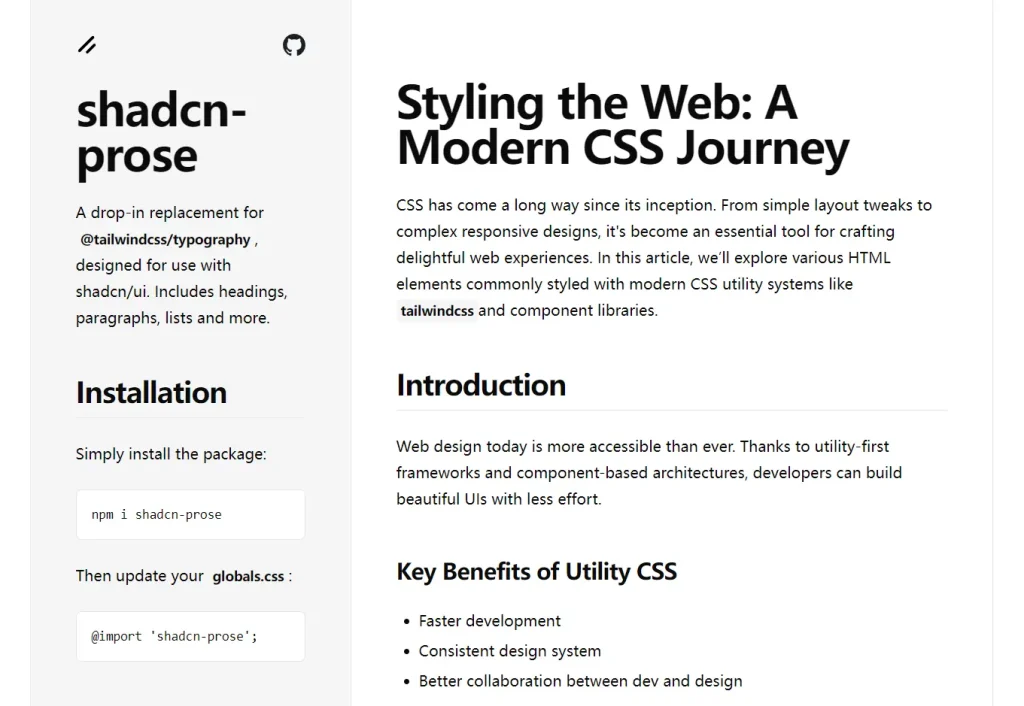
It provides pre-configured typography styles that match shadcn/ui’s visual language, including proper spacing, font weights, and color schemes that work with both light and dark themes.
You can use this library to style headings, paragraphs, lists, tables, code blocks, and other text elements without manually configuring each component.
Features
🎨 shadcn/ui Design Integration – Matches shadcn/ui’s design tokens and color schemes perfectly
🌓 Dark Mode Support – Automatic theme switching with proper contrast ratios
📱 Responsive Typography – Mobile-optimized text scaling and spacing
🎯 Single Class Application – Just add prose class to style all content
🚫 Selective Exclusion – Use not-prose class to exclude specific elements
🔧 Zero Configuration – Works immediately after installation
📝 Complete Element Coverage – Styles headings, paragraphs, lists, tables, code, and more
⚡ Lightweight – Minimal CSS footprint with Tailwind utility classes
Use Cases
- Documentation Sites – Style markdown-generated content for project documentation and API references
- Blog Posts – Format article content with consistent typography across your shadcn/ui application
- Content Management Systems – Display user-generated content with proper styling and formatting
- Rich Text Editors – Apply typography styles to WYSIWYG editor output and formatted text content
- Static Site Generators – Style markdown content in Next.js, Gatsby, or other static site frameworks
Preview
Installation
Install the package with NPM:
npm i shadcn-proseUpdate your globals.css file to import the styles:
@import 'shadcn-prose';Usage
Apply the prose class to any container with text content:
<div className="prose">
  <h1>Hello world</h1>
  <p>This paragraph will be styled automatically.</p>
  <ul>
    <li>List items get proper spacing</li>
    <li>And consistent styling</li>
  </ul>
</div>
To exclude specific elements from prose styling, use the not-prose class:
<div className="prose">
  <h1>This heading is styled</h1>
  <div className="not-prose">
    <h1>This heading keeps its original styling</h1>
  </div>
</div>
Related Resources
- shadcn/ui – The component library that this typography plugin is designed to complement
- @tailwindcss/typography – The original Tailwind typography plugin that this package replaces
- Tailwind CSS – The utility-first CSS framework that powers both shadcn/ui and this typography plugin
FAQs
Q: How do I customize the typography styles?
A: You can override the default styles by adding custom CSS after importing shadcn-prose, or by using Tailwind’s utility classes directly on elements with the not-prose class.
Q: Does shadcn-prose work with markdown processors?
A: Yes, shadcn-prose works perfectly with markdown processors like remark, markdown-it, or any system that generates HTML from markdown content.
Q: Can I use multiple prose containers on the same page?
A: Absolutely. You can apply the prose class to multiple containers, and each will be styled independently without conflicts.
Q: Is shadcn-prose compatible with Tailwind CSS purging?
A: Yes, shadcn-prose uses standard Tailwind utility classes, so it works with Tailwind’s built-in CSS purging and optimization features.
Q: How is shadcn-prose different from @tailwindcss/typography?
A: While both provide typography styling, shadcn-prose is specifically tailored to match the aesthetic of shadcn/ui out of the box.
