The Future of Web Dev
The Future of Web Dev
Tailwind Gradient Generator: Easily Create Background/Text/Mesh Gradients
Create stunning gradients for your Tailwind CSS projects with ease. Generate code snippets in seconds!

Tailwind CSS Gradient Generator is free online tool that helps web developers generate stunning gradients for backgrounds, text, and even mesh gradients.
Copy and paste the generated CSS classes directly into your Tailwind CSS project for vibrant, eye-catching designs.
Beyond gradient generation, the tool offers features for box shadows, Tailwind color access, Glassmorphism effects, and blob shape creation.
Features
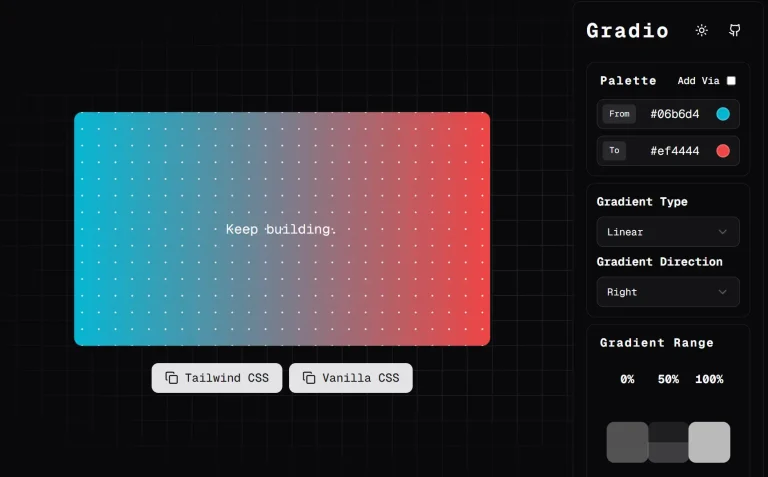
🎨 Color Selection: Intuitive color pickers for start, mid, and end colors, leveraging Tailwind’s color palette.
🔵 Radial Gradients: Create circular gradients with customizable focal points (center, top, bottom, left, right).
📦 Box Shadow Utility: Add depth and dimension to elements with customizable box shadows.
🎨 Tailwind Color Palette: Direct access to the full range of Tailwind colors.
🟢 Blob Shape Generator: Create organic, irregular shapes to add visual interest.
🧭 Gradient Direction Control: Easily set the direction of linear gradients (left-to-right, top-to-bottom, diagonal, etc.).
💫 Conic Gradients: Generate unique circular designs with adjustable origins.
🎲 Randomization: Quickly explore diverse gradient options with a single click.
⚪ Glassmorphism Effect: Implement the popular glassmorphic design trend effortlessly.
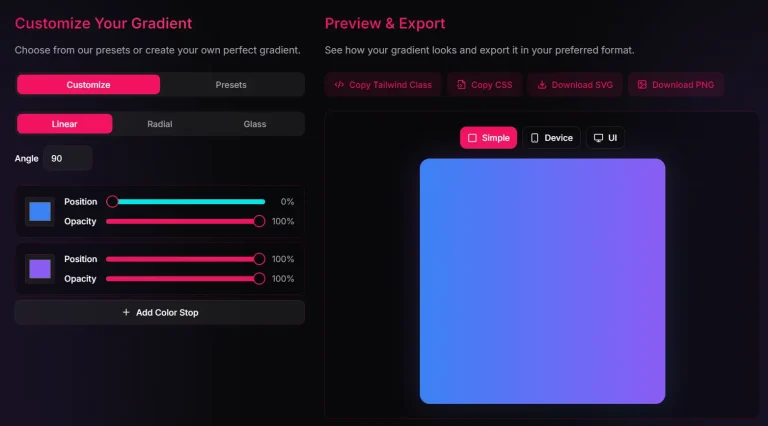
✂️ Code Snippet Generation: Ready-to-use Tailwind CSS code snippets for immediate implementation.
Use Cases
- Hero Sections: Create captivating hero sections with vibrant linear or radial gradients that draw users in. Imagine a landing page with a smooth transition from deep blue to a vibrant orange, instantly setting a dynamic tone.
- Call-to-Action Buttons: Use gradients to make buttons stand out. A subtle radial gradient can add a touch of elegance, while a bold linear gradient can create a sense of urgency.
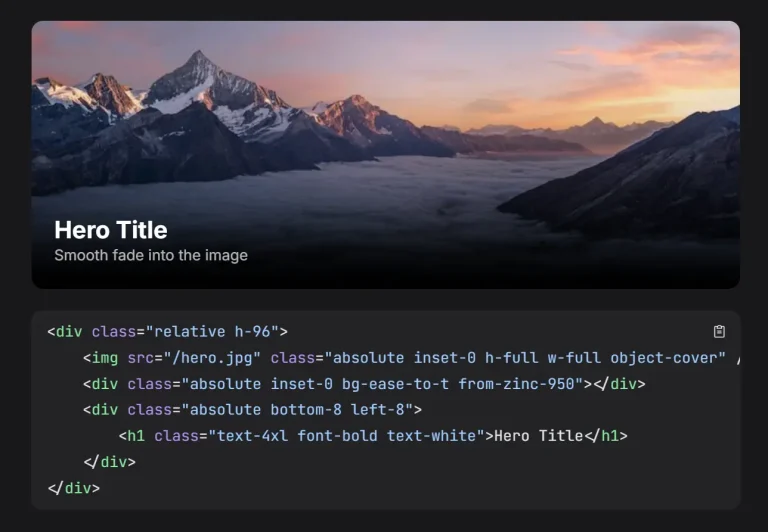
- Background Images Overlay: Combine gradients with background images to create depth and visual harmony. A semi-transparent black gradient overlaid on a background image can make text more readable and create a moody atmosphere.
- Progress Bars/Loaders: Animated conic gradients can create visually appealing progress bars or loading animations, providing a more engaging user experience.
- Card Designs: Use gradients to differentiate cards and add a touch of modern design. A subtle linear gradient can make a card pop without being overly distracting.
Usage Guide
Creating a linear gradient is simple:
- Choose Colors: Select “from,” “via,” and “to” colors from the Tailwind color palette.
- Select Direction: Choose the gradient direction (e.g.,
bg-gradient-to-rfor left-to-right). - Copy and Paste: Copy the generated code snippet (e.g.,
bg-gradient-to-r from-blue-500 to-purple-500) and apply it to the desired element’sclassattribute in your HTML.
Similar steps apply to radial and conic gradients, with options to define focal points and origins.
Preview