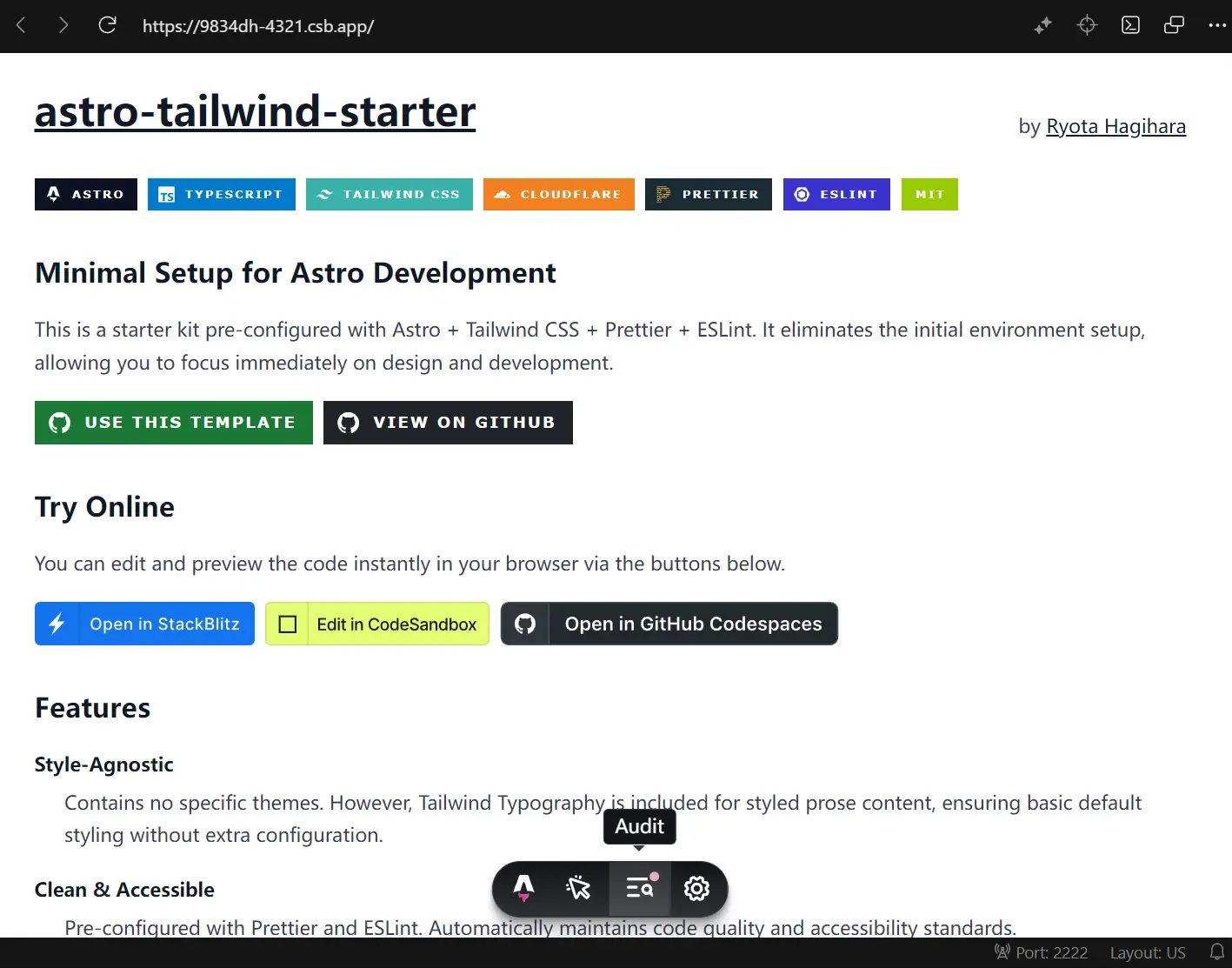
This is a minimal starter template that bundles Astro with Tailwind CSS, TypeScript, Prettier, and ESLint.
It targets Cloudflare Workers by default but compiles to static HTML for any hosting platform like Vercel and Netlify.
Features
⚡ Astro: Builds static sites with component-based architecture and partial hydration.
🎨 Tailwind CSS: Styles components with utility classes through PostCSS compilation.
📘 TypeScript: Catches type errors during development with pre-configured compiler settings.
🔧 Prettier and ESLint: Formats code automatically and enforces consistent JavaScript patterns.
☁️ Cloudflare Workers Ready: Deploys to Cloudflare’s edge network with included Wrangler configuration.
📝 Tailwind Typography Plugin: Renders readable prose content with default typographic styles.
🚀 Standard Directory Structure: Follows Astro conventions for pages, components, layouts, and styles.
🌐 Multi-Platform Deployment: Compiles to static files compatible with Vercel, Netlify, or any static host.
Use Cases
- Documentation Sites: Build fast, content-heavy websites that require clean typography and static generation.
- Personal Portfolios: Deploy lightweight profile sites to the edge for global performance.
- Marketing Landing Pages: Create high-performance pages that load instantly to improve conversion rates.
- Rapid Prototyping: Spin up new environments quickly to test UI concepts without configuring build tools.
How to Use It
Installation via Astro CLI
You can create a new project directly from your terminal. Run this command to generate a project from the template:
npm create astro@latest -- --template ryotahagihara/astro-tailwind-starterThe CLI downloads the template, installs dependencies, and sets up the project structure. Navigate into your project directory after installation completes.
Installation via GitHub Template
Visit the repository on GitHub and click the “Use this template” button. GitHub creates a new repository under your account with all files copied. Clone your new repository and install dependencies:
git clone https://github.com/your-username/your-project-name
cd your-project-name
npm install
Development Server
Start the local development server to preview your site:
npm run devThe server runs at http://localhost:4321 by default. Astro watches for file changes and updates the browser automatically.
Building for Production
Compile your site into static HTML, CSS, and JavaScript files:
npm run buildAstro generates optimized files in the dist directory. You can preview the production build locally before deployment:
npm run previewProject Structure Example
The template follows Astro’s standard directory conventions. Here’s how files are organized:
// src/pages/index.astro
---
import Layout from '../layouts/Layout.astro';
---
<Layout title="Home">
  <main class="max-w-4xl mx-auto px-4 py-8">
    <h1 class="text-4xl font-bold">Welcome to Astro</h1>
    <p class="mt-4 text-lg">Start building your site here.</p>
  </main>
</Layout>
// src/layouts/Layout.astro
---
interface Props {
title: string;
}
const { title } = Astro.props;
---
<!DOCTYPE html>
<html lang="en">
<head>
<meta charset="UTF-8" />
<meta name="viewport" content="width=device-width" />
<title>{title}</title>
</head>
<body>
<slot />
</body>
</html>Tailwind CSS Configuration
The template includes Tailwind CSS v4 with basic configuration. Modify src/styles/global.css to customize your theme:
@import "tailwindcss";
@theme {
  --color-primary: #3b82f6;
  --font-sans: system-ui, sans-serif;
}
Import this stylesheet in your layout component to apply Tailwind classes across your site.
Deployment to Cloudflare Workers
The template includes Cloudflare Workers configuration in wrangler.jsonc. Deploy your site with these commands:
npm run build
npx wrangler deploy
Wrangler authenticates with your Cloudflare account on first use. The deployment pushes your static files to Cloudflare’s edge network.
Deployment to Other Platforms
The template builds static files compatible with any hosting service. Click the deployment buttons in the repository README for one-click setup with Vercel, Netlify, or other platforms. Alternatively, upload the dist folder contents to your hosting provider after running the build command.
Directory Structure
src/components/: Reusable Astro components like Header and Footersrc/layouts/: Layout templates that wrap page contentsrc/pages/: Route files that generate HTML pagessrc/styles/: Global CSS files including Tailwind configurationpublic/: Static assets served directly without processing.prettierrc: Prettier formatting ruleseslint.config.js: ESLint linting configurationastro.config.mjs: Astro framework settingswrangler.jsonc: Cloudflare Workers deployment configtsconfig.json: TypeScript compiler options
Configuration Files
- astro.config.mjs: Controls Astro’s build behavior, integrations, and output settings
- wrangler.jsonc: Defines Cloudflare Workers deployment parameters and routing rules
- tsconfig.json: Sets TypeScript strict mode and module resolution strategy
- eslint.config.js: Configures JavaScript linting rules and Astro file parsing
- .prettierrc: Specifies code formatting preferences for consistent style
Related Resources
- Astro: Static site framework for content-focused websites with component islands architecture.
- Tailwind CSS: Utility-first CSS framework that styles components through composable classes.
- Cloudflare Workers: Serverless execution environment that runs code at edge locations globally.
- Vite: Build tool that powers Astro’s development server with fast hot module replacement.
FAQs
Q: Can I use this template with Astro v4 or earlier versions?
A: No. This template targets Astro v5+ specifically.
Q: Does this template support server-side rendering or dynamic routes?
A: The default configuration builds static sites only. You can add Astro’s SSR adapters manually if you need server-rendered pages or API routes.
Q: How do I customize Tailwind CSS settings beyond the global stylesheet?
A: Edit the @theme directive in src/styles/global.css for Tailwind v4 configuration. The new version uses CSS-based configuration instead of JavaScript config files.
Q: Does this template include a UI component library?
A: No. It provides a clean slate with Tailwind CSS, so you must build or import your own components.