The Future of Web Dev
The Future of Web Dev
Build A Fast Online Store With NextFaster Next.js Template
A highly performant e-commerce template using Next.js.
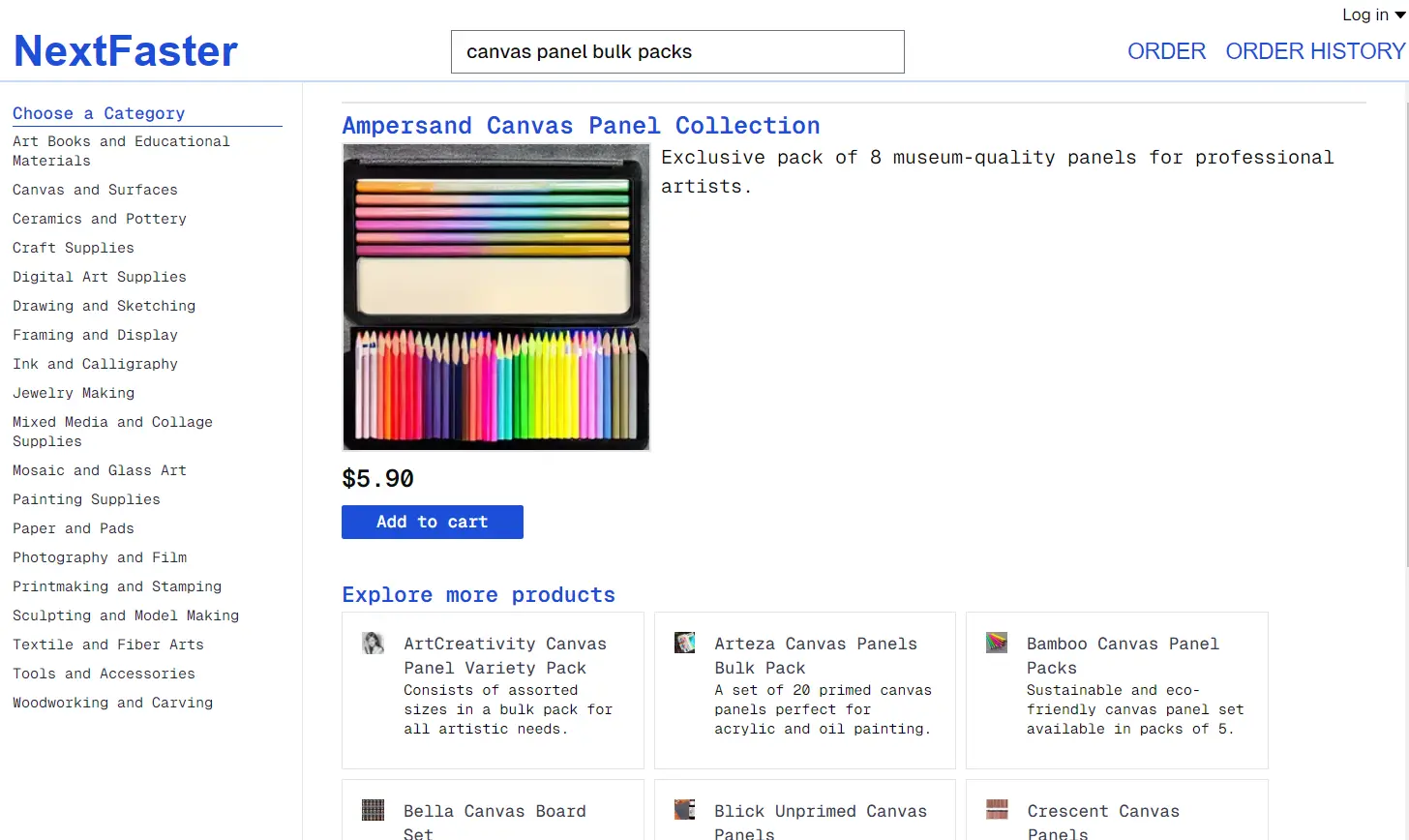
NextFaster is a high-performance e-commerce store template built using Next.js.
This template is ideal for developers looking to create fast, scalable online stores with dynamic features.
It uses the latest, modern web technologies to deliver a robust user experience while optimizing performance.
Features
🚀 High Performance: Uses Next.js 15 for fast page loads and responsive interactions.
⚙️ Server Actions: Implements server actions for handling all mutations, enhancing data processing efficiency.
🤖 AI Integration: Employs OpenAI’s GPT-4o-mini to generate product categories, names, and descriptions.
🌐 Image Storage: Images are stored on Vercel Blob for reliable and fast access.
📦 Partial Prerendering: Precomputes page shells for quick loading while dynamically streaming necessary data.
💾 Database Integration: Uses Drizzle ORM with Neon Postgres, allowing for easy database management and operations.
🖼️ Dynamic Images: Utilizes GetImg.ai to create product images using advanced AI models like stable-diffusion-v1-5.
Use Cases
- Startups Launching E-Commerce Sites: NextFaster is perfect for startups that need a ready-to-go e-commerce solution without starting from scratch. The template allows them to focus on their products while leveraging AI for content generation.
- Custom E-Commerce Solutions: Developers can customize NextFaster to fit specific business needs. By integrating additional features or plugins, businesses can create tailored shopping experiences.
- A/B Testing of E-Commerce Features: The template’s fast deployment capabilities make it ideal for testing different user interface designs and features to determine which performs best in terms of user engagement and sales.
- Marketplaces with Multiple Sellers: NextFaster supports dynamic data handling, making it suitable for marketplaces where numerous sellers can list and manage their products efficiently.
- Personalized Shopping Experiences: The integration of AI allows for the generation of personalized product recommendations and descriptions, enhancing user engagement.
Installation
1. Prerequisites:
- A Vercel account to host the project.
- A Neon Postgres database set up through Vercel.
- Node.js installed on your local machine.
2. Setup:
- Clone the repository from GitHub.
- Connect the Vercel project to the Neon database and Vercel Blob Storage.
- Run the command
pnpm db:pushto apply the schema to your database.
3. Local Development:
- Use
vc env pullto create a.env.localfile with your database credentials. - Install dependencies with
pnpm install. - Start the development server using
pnpm dev.
Usages
To implement NextFaster, follow these core functionalities:
- Generating Products: Use the integrated AI to generate product details by calling the appropriate API endpoints.
- Displaying Dynamic Content: The template allows for the dynamic streaming of cart information, providing users with up-to-date data without full page reloads.
Example code snippet for displaying a product list:
const ProductList = () => {
  const { data } = useFetchProducts(); // Custom hook to fetch products
  return (
    <div>
      {data.map(product => (
        <ProductCard key={product.id} product={product} />
      ))}
    </div>
  );
};
Related Resources
- Next.js Documentation: Next.js Docs – Comprehensive resources for understanding Next.js functionalities and capabilities.
- Drizzle ORM: Drizzle ORM – Learn about this ORM and how to use it with your Next.js applications.
- Vercel Blob Storage: Vercel Blob Storage Guide – Official documentation for implementing blob storage in Vercel projects.
- OpenAI API: OpenAI Documentation – Explore how to integrate OpenAI’s services into your applications.
Preview