The Future of Web Dev
The Future of Web Dev
Build Link-in-Bio Pages with Astro & JSON Using OpenLinks
Build a custom link-in-bio page with OpenLinks, a free Astro template. Configure your profile, links, and theme with a single JSON file.
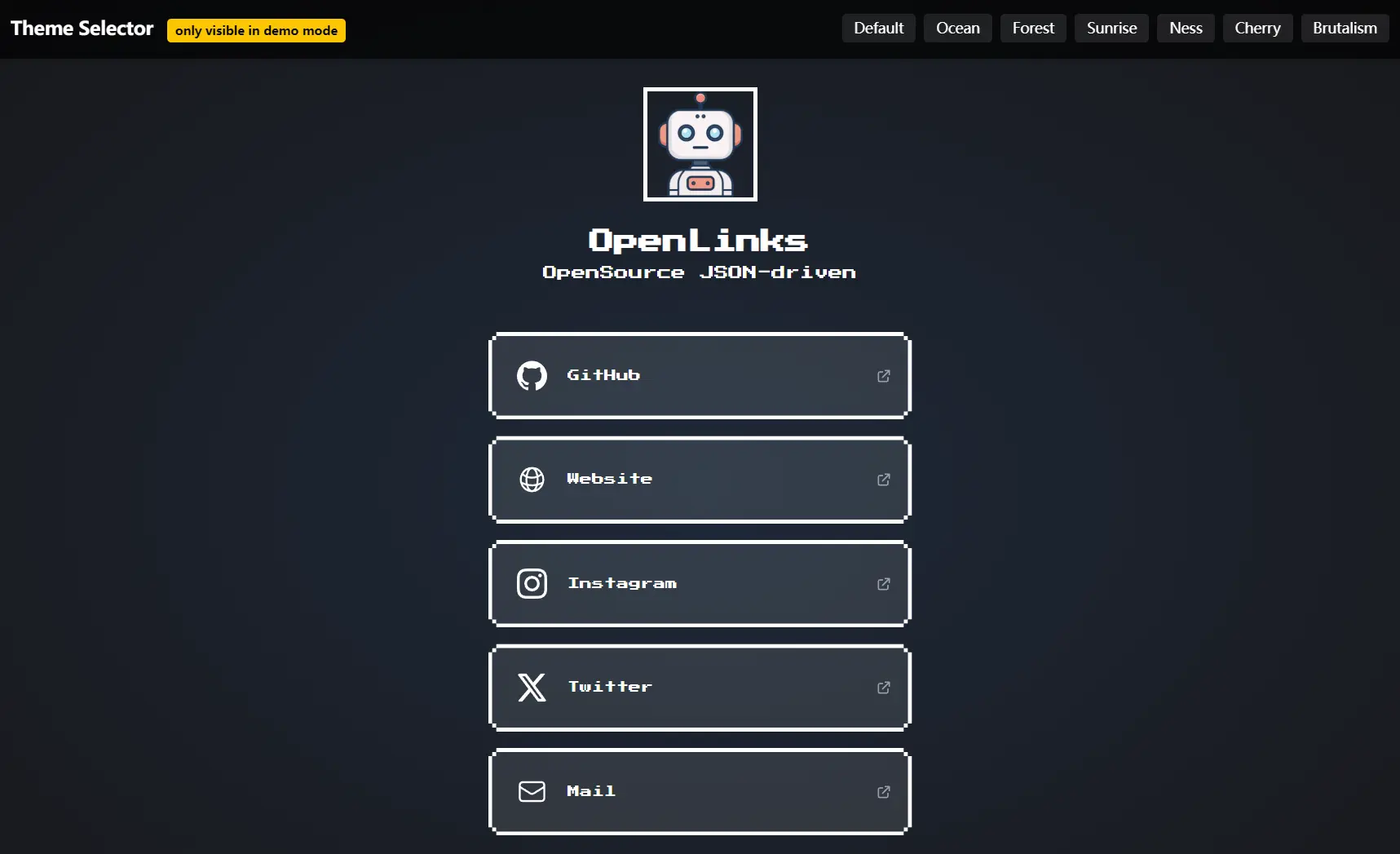
OpenLinks is a free, open-source Astro template for generating a static, responsive, customizable “link-in-bio” webpage from a single JSON configuration file.
You define your profile information, social links, and design theme in OpenLinks.json, and the Astro framework builds the page.
Features
🔧 JSON-driven configuration – Control everything through a single OpenLinks.json file
🎨 Multiple built-in themes – Choose from 8 pre-designed themes or create custom ones
📱 Responsive design – Optimized for mobile and desktop viewing
🖼️ Custom icon support – Add SVG icons to personalize your links
⚡ TailwindCSS integration – Modern utility-first styling framework
🔞 Adult content warning – Optional +18 warning banner for mature content
🔍 SEO optimization – Built-in meta tags and social media sharing support
🚀 Easy deployment – Compatible with Vercel, Netlify, GitHub Pages, and more
Preview
Use Cases
- Personal branding pages – Create a professional landing page for your social media profiles, portfolio, and contact information
- Business link hubs – Consolidate company social media, contact forms, product pages, and resources in one location
- Content creator profiles – Musicians, artists, and influencers can showcase their work across multiple platforms
- Event promotion – Gather registration links, schedules, social media, and event information on a single page
- Portfolio supplements – Add a simple link directory to complement your main portfolio website
Installation
1. Clone the repository from GitHub:
git clone https://github.com/E10YDEV/OpenLinks.git
cd OpenLinks
2. Install dependencies:
npm install3. Start the development server:
npm run dev4. Build for production:
npm run buildUsage
All customization happens in the OpenLinks.json file. You can edit this file to modify your profile, add or remove links, and change the visual theme.
Here is an example of the OpenLinks.json structure:
{
  "name": "Your Name",
  "description": "Short bio or description.",
  "avatar": "/avatar.png",
  "theme": "ocean", // `default`, `ocean`, `forest`, `sunrise`, `ness`, `arctic`, `cherry`, and `brutalism`
  "links": [
    {
      "title": "GitHub",
      "url": "https://github.com/yourusername",
      "icon": "/icons/github.svg"
    },
    {
      "title": "Twitter",
      "url": "https://twitter.com/yourusername",
      "icon": "/icons/twitter.svg"
    }
  ],
  "adultContent": false
}
To add a new link, you just add another object to the links array. To change your theme, update the theme value to one of the available options in themes.ts. Place custom icons in the public/icons/ folder and your avatar image in the public/ folder.
Related Resources
- Astro Documentation – Complete guide to the Astro framework used by OpenLinks
- TailwindCSS Documentation – Styling framework reference for customizing themes
- Linktree – Popular commercial link-in-bio service for comparison
- Bio.link – Another link-in-bio platform with similar functionality
FAQs
Q: Where can I deploy my OpenLinks page for free?
A: You can deploy your static site on services like Vercel, Netlify, or GitHub Pages, all of which offer generous free tiers.
Q: How do I create a custom theme?
A: You can add new theme definitions inside the themes.ts file. Each theme is an object that specifies colors for the background, text, and buttons.
Q: Can I use OpenLinks for commercial projects?
A: Yes, OpenLinks uses the MIT license, which allows commercial use, modification, and distribution of the template.
Q: How do I add analytics tracking to my OpenLinks page?
A: You can add analytics scripts by modifying the layout files in src/layouts/ or by injecting tracking codes through your hosting platform’s settings.