The Future of Web Dev
The Future of Web Dev
200+ Free Copy-Paste UI Components – shadcn.io
A premium-quality component library that provides 200+ free, copy-paste UI components for modern Next.js/React web development.
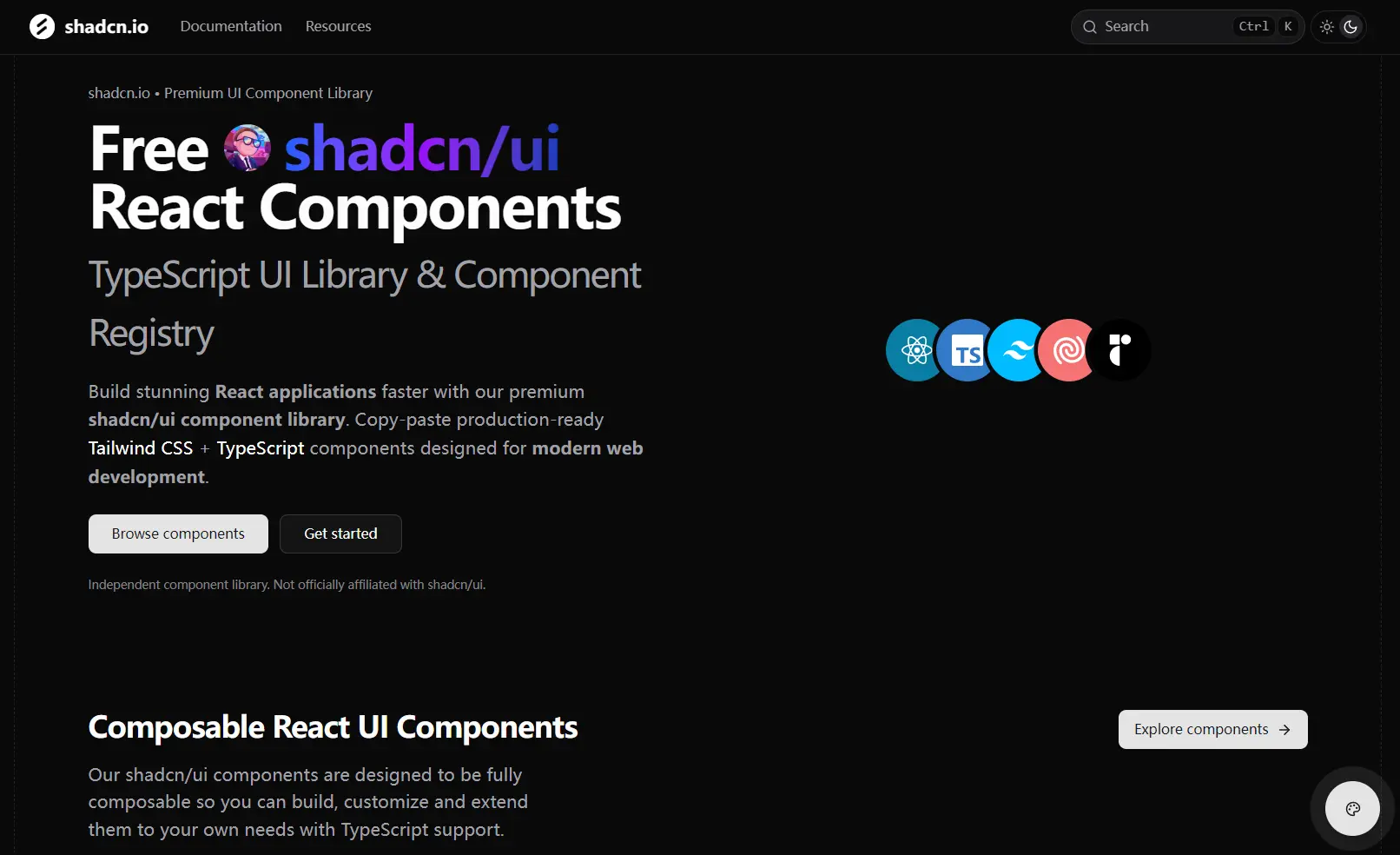
shadcn.io is a community-driven registry that provides a collection of 200+ free, open-source UI components for modern Next.js/React web development.
These components are built upon the design principles of shadcn/ui and are constructed with TypeScript, Tailwind CSS, and Radix UI.
It is useful for building dashboards with interactive data visualizations, creating engaging landing pages with unique animations, or developing applications that require a high degree of customization.
Features
🎨 Copy-Paste Components: Access complete source code for every component with no hidden dependencies or black box implementations.
📊 Chart Components: Built-in data visualization components using Recharts that follow shadcn/ui design principles.
⚡ TypeScript Support: Full TypeScript integration with proper type definitions for all components and props.
🎭 Animation Components: Professional animations and interactive effects designed specifically for Next.js applications.
🔧 Custom React Hooks: Pre-built hooks that handle state management, performance optimization, and memory leak prevention.
🎯 Tailwind CSS: Components styled with Tailwind CSS classes that you can modify and extend.
🧩 Radix UI: Built on Radix UI primitives for accessibility and keyboard navigation support.
🌙 Theme Support: Built-in dark mode and light mode support with customizable design tokens.
How to Use It
Installing components from the shadcn.io registry is a direct process that uses the standard shadcn/ui CLI. You specify the custom registry URL to add the component’s code and its dependencies to your project.
1. Make sure you first have an existing React project, such as one created with Next.js, that is already configured with shadcn/ui.
npm install -g @shadcn/ui
2. Add a component to your project via shadcn/ui CLI as follows:
# NPM
npx shadcn@latest add https://www.shadcn.io/registry/ai.json

# PNPM
pnpm dlx shadcn@latest add https://www.shadcn.io/registry/ai.json

# Bun
bunx shadcn@latest add https://www.shadcn.io/registry/ai.json
This fetches the component’s source files and adds them to your project’s components directory. The installation is fast and does not require you to manually copy any code.
3. Once the component is installed, you can import it into your application like any other React component.
'use client';
import {
  AIBranch,
  AIBranchMessages,
  AIBranchNext,
  AIBranchPage,
  AIBranchPrevious,
  AIBranchSelector,
} from '@/components/ui/shadcn-io/ai/branch';
import { AIMessage, AIMessageAvatar, AIMessageContent } from '@/components/ui/shadcn-io/ai/message';
const userMessages = [
  {
    id: 1,
    content: 'What are the key strategies for optimizing React performance?',
  },
  {
    id: 2,
    content: 'How can I improve the performance of my React application?',
  },
  {
    id: 3,
    content: 'What performance optimization techniques should I use in React?',
  },
];
const assistantMessages = [
  {
    id: 1,
    content:
      "Here's the first response to your question. This approach focuses on performance optimization.",
  },
  {
    id: 2,
    content:
      "Here's an alternative response. This approach emphasizes code readability and maintainability over pure performance.",
  },
  {
    id: 3,
    content:
      "And here's a third option. This balanced approach considers both performance and maintainability, making it suitable for most use cases.",
  },
];
const Example = () => {
  const handleBranchChange = (branchIndex: number) => {
    console.log('Branch changed to:', branchIndex);
  };
  return (
    <div>
      <AIBranch defaultBranch={0} onBranchChange={handleBranchChange}>
        <AIBranchMessages>
          {userMessages.map((message) => (
            <AIMessage from="user" key={message.id}>
              <AIMessageContent>{message.content}</AIMessageContent>
              <AIMessageAvatar
                name="Hayden Bleasel"
                src="https://github.com/haydenbleasel.png"
              />
            </AIMessage>
          ))}
        </AIBranchMessages>
        <AIBranchSelector from="user">
          <AIBranchPrevious />
          <AIBranchPage />
          <AIBranchNext />
        </AIBranchSelector>
      </AIBranch>
      <AIBranch defaultBranch={0} onBranchChange={handleBranchChange}>
        <AIBranchMessages>
          {assistantMessages.map((message) => (
            <AIMessage from="assistant" key={message.id}>
              <AIMessageContent>{message.content}</AIMessageContent>
              <AIMessageAvatar name="AI" src="https://github.com/openai.png" />
            </AIMessage>
          ))}
        </AIBranchMessages>
        <AIBranchSelector from="assistant">
          <AIBranchPrevious />
          <AIBranchPage />
          <AIBranchNext />
        </AIBranchSelector>
      </AIBranch>
    </div>
  );
};
export default Example;
Related Resources
- Tailwind CSS Documentation – Learn about the utility-first CSS framework that powers shadcn/ui styling and customization options.
- Radix UI Primitives – Explore the accessible component primitives that form the foundation of shadcn/ui components.
- Recharts Documentation – Understand how to work with the charting library used in shadcn/ui data visualization components.
- React TypeScript Handbook – Master TypeScript integration with React for better type safety when using shadcn/ui components.
FAQs
Q: Is shadcn.io an official part of shadcn/ui?
A: No, shadcn.io is an independent, community-driven registry and is not officially affiliated with shadcn/ui.
Q: Are the components from shadcn.io free to use?
A: Yes, every component in the registry is MIT-licensed and completely free for both personal and commercial use.
Q: Can I customize components after I install them?
A: Yes. Since the component’s source code is added directly to your project, you have full control to modify and extend it as needed.






