The Future of Web Dev
The Future of Web Dev
Modern Portfolio Template for Next.js – Sleek Portfolio
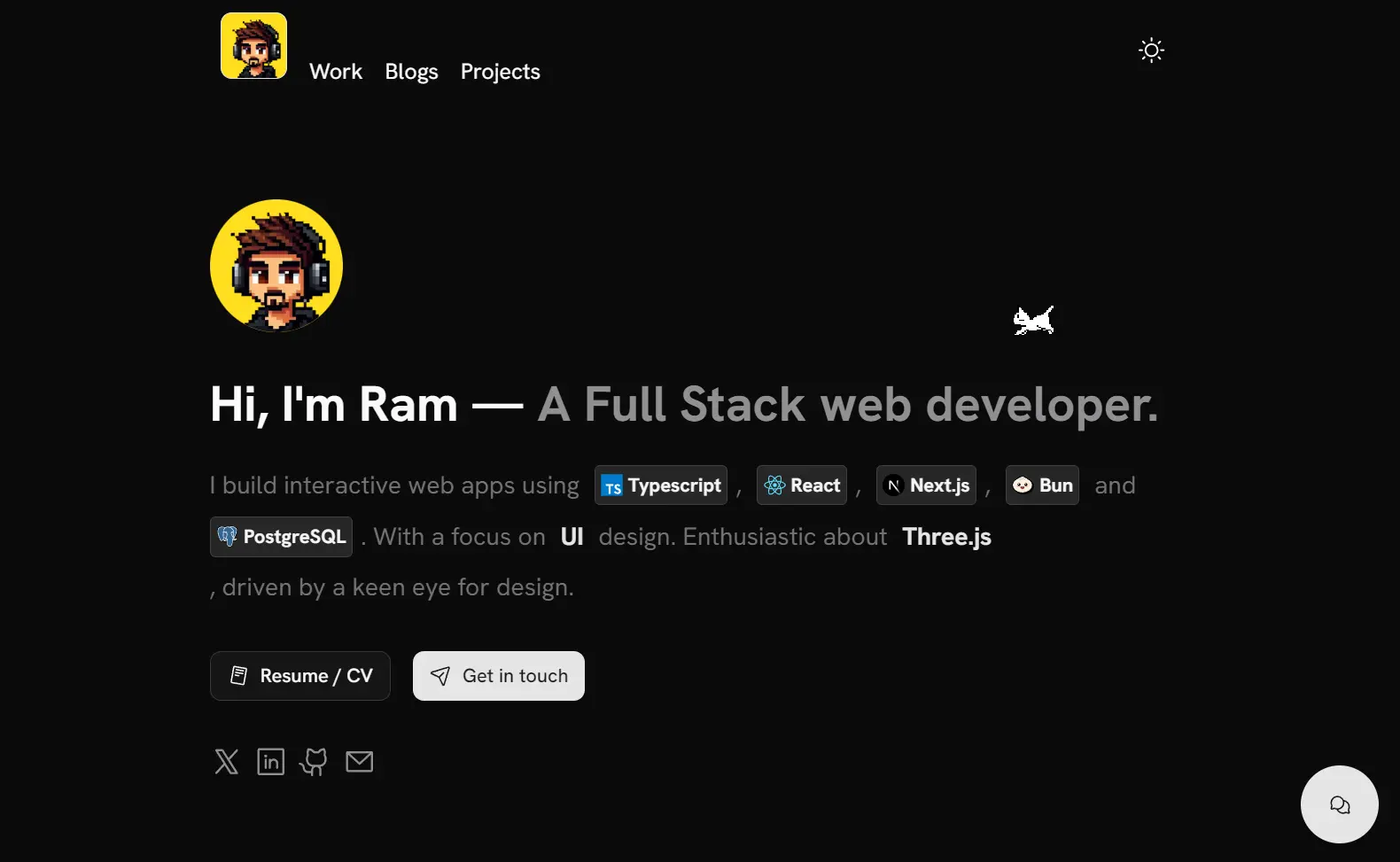
Sleek Portfolio is a modern, responsive portfolio website template built with Next.js, TypeScript, Tailwind CSS, and shadcn/UI.
This template includes a blog system, project showcase, work experience timeline, and contact form with Telegram integration.
You can deploy it directly to platforms like Vercel with just a few clicks.
Features
🚀 Next.js with App Router for modern React development
🎨 Tailwind CSS for rapid UI development and styling
🔧 Shadcn UI components for consistent design system
🌙 Dark/Light mode toggle for user preference
📝 MDX support for blog posts and project documentation
📧 Contact form with Telegram bot integration
🔍 SEO optimized with proper meta tags and structured data
📊 Umami Analytics integration for privacy-focused web analytics
⚡ Fast performance with Next.js optimization features
🔄 Easy deployment with one-click Vercel deployment
Preview
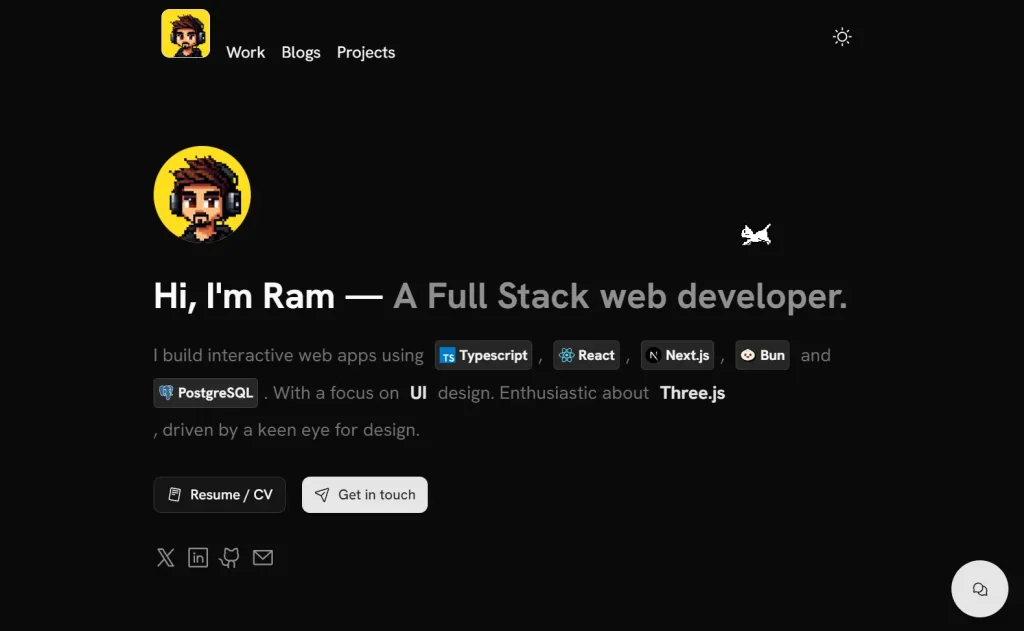
Installation
1. Clone the repository from GitHub:
git clone https://github.com/ramxcodes/sleek-portfolio.git
cd sleek-portfolio
2. Install dependencies:
# Using bun (recommended)
bun install
# Using npm
npm install
3. Set up environment variables. Create a .env file in the root directory:
TELEGRAM_BOT_TOKEN="your-token"
TELEGRAM_CHAT_ID="your-chat-id"
GEMINI_API_KEY="your-api-key"
NODE_ENV="development"
NEXT_PUBLIC_URL="http://localhost:3000"
NEXT_PUBLIC_UMAMI_SRC="your-umami-script-url"
NEXT_PUBLIC_UMAMI_ID="your-umami-website-id"
4. Run the development server:
# Using bun
bun dev
# Using npm
npm run dev
5. Navigate to http://localhost:3000 to see your portfolio.
Usage
Basic Configuration
The template uses configuration files in the src/config directory for easy customization:
About.tsx– About section contentContact.tsx– Contact form settingsExperience.tsx– Work experience detailsHero.tsx– Hero section contentMeta.tsx– SEO and metadataProjects.tsx– Project showcase settings
Adding Blog Posts
- Create a new MDX file in
src/data/blog/ - Add metadata and content following existing post structure
- Add blog thumbnail in
public/blog/
Example blog post structure:
---
title: "Your Blog Post Title"
description: "Brief description of your post"
date: "2024-01-01"
---
# Your Blog Post Content
Adding Projects
- Create a new MDX file in
src/data/projects/ - Add metadata and content following existing project structure
- Add project thumbnail in
public/project/
Setting Up Telegram Integration
- Create a new bot with @BotFather on Telegram
- Copy the bot token provided
- Start a chat with your bot
- Get your chat ID by adding your bot in a group as admin, then send
/idto @rosebot
Related Resources
- Next.js Documentation – https://nextjs.org/docs – Official Next.js documentation for learning the framework powering this template
- Tailwind CSS – https://tailwindcss.com – Utility-first CSS framework used for styling the portfolio template
- Shadcn UI – https://ui.shadcn.com – Re-usable components built using Radix UI and Tailwind CSS
- MDX Documentation – https://mdxjs.com – Learn how to write and customize MDX content for your blog posts and project pages
FAQs
Q: Can I use this template for commercial projects?
A: Yes, the template is licensed under the MIT License, which allows commercial use. You can use it for client projects or your own business portfolio.
Q: Do I need to know React to customize this template?
A: Basic React knowledge is recommended for customization. The template uses configuration files for most content changes, but deeper customization requires React/Next.js understanding.
Q: How do I deploy this portfolio to a custom domain?
A: You can deploy to Vercel, Netlify, or any platform supporting Next.js. For custom domains, configure your DNS settings in your hosting provider’s dashboard.
Q: Can I remove the Telegram integration if I don’t need it?
A: Yes, you can remove the Telegram integration by modifying the contact form component and removing the related environment variables.