The Future of Web Dev
The Future of Web Dev
Beautiful UI Components for Django Applications – shadcn_django
Copy beautiful UI components into Django projects with shadcn_django CLI. Built with Tailwind CSS and Alpine.js for modern web applications.
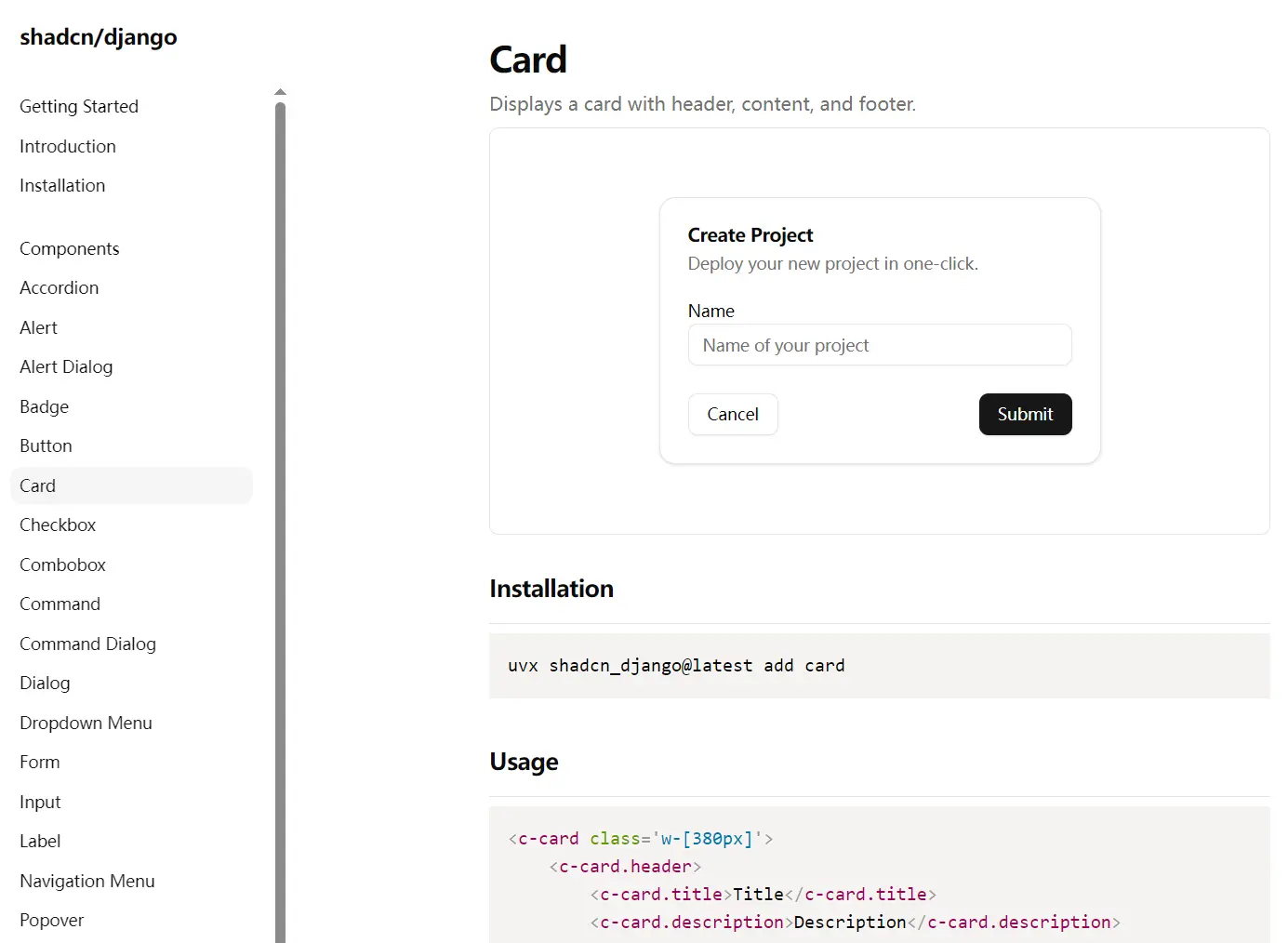
shadcn_django is a collection of reusable UI components that you can copy and paste into your Django applications.
It is an unofficial port of shadcn/ui that provides a similar experience for Django developers.
Features
🧩 Individual component installation through CLI commands.
🎨 Built with Tailwind CSS for responsive and modern styling.
🚀 Quick project initialization with proper directory structure.
⚙️ Alpine.js integration for interactive functionality.
🛠️ Simple CLI workflow for component management.
📦 Automatic dependency installation and management.
🔄 HTMX compatibility for modern Django applications.
🎯 Component ownership model for full customization control.
📁 Integration with django-cotton for elegant component syntax.
🎪 Over 25 pre-built components ready for production use.
How to Use It
1. shadcn_django depends on django-cotton for its component architecture.
pip install django-cotton2. Add django_cotton to your INSTALLED_APPS in your settings.py file.
# settings.py
INSTALLED_APPS = [
    # ... other apps
    'django_cotton',
]
3. You also need to configure the template loader.
# settings.py
TEMPLATES = [
    {
        'BACKEND': 'django.template.backends.django.DjangoTemplates',
        'DIRS': [],
        'APP_DIRS': False,
        'OPTIONS': {
            'context_processors': [
                # ... your context processors
            ],
            'loaders': [
                'django_cotton.template.loaders.CottonLoader',
                'django.template.loaders.filesystem.Loader',
                'django.template.loaders.app_directories.Loader',
            ],
            'builtins': [
                'django_cotton.templatetags.cotton',
            ],
        },
    },
]
4. Run the init command using uvx or pipx to set up the necessary files and directories in your project.
uvx shadcn_django@latest initThis creates a templates/cotton directory for your components and adds the required Tailwind CSS configuration.
5. Install Tailwind CSS and Alpine.js in your project.
npm install -D tailwindcss tw-animate-css6. Add the stylesheet link and Alpine.js script to your base template’s <head> section.
<!-- your_base_template.html -->
{% load static %}
<head>
    ...
    <link rel="stylesheet" href="{% static 'css/output.css' %}" />
    <script defer src="https://unpkg.com/[email protected]/dist/cdn.min.js"></script>
    ...
</head>
7. Run the Tailwind CSS build process to watch for changes and generate your output.css file.
npx tailwindcss -i ./your/input.css -o ./static/css/output.css --watch8. You can list all available components with the list command.
uvx shadcn_django@latest list9. To add a specific component, like a button, use the add command.
uvx shadcn_django@latest add button10. Once a component is added, you can use it in your Django templates with the c- prefix.
<!-- dashboard.html -->
{% extends "your_base_template.html" %}
{% block content %}
  <div>
    <h1>Welcome to the Dashboard</h1>
    <c-button variant="destructive">Delete Account</c-button>
  </div>
{% endblock %}
11. Because you have the component’s source code, you can modify its files directly in the templates/cotton directory to customize its appearance and behavior.
All UI Components Included
- Accordion
- Alert
- Alert Dialog
- Badge
- Button
- Card
- Checkbox
- Combobox
- Command
- Command Dialog
- Dialog
- Dropdown Menu
- Form
- Input
- Label
- Navigation Menu
- Popover
- Progress
- Select
- Separator
- Sheet
- Table
- Tabs
- Textarea
- Toast
Related Resources
- shadcn/ui (React) – The original React-based component library that inspired this Django port
- django-cotton – The Django component library that provides the foundation for shadcn_django’s syntax
- Tailwind CSS – The utility-first CSS framework used for component styling
- Alpine.js – The lightweight JavaScript framework that powers component interactivity
FAQs
Q: Do I need to install shadcn_django as a dependency in my Django project?
A: No, shadcn_django is not installed as a traditional package dependency. You use the CLI tool to copy component code into your project, giving you full ownership of the components.
Q: Can I modify the components after adding them to my project?
A: Yes, once components are copied to your project, you own the code completely. You can customize styling, behavior, and functionality to match your specific requirements.
Q: What happens when new components are released?
A: You can add new components individually using the CLI without affecting your existing customized components. Each component is managed independently.






