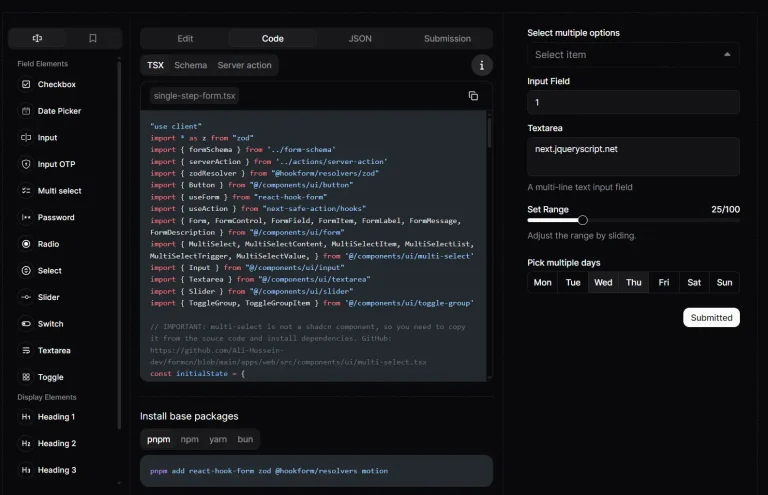
FormSCN is a visual form builder that allows you to generate production-ready forms for shadcn/ui projects.
It integrates React Hook Form and TanStack Form for state management and validates input with Zod schemas.
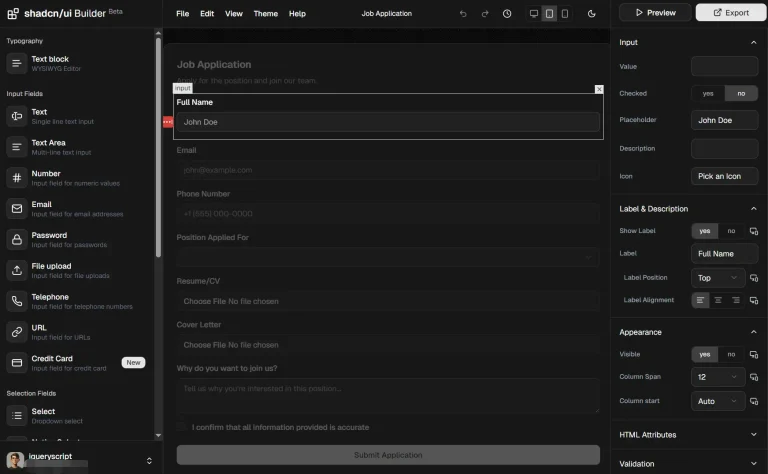
The drag-and-drop editor updates a live preview as you arrange fields, configure validation, and set layout options.
Features
🎨 Visual Editor: Drag fields onto a canvas and watch the form update in real time through a split-screen preview.
📋 Template Library: Start from 20+ pre-built forms covering login, signup, contact, checkout, and multi-step wizards.
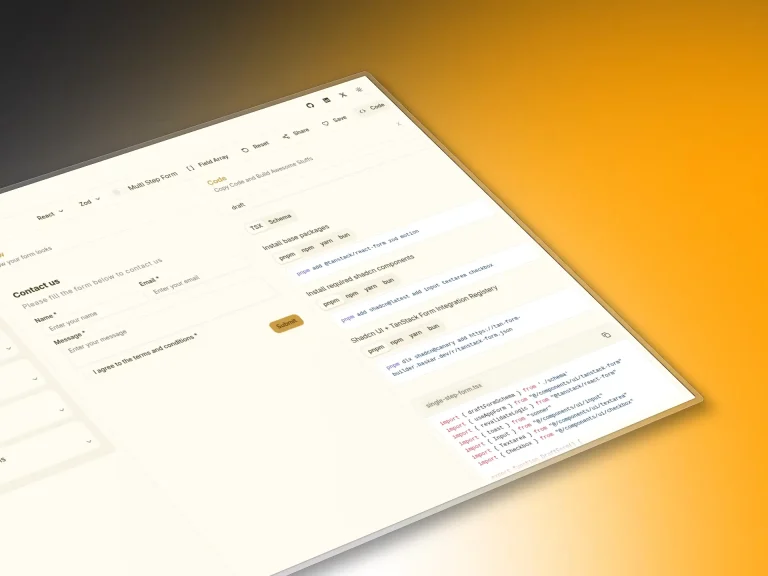
🔄 Dual Library Support: Toggle between React Hook Form and TanStack Form implementations.
📦 Multi-Step Forms: Build wizard flows with built-in state management and navigation between steps.
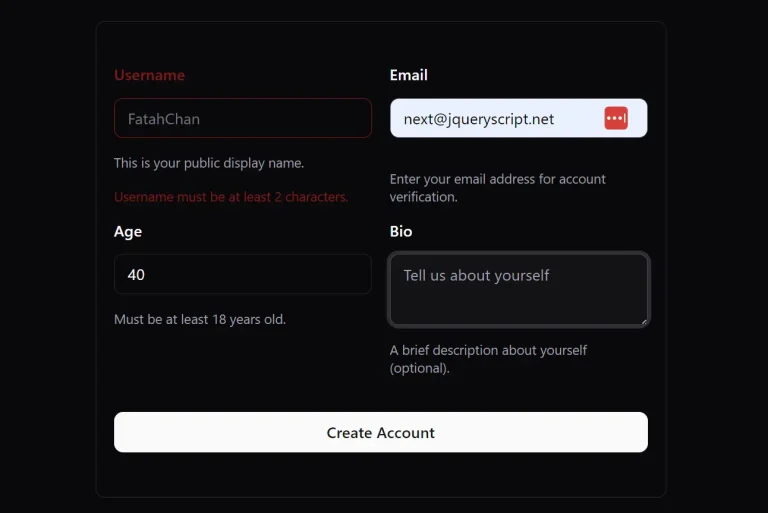
🧩 Smart Components: Phone inputs render with country flags and validation, email fields include format checking, and password fields show strength indicators.
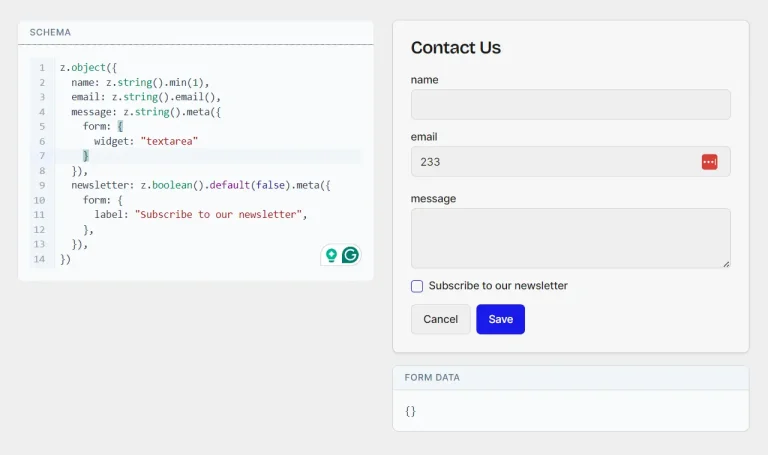
📥 Schema Import: Paste an existing Zod schema and auto-generate form fields with matching validation rules.
💻 CLI Integration: Install any form directly through npx shadcn add commands with public URLs.
🔒 Type Safety: Every form exports with complete TypeScript types and automatically generated Zod schemas.
🔐 Optional Authentication: Better Auth integrates when you need OAuth providers, two-factor authentication, or passkey management.
⚡ Framework Output: Generated code runs in Next.js App Router, Vite, Remix, and TanStack Start.
Use Cases
- Authentication Flows: Build login, signup, password reset, and two-factor forms with proper validation and error handling.
- Contact and Support: Create contact forms, support tickets, feedback collection, and event registration with smart field components.
- E-commerce Checkouts: Generate multi-step checkout forms with address validation, payment fields, and order review screens.
- Onboarding Wizards: Design multi-page onboarding flows with progress tracking, conditional fields, and step validation.
How to Use It
Using Online Visual Builder
Visit the editor at formscn.space/editor to design your form through the drag-and-drop interface. Select a starting template or begin with a blank canvas. Add fields from the sidebar, configure validation rules, and adjust the theme to match your project.
Toggle the form library switch to preview how your form renders with React Hook Form versus TanStack Form. The preview updates immediately when you modify fields or validation rules. Click the Publish button when finished to generate an installation command.
Copy the command and run it in your project terminal:
npx shadcn@latest add https://formscn.com/api/r/YOUR_FORM_ID.jsonReplace YOUR_FORM_ID with the actual ID from your published form. The command downloads the component file and installs any missing shadcn dependencies.
Manual Installation
Initialize shadcn/ui
Set up shadcn/ui in your project:
npx shadcn@latest initInstall Required Components
Generate your form in the visual builder first. Open the Integrate tab and switch to the Component view to see which shadcn components your form requires. Install only the components your form actually uses:
npx shadcn@latest add button input form card label textarea select checkbox radio-groupThe command pulls components from the shadcn registry and places them in your components/ui directory. Each component includes its own TypeScript types and Tailwind classes.
Add Form Library Dependencies
Install React Hook Form if you selected that option in the builder:
npm install react-hook-form @hookform/resolvers zodInstall TanStack Form if you chose that library instead:
npm install @tanstack/react-form zod @tanstack/zod-form-adapterBoth libraries require Zod for schema validation. The hookform/resolvers package connects Zod schemas to React Hook Form, while the zod-form-adapter package does the same for TanStack Form.
Copy Generated Code
Navigate to the Integrate tab in the builder and select the Component section. Copy the entire TypeScript code block. Create a new file in your project at components/my-form.tsx and paste the code.
The generated component exports a default function that renders your complete form. Import and use it anywhere in your application:
import MyForm from '@/components/my-form'
export default function Page() {
  return (
    <div className="container mx-auto py-8">
      <MyForm />
    </div>
  )
}
CLI Template Installation
Install any template directly through the CLI without using the visual builder. Each template has a fixed URL that points to its configuration JSON:
# Authentication forms
npx shadcn@latest add https://formscn.space/r/login-form.json
npx shadcn@latest add https://formscn.space/r/signup-form.json
npx shadcn@latest add https://formscn.space/r/password-reset.json
# Contact and support forms
npx shadcn@latest add https://formscn.space/r/contact-form.json
npx shadcn@latest add https://formscn.space/r/support-ticket.json
# Multi-step wizards
npx shadcn@latest add https://formscn.space/r/onboarding-wizard.json
npx shadcn@latest add https://formscn.space/r/detailed-application.json
The shadcn CLI fetches the template configuration and generates the component file with all required dependencies. Confirm each URL in the builder first to verify the template matches your needs.
Related Resources
- shadcn/ui: Component library that FormSCN builds on top of.
- React Hook Form: Form library focused on performance through uncontrolled components and minimal re-renders.
- TanStack Form: Framework-agnostic form library with fine-grained reactivity and headless UI support.
- Better Auth: Authentication library for TypeScript applications with built-in OAuth, passkeys, and session management.
FAQs
Q: Can I modify the generated form code after export?
A: The exported TypeScript file lives in your codebase as a regular component. Edit the validation schema, add custom handlers, or modify the UI directly in the file. Changes persist in your project but won’t sync back to the visual builder.
Q: How do I switch between React Hook Form and TanStack Form after generating code?
A: Return to the visual builder and toggle the form library switch. Publish a new version and re-run the installation command. The new code overwrites the previous file with the alternate implementation while maintaining your field configuration and validation rules.
Q: Does Better Auth work with existing authentication systems?
A: Better Auth replaces your auth layer rather than extending it. Migrate existing users by creating Better Auth accounts and mapping credentials. The library handles sessions independently and won’t interfere with JWT tokens or session cookies from other systems.
Q: Can I use FormSCN templates in Astro or Svelte projects?
A: The generated code targets React-based frameworks exclusively. The components depend on React Hook Form or TanStack Form, both of which require React.
Q: How do I handle file uploads in FormSCN forms?
A: Add a file input field through the visual builder. The generated code includes a basic file input component. Handle file uploads in your onSubmit handler by reading the FileList object and sending files to your storage solution.