The Future of Web Dev
The Future of Web Dev
Cloudflare’s Accessible Component Library for React & Tailwind – Kumo
A modern React UI component library from Cloudflare. Build accessible web apps with Tailwind CSS and Base UI primitives.
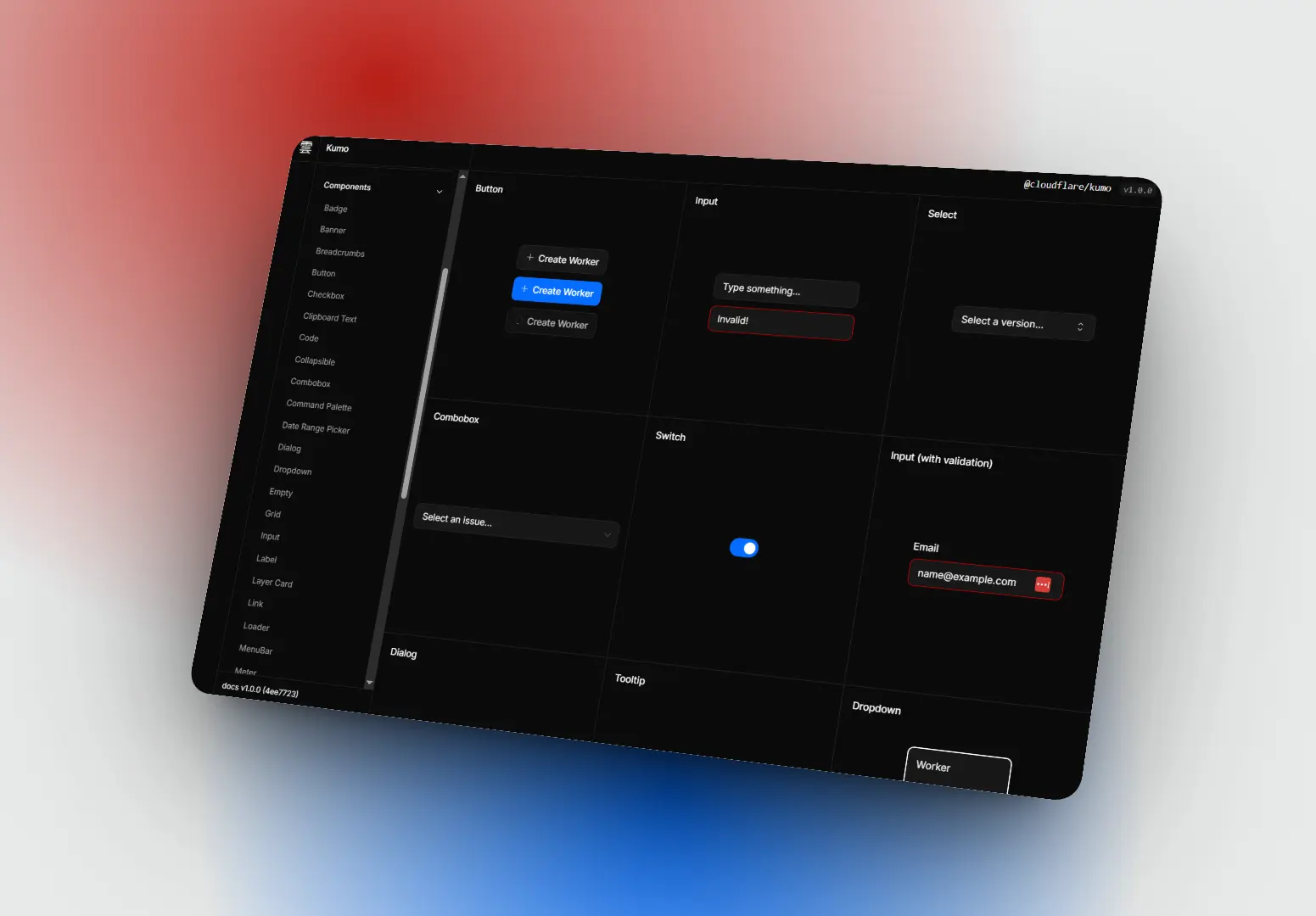
Kumo is a UI component library from Cloudflare that helps you build accessible, responsive web apps with React and Tailwind CSS. Built on top of Base UI primitives.
You can easily install the package from npm and import components into your React project. The library re-exports all 37 Base UI primitives for custom component development.
Features
🎯 Base UI Primitives: Re-exports all 37 Base UI components with both barrel and granular imports for tree-shaking optimization.
🎨 Semantic Color System: Theme tokens adapt to light and dark mode through CSS light-dark() functions.
📦 Dual Distribution: Comes with Tailwind-compatible source files and standalone pre-compiled builds.
🔧 CLI Integration: Terminal commands list components, display documentation, and install customizable blocks.
♿ Accessibility: Components ship with keyboard navigation, focus management, and ARIA attributes configured.
🎭 Multi-Theme Support: Themes override semantic tokens while preserving the same token names across color schemes.
How to Use It
Table Of Contents
Installation
Add Kumo to your project using npm, pnpm, or yarn.
npm install @cloudflare/kumoInstall peer dependencies if your project does not already include them.
npm install react react-dom @phosphor-icons/reactImport Components
Import components from the main package or use granular imports for better tree-shaking.
// Main package import
import { Button, Input, Surface } from "@cloudflare/kumo";
// Granular import (recommended for smaller bundles)
import { Button } from "@cloudflare/kumo/components/button";
import { Input } from "@cloudflare/kumo/components/input";
Configure Styles for Tailwind Users
Add Kumo source files to your Tailwind content configuration. Import Tailwind first, then Kumo styles.
/* app.css */
@source "../node_modules/@cloudflare/kumo/dist/**/*.{js,jsx,ts,tsx}";
@import "tailwindcss";
@import "@cloudflare/kumo/styles/tailwind";
Configure Styles for Non-Tailwind Projects
Import the standalone build in your application entry point. This file includes all compiled Tailwind utilities and component styles.
// main.tsx or index.tsx
import "@cloudflare/kumo/styles/standalone";
Build a Basic UI
Create components using semantic color tokens instead of raw Tailwind classes. Tokens automatically adapt to light and dark mode.
import { Button, Input, Surface } from "@cloudflare/kumo";
import "./app.css";
export default function App() {
  return (
    <Surface className="p-6 rounded-lg">
      <h1 className="text-2xl font-bold mb-4">Welcome to Kumo</h1>
      <Input placeholder="Enter your name..." className="mb-4" />
      <Button variant="primary">Submit</Button>
    </Surface>
  );
}
Access Base UI Primitives
Import Base UI primitives when you need to build custom components.
// Barrel import
import { Popover, Slider, Accordion } from "@cloudflare/kumo/primitives";
// Granular import (recommended)
import { Popover } from "@cloudflare/kumo/primitives/popover";
import { Slider } from "@cloudflare/kumo/primitives/slider";
Set Light and Dark Mode
Add the data-mode attribute to a parent element to control appearance. Components read this attribute and apply semantic tokens.
<html data-mode="light">
  <!-- Components automatically use light mode tokens -->
</html>
<html data-mode="dark">
  <!-- Components automatically use dark mode tokens -->
</html>
Apply Themes
Set the data-theme attribute to override semantic token values. Themes work with both light and dark modes.
<div data-theme="fedramp">
  <Button>FedRAMP Styled Button</Button>
</div>
Install Blocks via CLI
Initialize the Kumo configuration file in your project root.
npx @cloudflare/kumo initList available blocks to see what compositions you can install.
npx @cloudflare/kumo blocksInstall a block into your source directory. The CLI transforms imports and places files in your configured components folder.
npx @cloudflare/kumo add PageHeaderImport the installed block from your source directory.
import { PageHeader } from "src/components/kumo/page-header/page-header";Access Component Documentation in Terminal
List all components with their categories.
npx @cloudflare/kumo lsView detailed documentation for a specific component.
npx @cloudflare/kumo doc ButtonRetrieve documentation for all components at once.
npx @cloudflare/kumo docsUse Utility Functions
Import helper functions for class name merging, ID generation, and link component configuration.
import { cn, safeRandomId, LinkProvider } from "@cloudflare/kumo";
// Merge Tailwind classes
const buttonClass = cn("bg-kumo-brand", isDisabled && "opacity-50");
// Generate safe random IDs for form elements
const inputId = safeRandomId();
// Configure link component for your router
<LinkProvider component={ReactRouterLink}>
  <App />
</LinkProvider>
Related Resources
- Base UI: Unstyled accessible React components that form Kumo’s primitive layer
- Radix UI: Unstyled component library with similar accessibility patterns
- shadcn/ui: Copy-paste component collection built with Radix and Tailwind
- React Aria: Adobe’s accessibility-focused React hooks library
FAQs
Q: Can I use Kumo without Tailwind CSS in my project?
A: Yes. Import the standalone build at @cloudflare/kumo/styles/standalone in your entry file. This file includes all compiled Tailwind utilities and component styles without requiring Tailwind configuration.
Q: How do granular imports reduce bundle size compared to barrel imports?
A: Granular imports like @cloudflare/kumo/components/button allow tree-shakers to eliminate unused component code. Barrel imports from @cloudflare/kumo may include more code if your bundler cannot determine which components your application uses.
Q: What happens when I install a Block versus importing a Component?
A: Components install from npm and update when you upgrade the package version. Blocks copy files into your source directory where you can modify them directly. Block updates require manual CLI reinstallation.
Q: Do semantic color tokens work with custom Tailwind colors in my config?
A: Kumo tokens operate independently from your Tailwind configuration. You can use both Kumo tokens like bg-kumo-brand and your custom colors like bg-company-blue in the same project. The lint rule flags only primitive Tailwind colors like bg-blue-500.