The Future of Web Dev
The Future of Web Dev
Create Custom Tailwind Layouts with Tailwind Grid Generator
Create custom Tailwind CSS grid layouts without coding. Drag, drop, and generate clean HTML & JSX.
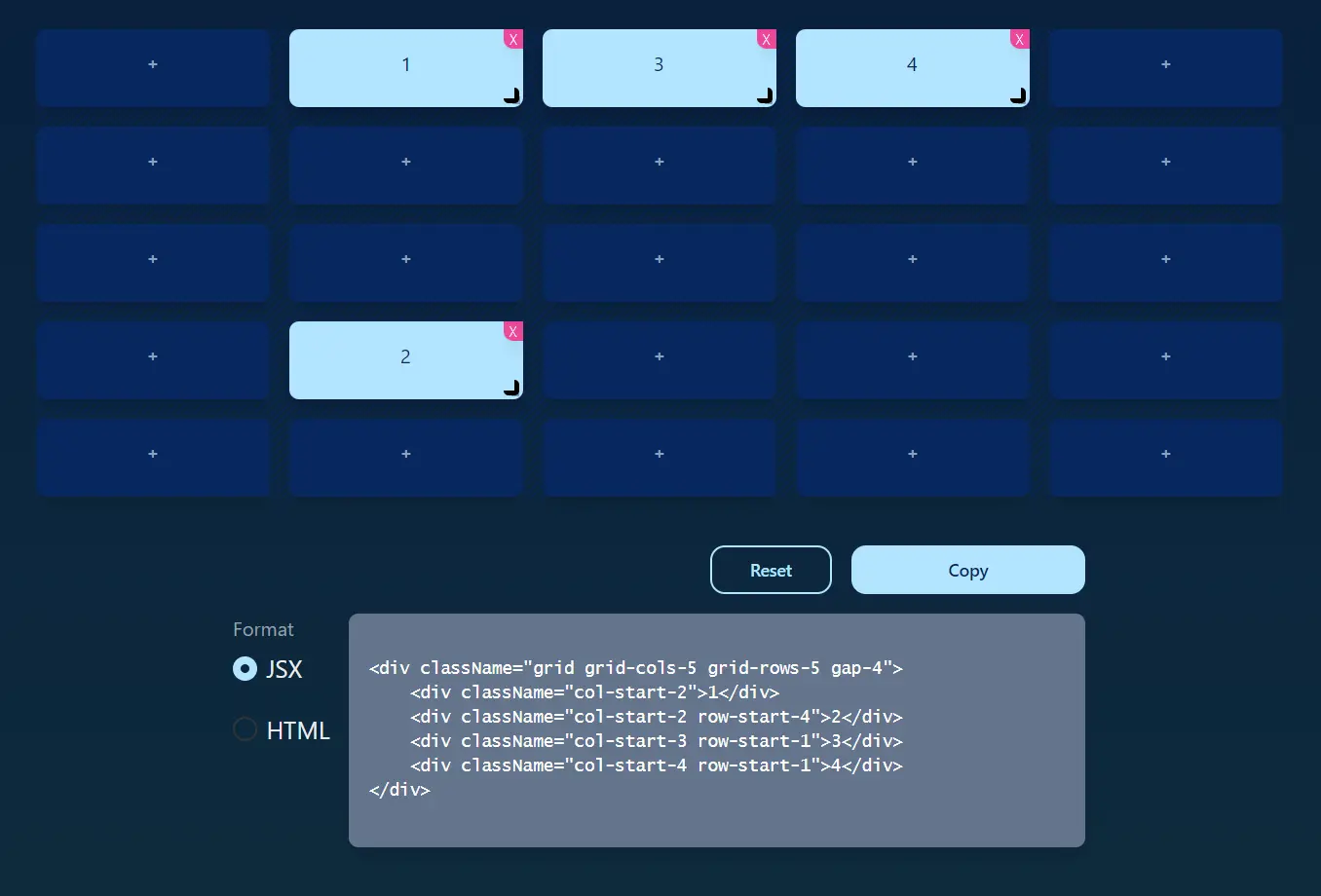
Tailwind Grid Generator is a web app that provides a user-friendly interface to generate custom grid layouts using Tailwind CSS.
You can easily customize grid layouts by specifying the number of columns, rows, gutter sizes, and span widths, then directly copy the generated HTML or JSX code into your TailwindCSS projects.
Features
📐 Intuitive Interface: Drag and drop elements, resize divs, and visually adjust grid layouts with ease.
➡️ Drag and Drop Positioning: Reposition elements within the grid by dragging and dropping them.
💻 Code Generation: Automatically generates clean, optimized HTML code ready to be pasted into your project.
🧱 Customizable Grids: Specify the number of columns, rows, and gutter sizes to match your design requirements.
➕ Element Addition: Add new div elements to the grid with a simple click.
📏 Responsive Design: Create grids that adapt to different screen sizes by leveraging Tailwind CSS’s responsive modifiers.
Use Cases
- Rapid Prototyping: Quickly create mockups and prototypes of website layouts. Experiment with various grid configurations without writing a single line of HTML.
- Complex Grid Designs: Construct intricate grid layouts involving multiple elements of varying sizes and positions, bypassing the manual coding process.
- Landing Page Development: Design visually appealing landing pages with structured content areas, optimizing conversions through effective grid utilization.
- Dashboard Interfaces: Build organized dashboards with clear data visualization using Tailwind Grid Generator as the foundation for the layout.
- Blog Post Layouts: Structure blog posts with engaging image grids and text sections.
Usage Guide
- Access the Tailwind Grid Generator website.
- Set the desired number of columns, rows, and the gutter width.
- Click the ‘+’ icon to add divs to the grid.
- Resize and reposition divs using the drag-and-drop interface.
- Customize div spans to control the width of each element.
- Once satisfied, copy the generated HTML and paste it into your project. Remember to include the necessary Tailwind CSS classes in your project.
Preview

FAQs
Can I use Tailwind Grid Generator for responsive designs?
Yes, you can customize the grid layout based on your project’s needs and combine it with Tailwind’s responsive utility classes for a fully adaptive design.
Do I need to have Tailwind installed to use the generated code?
Yes, the generated HTML relies on Tailwind’s utility classes, so you must have Tailwind CSS integrated into your project.
Can I export CSS from the Tailwind Grid Generator?
A3: No, the tool generates HTML or JSX using Tailwind utility classes. It doesn’t produce standalone CSS.
Is the Tailwind Grid Generator beginner-friendly?
A4: Absolutely! Its drag-and-drop interface and real-time feedback make it easy for beginners to design grids without writing complex code.


