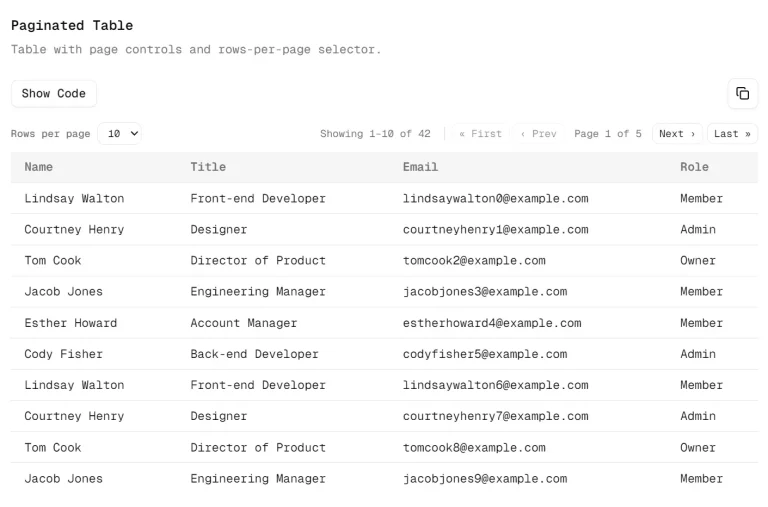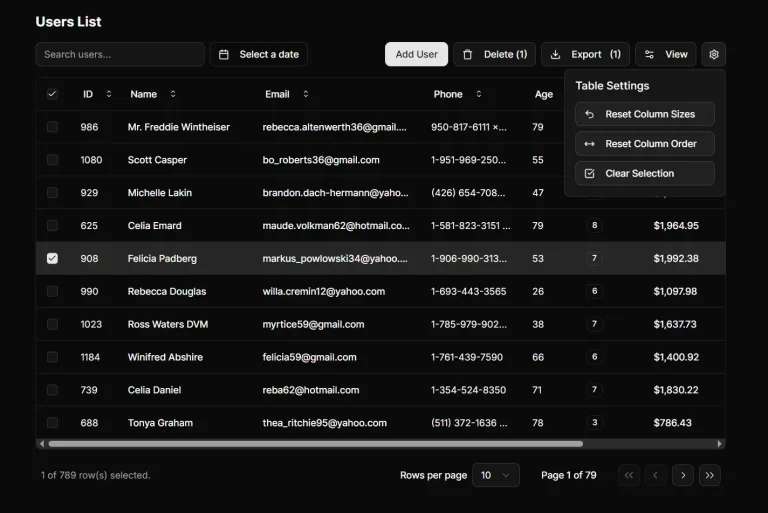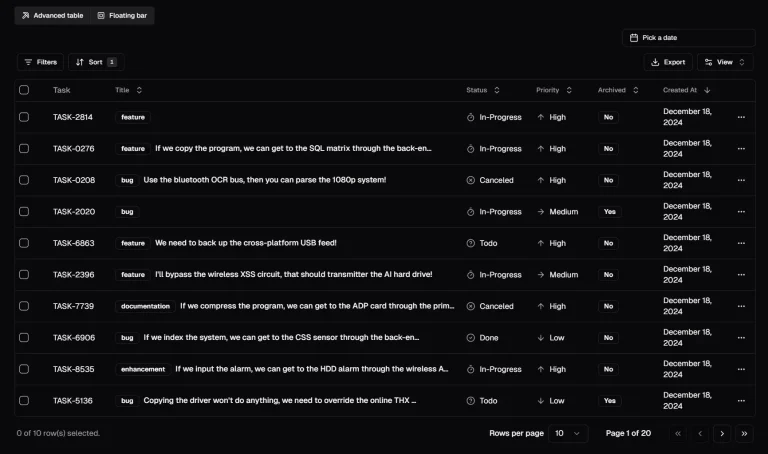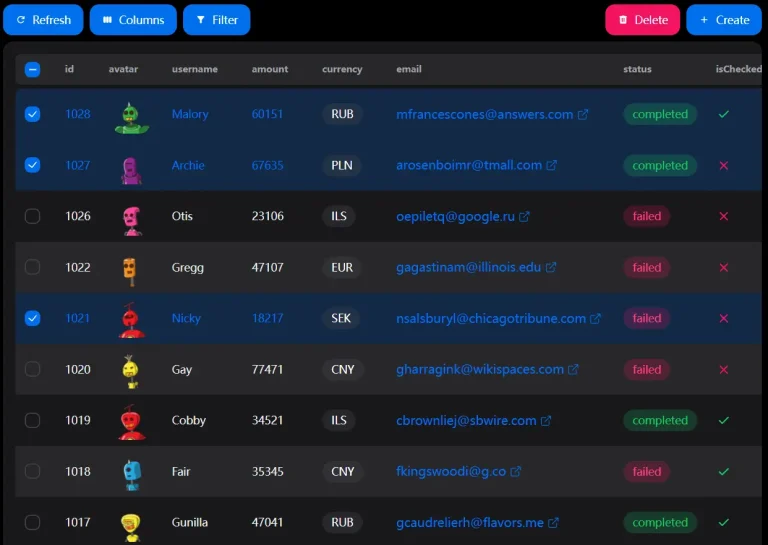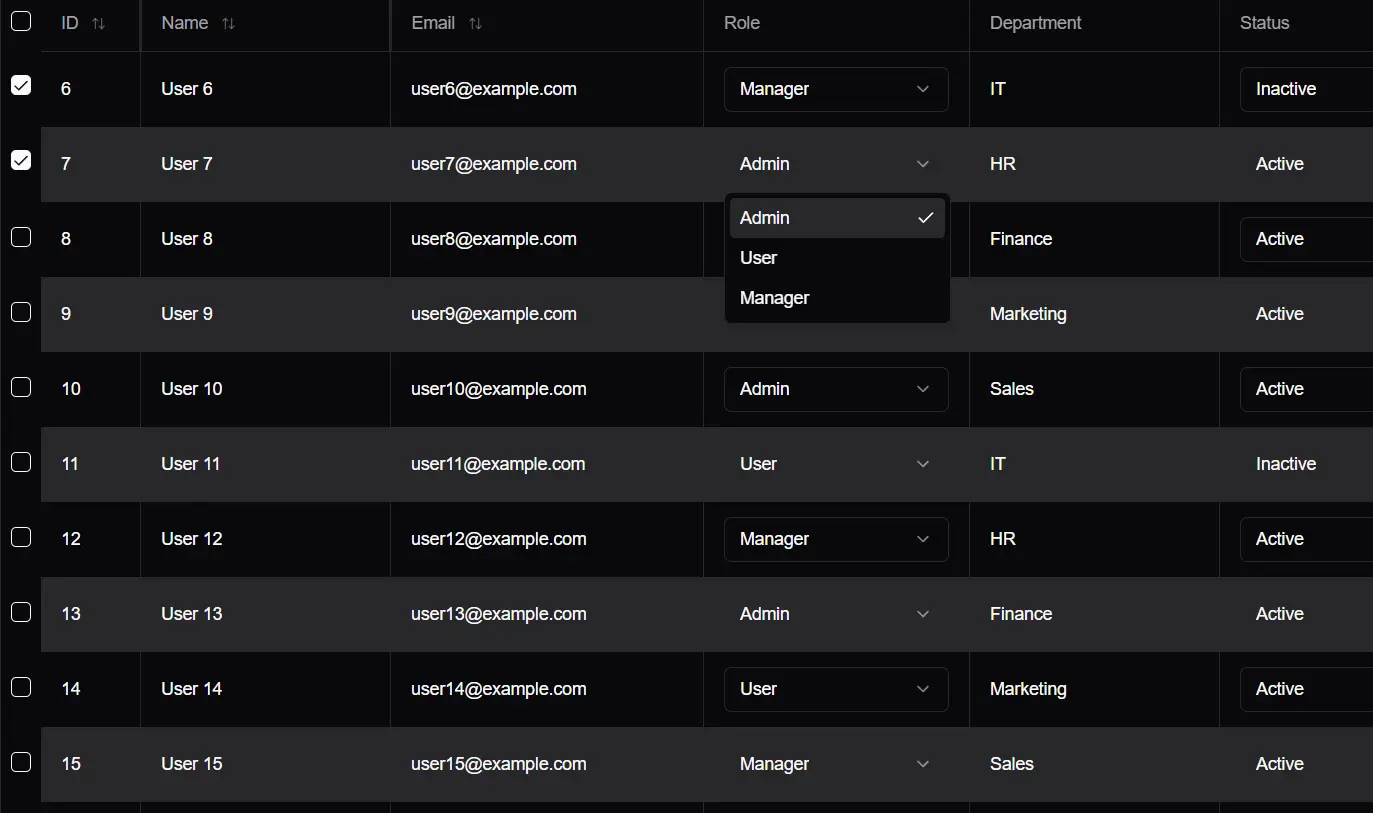
Shadcn-advanced-table is a powerful and customizable data table component for React apps using shadcn/ui. It provides an easy and user-friendly way to manage large datasets while maintaining a smooth user experience.
Features
✨ Sticky Headers and Columns: It includes sticky headers and columns to allow important information to remain visible as users scroll.
🔀 Sorting: Sortable columns provide dynamic data presentation, so users organize data according to their needs.
🌐 Dynamic Data Fetching: The component supports server-side pagination and sorting for efficient dynamic data retrieval.
🔄 Pagination: Pagination comes built-in and allows the component to handle large datasets without performance degradation.
🔧 Dynamic Rows and Columns: The component allows the user to define the structure of table data easily with dynamic rows and columns.
🎨 Custom Cell Renderers: Developers can add custom components in table cells to tailor the display to their needs.
Use Cases
- E-commerce Dashboards: Online retailers with large product catalogs can use this table to manage inventory, sales, and customer data. For example, this component can display thousands of products with pagination, allowing store managers to easily browse and sort products.
- Financial Data Management: Banks and financial institutions can use this table to display transaction history, client accounts, and market data. Built-in sorting helps users quickly analyze data and sort based on amount, date, or type.
- Healthcare Systems: Hospitals and clinics can use this table to manage patient records, appointment schedules, and medical data. Sticky headers and columns ensure the staff can always view critical patient information, even when scrolling.
- Project Management Tools: Project managers can display tasks, deadlines, and team member assignments. This helps to organize and track project progress in a clear and accessible manner. The dynamic data fetching feature also allows for real-time updates as the project progresses.
- Educational Institutions: Schools and universities can use this table to manage student records, grades, and attendance data. Custom cell renderers allow educators to create specialized displays tailored to specific subjects or assessments.
Installation
To install Shadcn-advanced-table, first clone the repository. Open the terminal and execute the following command:
git clone https://github.com/C-W-D-Harshit/shadcn-advanced-table.gitNext, navigate to the project directory and install the dependencies:
npm installThe AdvancedTable component resides in src/components/ui/advanced-table.tsx.
Usage
Import the AdvancedTable component into your React application:
import AdvancedTable from "@/components/ui/advanced-table";Then, include the component in your JSX:
<AdvancedTable
  columns={columns}
  data={data}
  dynamic={true}
  onFetchData={fetchData}
/>
Set dynamic={true} and onFetchData only if you fetch data from an API.
FAQs
Q: Can I customize the appearance of specific cells?
A: Yes, use the cellRenderer prop to define custom rendering logic for any column.
Q: Does pagination work with server-side data?
A: Yes, enable dynamic mode and implement the onFetchData handler for server pagination.
Q: Is mobile responsiveness built-in?
A: Yes, the table automatically adjusts its layout for different screen sizes.
Q: What are the performance implications when dealing with very large datasets
A: The component handles large datasets efficiently through server-side pagination and dynamic data fetching. However, performance also depends on the server response time and the complexity of the data.
Q: How do I implement custom cell renderers?
A: Provide a function to the cellRenderer prop in the column definition. The function will receive the cell value and the row data as arguments and should return the JSX to render in the cell.
Preview