The Future of Web Dev
The Future of Web Dev
Next.js Starter Template for OpenAI Apps SDK Development
Next.js application starter with Model Context Protocol server implementation. Connect custom tools and widgets to ChatGPT interface.
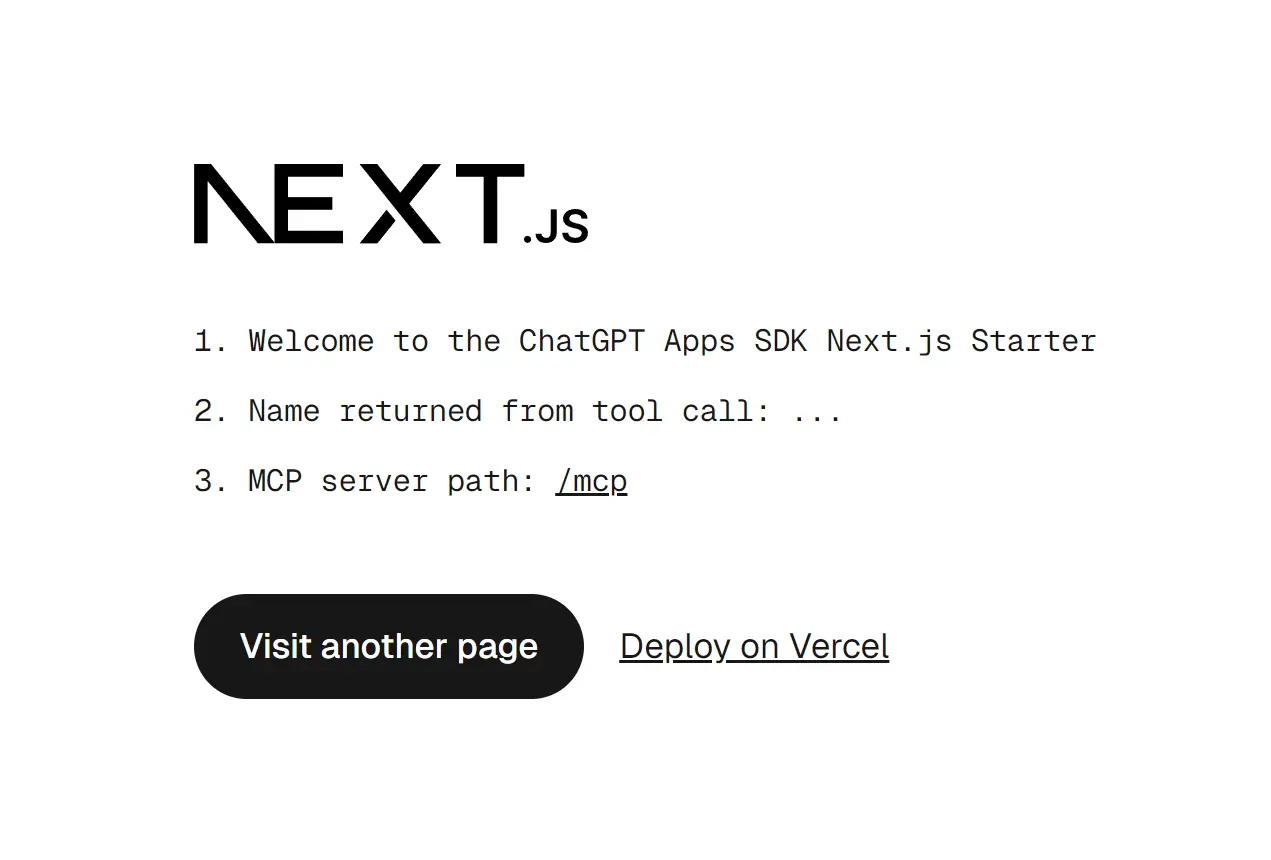
ChatGPT Apps SDK Next.js Starter is a minimal application template from Vercel that demonstrates the integration between Next.js apps and the OpenAI Apps SDK through the Model Context Protocol (MCP).
It provides an MCP server route that allows communication with ChatGPT and renders interactive widgets directly within ChatGPT.
Features
🔧 MCP server implementation that registers tools and resources with OpenAI-specific metadata for ChatGPT compatibility.
🎯 Pre-configured routing system that exposes MCP endpoints through Next.js API routes at the /mcp path.
🔗 Cross-linking architecture that connects tool invocations to HTML resources via templateUri for widget rendering.
🌐 CORS middleware setup that handles browser OPTIONS preflight requests required for cross-origin React Server Components fetching.
⚙️ Asset prefix configuration that ensures static files load correctly from the proper origin when rendered in ChatGPT iframes.
🛠️ SDK bootstrap component that patches browser APIs, including history.pushState, window.fetch, and HTML attribute observers to function within ChatGPT.
📦 Vercel deployment optimization with automatic environment variable detection for production and preview URLs.
🎨 Client-side hydration support that enables Next.js apps to hydrate and navigate within ChatGPT iframe contexts.
Use Cases
- Interactive Data Dashboards. Develop widgets that fetch and display real-time data from an API, such as stock prices, weather updates, or project management statistics, directly in the chat.
- Custom Data Entry Forms. Create forms for tasks like booking appointments, submitting support tickets, or configuring user settings without leaving the ChatGPT interface.
- E-commerce Product Viewers. Build components that display product information, images, and prices from an online store.
- Educational Content Delivery. Render interactive tutorials, quizzes, or code snippets to provide a richer learning experience within a conversation.
How to Use It
1. Clone or download the starter repository from GitHub.
2. Navigate to the project directory and install the dependencies:
npm installpnpm install3. Open app/mcp/route.ts to configure the MCP server. The route file exports a POST handler that processes MCP protocol messages. You can register tools using the server’s tool method with OpenAI-specific metadata.
{
  "openai/outputTemplate": widget.templateUri,
  "openai/toolInvocation/invoking": "Loading...",
  "openai/toolInvocation/invoked": "Loaded",
  "openai/widgetAccessible": false,
  "openai/resultCanProduceWidget": true
}
4. Edit next.config.ts to configure the asset prefix. This setting prevents 404 errors when Next.js attempts to load static files from within the ChatGPT iframe.
import type { NextConfig } from "next";
import { baseURL } from "./baseUrl";

const nextConfig: NextConfig = {
  assetPrefix: baseURL,
};

export default nextConfig;
5. The middleware.ts file handles CORS headers required for React Server Components to function across origins. The middleware intercepts OPTIONS requests and adds appropriate headers to all responses.
import { NextResponse } from "next/server";
import type { NextRequest } from "next/server";

export function middleware(request: NextRequest) {
  if (request.method === "OPTIONS") {
    const response = new NextResponse(null, { status: 204 });
    response.headers.set("Access-Control-Allow-Origin", "*");
    response.headers.set(
      "Access-Control-Allow-Methods",
      "GET,POST,PUT,DELETE,OPTIONS"
    );
    response.headers.set("Access-Control-Allow-Headers", "*");
    return response;
  }
  return NextResponse.next({
    headers: {
      "Access-Control-Allow-Origin": "*",
      "Access-Control-Allow-Methods": "GET,POST,PUT,DELETE,OPTIONS",
      "Access-Control-Allow-Headers": "*",
    },
  });
}

export const config = {
  matcher: "/:path*",
};
6. The app/layout.tsx file must include the NextChatSDKBootstrap component in the document head. This component patches browser APIs to work within ChatGPT.
function NextChatSDKBootstrap({ baseUrl }: { baseUrl: string }) {
  return (
    <>
      <base href={baseUrl}></base>
      <script>{`window.innerBaseUrl = ${JSON.stringify(baseUrl)}`}</script>
      <script>
        {"(" +
          (() => {
            const baseUrl = window.innerBaseUrl;
            const htmlElement = document.documentElement;
            const observer = new MutationObserver((mutations) => {
              mutations.forEach((mutation) => {
                if (
                  mutation.type === "attributes" &&
                  mutation.target === htmlElement
                ) {
                  const attrName = mutation.attributeName;
                  if (attrName && attrName !== "suppresshydrationwarning") {
                    htmlElement.removeAttribute(attrName);
                  }
                }
              });
            });
            observer.observe(htmlElement, {
              attributes: true,
              attributeOldValue: true,
            });

            const originalReplaceState = history.replaceState;
            history.replaceState = (s, unused, url) => {
              const u = new URL(url ?? "", window.location.href);
              const href = u.pathname + u.search + u.hash;
              originalReplaceState.call(history, unused, href);
            };

            const originalPushState = history.pushState;
            history.pushState = (s, unused, url) => {
              const u = new URL(url ?? "", window.location.href);
              const href = u.pathname + u.search + u.hash;
              originalPushState.call(history, unused, href);
            };

            const appOrigin = new URL(baseUrl).origin;
            const isInIframe = window.self !== window.top;

            window.addEventListener(
              "click",
              (e) => {
                const a = (e?.target as HTMLElement)?.closest("a");
                if (!a || !a.href) return;
                const url = new URL(a.href, window.location.href);
                if (
                  url.origin !== window.location.origin &&
                  url.origin != appOrigin
                ) {
                  try {
                    if (window.openai) {
                      window.openai?.openExternal({ href: a.href });
                      e.preventDefault();
                    }
                  } catch {
                    console.warn(
                      "openExternal failed, likely not in OpenAI client"
                    );
                  }
                }
              },
              true
            );

            if (isInIframe && window.location.origin !== appOrigin) {
              const originalFetch = window.fetch;

              window.fetch = (input: URL | RequestInfo, init?: RequestInit) => {
                let url: URL;
                if (typeof input === "string" || input instanceof URL) {
                  url = new URL(input, window.location.href);
                } else {
                  url = new URL(input.url, window.location.href);
                }

                if (url.origin === appOrigin) {
                  if (typeof input === "string" || input instanceof URL) {
                    input = url.toString();
                  } else {
                    input = new Request(url.toString(), input);
                  }

                  return originalFetch.call(window, input, {
                    ...init,
                    mode: "cors",
                  });
                }

                if (url.origin === window.location.origin) {
                  const newUrl = new URL(baseUrl);
                  newUrl.pathname = url.pathname;
                  newUrl.search = url.search;
                  newUrl.hash = url.hash;
                  url = newUrl;

                  if (typeof input === "string" || input instanceof URL) {
                    input = url.toString();
                  } else {
                    input = new Request(url.toString(), input);
                  }

                  return originalFetch.call(window, input, {
                    ...init,
                    mode: "cors",
                  });
                }

                return originalFetch.call(window, input, init);
              };
            }
          }).toString() +
          ")()"}
      </script>
    </>
  );
}
7. Run the development server to test your application locally before deployment.
npm run devThe application starts at http://localhost:3000. The MCP server endpoint becomes available at http://localhost:3000/mcp.
8. The starter template includes a deployment option that clones the repository and sets up a new Vercel project. Click the Deploy Button here or use the Vercel CLI to deploy manually.
vercel deployVercel automatically detects the Next.js configuration and deploys your application. The environment variables VERCEL_PROJECT_PRODUCTION_URL and VERCEL_BRANCH_URL populate automatically during deployment.
9. After deployment, you need developer mode access to connect MCP servers to ChatGPT. Navigate to ChatGPT Settings, select Connectors, and click Create. Enter your deployed application URL with the /mcp path appended.
Related Resources
- Tool UI: JSON-Native UI Components for AI Conversations
- OpenAI Apps SDK Documentation: Official documentation covering the full Apps SDK API, authentication methods, and integration patterns.
- Model Context Protocol Specification: Complete MCP protocol specification, including message formats, server requirements, and client implementation guidelines.
- Next.js Documentation: Next.js framework documentation covering routing, rendering, data fetching, and deployment options.
- Vercel Deployment Guide: Vercel platform documentation with deployment workflows, environment variables, and domain configuration.
FAQs
Q: Why do I get 404 errors for /_next/ static files when testing in ChatGPT?
A: The assetPrefix configuration in next.config.ts must match your deployment URL. Next.js defaults to relative paths, which fail when the application loads in a ChatGPT iframe. Set assetPrefix to your full deployment URL to resolve this issue.
Q: Can I use browser storage APIs like localStorage in my widgets?
A: Browser storage APIs work in ChatGPT iframes, but you should consider that each ChatGPT session may load your widget in a fresh iframe context. Data persistence across sessions requires server-side storage or API-based state management.
Q: What happens if my MCP server doesn’t include the OpenAI-specific metadata?
A: ChatGPT requires the OpenAI metadata fields to properly render widgets and display loading states. Without openai/outputTemplate and openai/resultCanProduceWidget, your tools return text responses only. The metadata fields enable the widget rendering behavior.
Q: How do I debug issues with the SDK bootstrap patches?
A: Check the browser console within the ChatGPT iframe for error messages. The bootstrap patches modify history.pushState, window.fetch, and HTML attributes. Conflicts with third-party scripts or unexpected API usage patterns can cause issues. Review the patched functions in the SDK source code to understand the modifications.
Q: What is the Model Context Protocol (MCP)?
A: The Model Context Protocol (MCP) is an open standard for connecting AI applications to external systems, tools, and data sources. It provides a standardized way for AI models like ChatGPT to interact with external resources to perform tasks and access information.