The Future of Web Dev
The Future of Web Dev
Promise-Based Modal Management for React – Shadcn Modal Manager
Manage React modals programmatically with promise-based control. Type-safe, animation-aware, with adapters for popular UI component libraries.
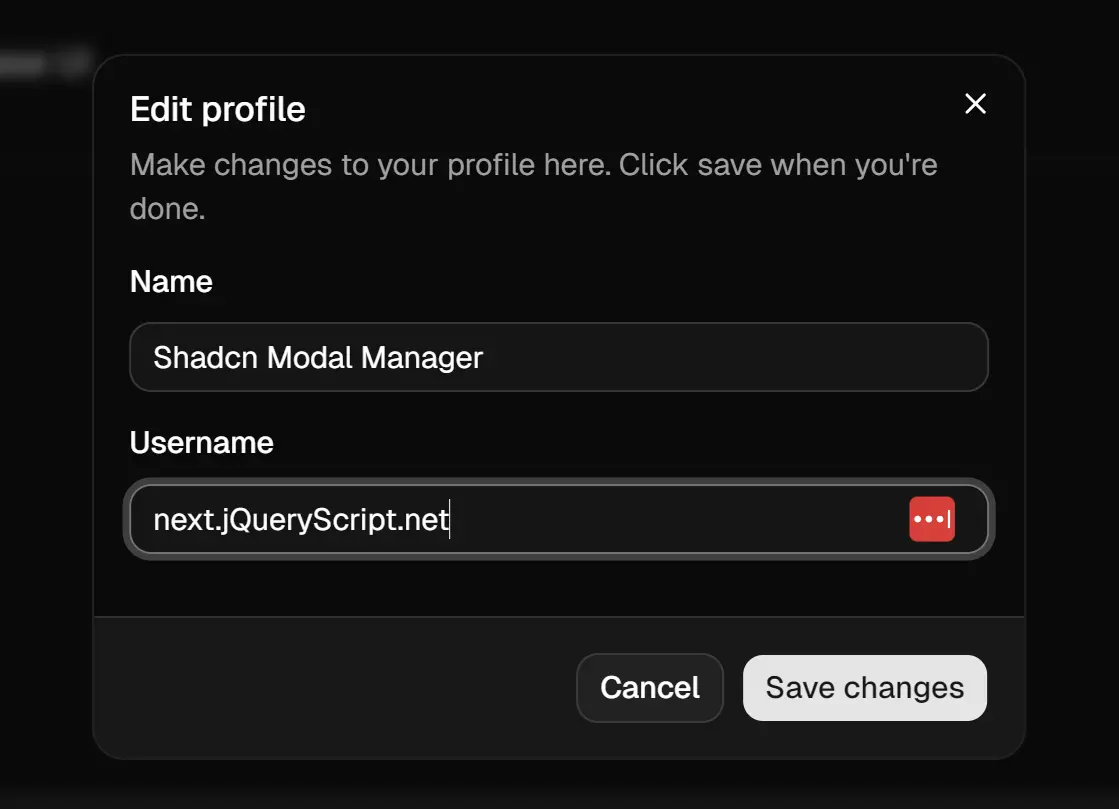
Shadcn Modal Manager is a React modal management library that handles state, animations, and lifecycle through a promise-based API.
It includes built-in adapters for Shadcn UI, Radix UI, and Base UI to maintain consistency with your existing design system.
Features
⚡ Promise-Based API: ModalManager.open() returns promises through afterOpened() and afterClosed() methods.
🎬 Animation Handling: Monitors enter and exit animations before cleanup runs.
🔌 Adapter Pattern: Pre-built adapters connect Shadcn UI, Radix UI, and Base UI components.
📦 Zero Dependencies: Requires only React as a peer dependency.
🎯 Programmatic Control: You can open modals from anywhere in your application without context drilling.
🔄 Async Workflows: Modals return results through promises for sequential user interactions.
Use Cases
- Form Dialogs: You collect user input through multi-step forms that return validated data to the caller.
- Confirmation Prompts: You request user confirmation before destructive actions and wait for their response.
- Data Editing Workflows: You open modal editors for database records and refresh the parent view after successful saves.
- Wizard Interfaces: You chain multiple modals together where each step depends on the previous modal’s return value.
How to Use It
1. Install the shadcn-modal-manager package.
npm install shadcn-modal-managerpnpm add shadcn-modal-manageryarn add shadcn-modal-managerbun add shadcn-modal-manager2. Wrap your application root with ModalProvider to initialize the modal management system.
import { ModalProvider } from "shadcn-modal-manager";
function Root() {
  return (
    <ModalProvider>
      <App />
    </ModalProvider>
  );
}
3. Use ModalManager.create() to define a modal component. The function accepts a component that receives typed props through the data option when opened.
import { ModalManager, useModal, shadcnUiDialog, shadcnUiDialogContent } from "shadcn-modal-manager";
import { Dialog, DialogContent, DialogHeader, DialogTitle, DialogFooter } from "@/components/ui/dialog";
import { Button } from "@/components/ui/button";
interface EditUserModalProps {
  userId: string;
  userName: string;
}
export const EditUserModal = ModalManager.create<EditUserModalProps>(
  ({ userId, userName }) => {
    const modal = useModal();
    const handleSave = async (e: React.FormEvent) => {
      e.preventDefault();
      await saveUser(userId);
      modal.close({ saved: true });
    };
    return (
      <Dialog {...shadcnUiDialog(modal)}>
        <DialogContent {...shadcnUiDialogContent(modal)}>
          <DialogHeader>
            <DialogTitle>Edit {userName}</DialogTitle>
          </DialogHeader>
          <form onSubmit={handleSave} className="space-y-4">
            <div className="p-4 border rounded">
              {/* Your form fields */}
            </div>
            <DialogFooter>
              <Button type="button" variant="outline" onClick={modal.dismiss}>
                Cancel
              </Button>
              <Button type="submit">Save</Button>
            </DialogFooter>
          </form>
        </DialogContent>
      </Dialog>
    );
  }
);
The useModal() hook inside the component returns a handler object with close() and dismiss() methods. The shadcnUiDialog() and shadcnUiDialogContent() adapters spread the necessary props onto your Shadcn UI components.
4. Call ModalManager.open() from any component to display a modal. The method returns a reference object for controlling the modal instance.
import { ModalManager } from "shadcn-modal-manager";
import { EditUserModal } from "./edit-user-modal";
function UserList() {
  const handleEdit = async (user) => {
    const modalRef = ModalManager.open(EditUserModal, {
      data: { userId: user.id, userName: user.name }
    });
    const result = await modalRef.afterClosed();
    if (result?.saved) {
      refetch();
    }
  };
  return (
    <ul>
      {users.map((user) => (
        <li key={user.id}>
          {user.name}
          <button onClick={() => handleEdit(user)}>Edit</button>
        </li>
      ))}
    </ul>
  );
}
The afterClosed() promise resolves when the modal completes its exit animation. You receive the result value passed to modal.close().
5. Use ModalDefinition to register modals declaratively in your JSX tree. This keeps modal definitions close to their trigger context when component organization requires it.
import { ModalDefinition } from "shadcn-modal-manager";
function App() {
  return (
    <div>
      <ModalDefinition
        component={MyModal}
        id="my-modal-id"
      />
      <AppContent />
    </div>
  );
}
6. ModalManager methods:
create(Component)
- Creates a modal component wrapped with manager capabilities
- Generic parameters:
TPropsfor component props,TReffor ref type - Returns a component type that accepts modal props
open(modal, config)
- Opens a modal instance and returns a control reference
- Parameters:
modal: Component reference or string IDconfig.data: Typed data to pass to the modalconfig.keepMounted: Boolean to preserve DOM after closeconfig.modalId: Custom ID overrideconfig.disableClose: Boolean to prevent escape/backdrop close- Returns:
ModalRefobject with control methods
close(modal)
- Closes a specific modal by component or ID
- Returns: Promise resolving when close animation completes
closeAll()
- Closes all open modals
- Returns: Promise resolving when all animations complete
getOpen()
- Returns: Array of modal IDs currently open
hasOpen()
- Returns: Boolean indicating if any modals are open
remove(modal)
- Forcefully removes a modal from DOM
- Called automatically after close unless
keepMountedis true
7. ModalRef Object:
modalId
- String identifier for the modal instance
close(result)
- Closes the modal with an optional result value
afterClosed()
- Returns: Promise resolving to the result when closed
afterOpened()
- Returns: Promise resolving when open animation completes
updateData(data)
- Updates the modal data after opening
8. Hooks:
useModal()
- Used inside modal components to access control methods
- Accepts optional modal ID or component reference for external control
- Returns:
ModalHandlerobject with properties: isOpen: Boolean stateopen(data): Function returning Promiseclose(result): Function to close with resultdismiss(): Function to close without resultmodalId: String identifierdata: Current modal data
useModalData()
- Retrieves typed data passed via
open() - Must be called inside modal components
- Returns: Data object or undefined
useModalConfig()
- Retrieves configuration flags for current modal
- Returns: Object with
disableClose,keepMounted, etc.
FAQs
Q: How do I chain multiple modals in sequence?
A: Use the promise returned by afterClosed() to open the next modal after the previous one closes. The result from the first modal can be passed as data to the second modal.
Q: Does the library handle focus management?
A: The library delegates focus management to the UI components you use through the adapters. Shadcn UI and Radix UI handle focus trapping automatically.
Q: Can I prevent a modal from closing?
A: Set disableClose: true in the config when opening the modal. This blocks escape key and backdrop clicks. Users must click an explicit close button.
Q: How do I access modal state in parent components?
A: Use the ModalRef object returned from ModalManager.open(). Call afterClosed() to wait for the result, or use close() to dismiss the modal programmatically.