The Future of Web Dev
The Future of Web Dev
Self-Hosted Content Editing for Production Sites – Nuxt Studio
Enable visual content editing for your team with Nuxt Studio. It supports multi-provider auth, media management, and live previews on your own server.
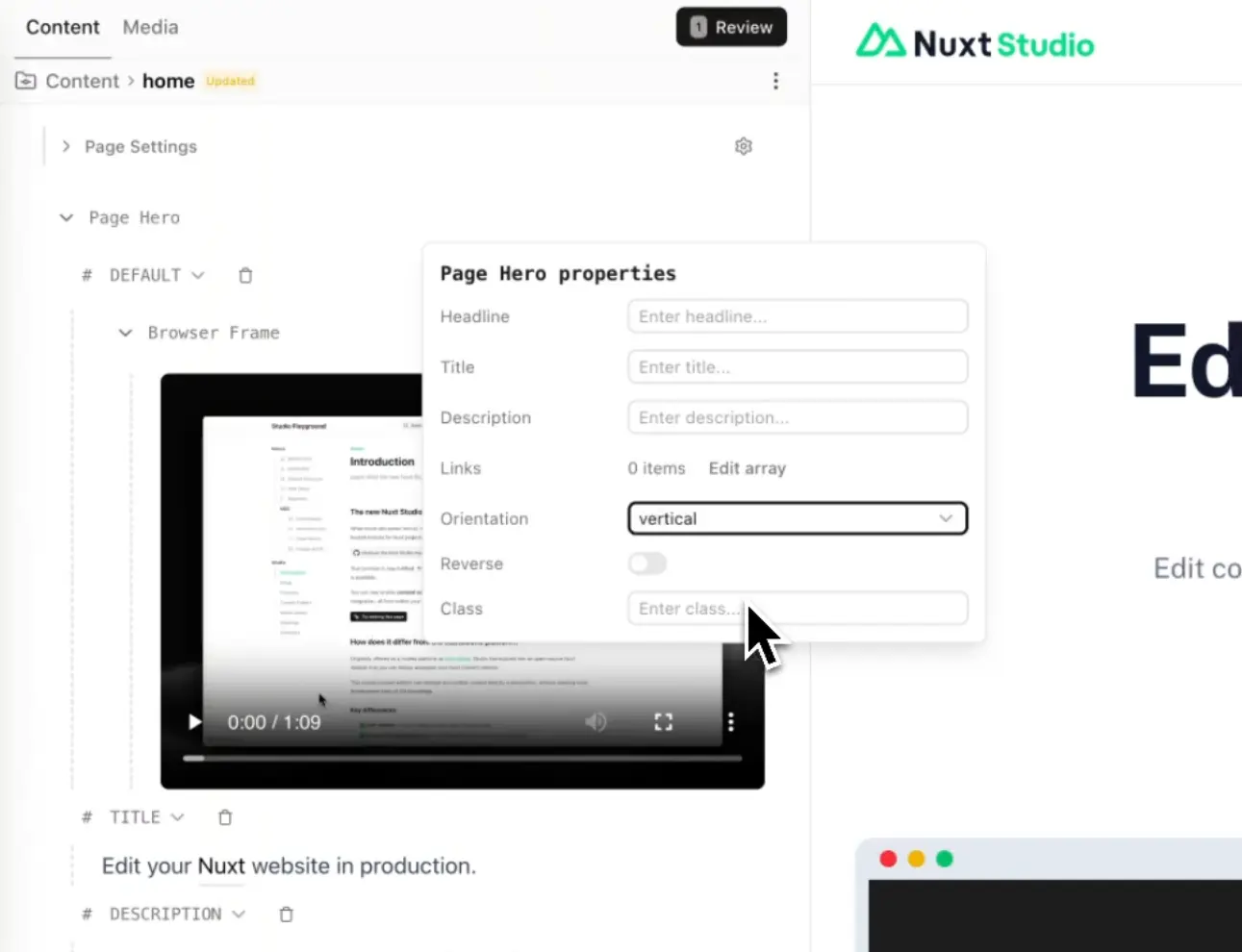
Nuxt Studio is an open-source, self-hosted Nuxt module that enables direct content editing on live production websites.
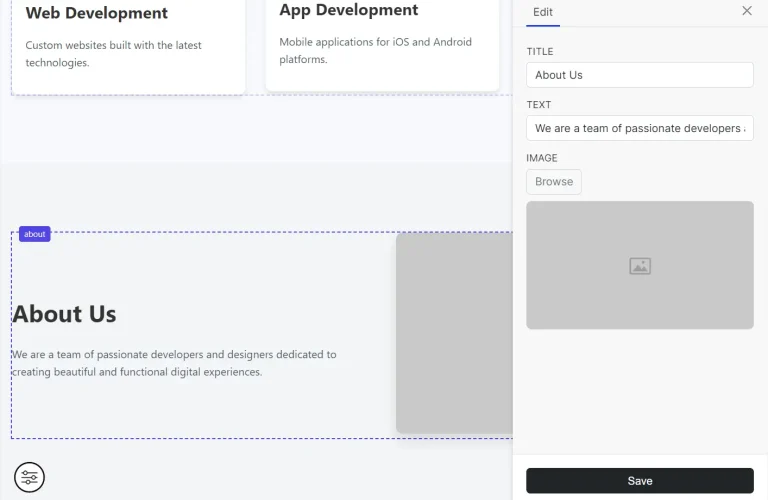
It provides a visual editing interface for Markdown files, YAML configurations, and media assets without requiring local development tools or Git expertise.
Content editors can modify pages, update frontmatter, and publish changes through an integrated interface that commits directly to your GitHub or GitLab repository.
Features
🔐 Multi-Provider Authentication: OAuth-based login through GitHub, GitLab, and Google with utilities for custom authentication flows including password, SSO, and LDAP implementations.
💻 Monaco Code Editor: Code editing interface for enhanced Markdown with MDC syntax, YAML files, and JSON configurations.
✨ TipTap Visual Editor: Markdown editor with MDC component support set as the default editing mode.
📝 Form-Based Editor: Auto-generated forms for editing YAML and JSON files plus frontmatter based on collection schemas.
🎨 Vue Component Props Editor: Visual interface for modifying Vue component properties directly within the editor.
🔄 Real-Time Preview: Live preview of content changes displayed on your production website as you edit.
📝 File Management: Full CRUD operations for content files in the content directory including create, edit, delete, and rename functions.
🖼️ Media Management: Centralized library supporting JPEG, PNG, GIF, WebP, AVIF, SVG, and additional image formats.
🌳 Git Integration: Direct commit functionality from your production website that triggers your existing CI/CD pipeline for deployment.
🚀 Development Mode: Local filesystem editing through the module interface with real-time synchronization of file changes.
🌍 22 Language Support: Full internationalization covering Arabic, Bulgarian, Czech, German, English, Spanish, Farsi, Finnish, French, Indonesian, Italian, Japanese, Korean, Norwegian Bokmål, Dutch, Norwegian Nynorsk, Polish, Portuguese (Brazil), Russian, Ukrainian, Chinese, and Chinese Traditional.
Use Cases
- Documentation Portals: Technical writers update versioned documentation and code snippets directly in the browser.
- Corporate Blogs: Marketing teams publish new articles and manage media assets without engineering support.
- Configuration Management: Administrators adjust global site settings stored in JSON or YAML files through generated forms.
- Landing Page Optimization: Designers tweak component props and copy on landing pages to test variations rapidly.
How to Use It
Installation
1. Add the Nuxt Studio module to your project through the Nuxt CLI.
npx nuxt module add nuxt-studio2. Start your development server. The module activates automatically and displays a floating button in the bottom left corner of your pages.
Development Mode Setup
Click the floating button to open the Studio interface. File changes sync in real time with your local filesystem. The publish system remains disabled in development mode.
Use your standard Git workflow through command line tools, IDE features, or GitHub Desktop to commit changes.
Production Mode Configuration
Production deployment requires two configuration steps for the publishing system to function.
Configure Git Provider
Specify your repository details in the Nuxt configuration file.
export default defineNuxtConfig({
  studio: {
    repository: {
      provider: 'github',
      owner: 'your-username',
      repo: 'your-repo',
      branch: 'main'
    }
  }
})
The provider field accepts either ‘github’ or ‘gitlab’. Replace the owner and repo values with your actual repository information.
Configure Authentication Provider
Set up OAuth credentials through environment variables. The example below shows GitHub OAuth configuration.
STUDIO_GITHUB_CLIENT_ID=<your_client_id>
STUDIO_GITHUB_CLIENT_SECRET=<your_client_secret>
Create OAuth applications through your chosen provider’s developer settings. GitHub requires registering an OAuth app in your account settings. GitLab follows a similar process through application settings. Google OAuth requires project setup in the Google Cloud Console.
Deploy to SSR Platform
Nuxt Studio requires server-side rendering support for the authentication route. Deploy your application using the nuxt build command to platforms that support SSR such as Vercel, Netlify, or custom Node.js servers.
Static site generation remains compatible through Nuxt hybrid rendering. Configure pre-rendering while maintaining SSR for Studio routes.
export default defineNuxtConfig({
  nitro: {
    prerender: {
      routes: ['/'],
      crawlLinks: true
    }
  }
})
This configuration pre-renders the homepage and crawls all linked pages while keeping the Studio route dynamic for authentication.
Access Studio Interface
Navigate to the Studio route after deployment. The default route is /_studio. Click the login button if the interface does not automatically redirect to your OAuth provider.
Authorize the application through the OAuth flow. The system redirects you back to Studio ready for content editing.
Use the keyboard shortcut CMD + . to quickly access the Studio route from any page.
Customization Options
Custom Admin Route
Change the default Studio route through the route option.
export default defineNuxtConfig({
  studio: {
    route: '/admin'
  }
})
Repository Root Directory
Point to a subdirectory when your Nuxt Content application exists within a monorepo or nested folder structure.
export default defineNuxtConfig({
  studio: {
    repository: {
      provider: 'github',
      owner: 'your-username',
      repo: 'your-repo',
      branch: 'main',
      rootDir: 'docs'
    }
  }
})
Public Repository Scope
Limit OAuth scope to public repositories only by setting the private option to false. This reduces permissions requested during authentication.
export default defineNuxtConfig({
  studio: {
    repository: {
      provider: 'github',
      owner: 'your-username',
      repo: 'your-repo',
      branch: 'main',
      private: false
    }
  }
})
Language Preferences
Set the interface language through the i18n option. The module translates all UI elements, Monaco editor snippets, and contextual messages to the selected locale.
export default defineNuxtConfig({
  studio: {
    i18n: {
      defaultLocale: 'fr'
    }
  }
})
Supported locale codes include ‘en’ for English, ‘ar’ for Arabic, ‘bg’ for Bulgarian, ‘cs’ for Czech, ‘de’ for German, ‘es’ for Spanish, ‘fa’ for Farsi, ‘fi’ for Finnish, ‘fr’ for French, ‘id’ for Indonesian, ‘it’ for Italian, ‘ja’ for Japanese, ‘ko’ for Korean, ‘nb’ for Norwegian Bokmål, ‘nl’ for Dutch, ‘nn’ for Norwegian Nynorsk, ‘pl’ for Polish, ‘pt-br’ for Portuguese (Brazil), ‘ru’ for Russian, ‘ua’ for Ukrainian, ‘zh’ for Chinese, and ‘zh-tw’ for Chinese Traditional.
Component Visibility Control
Filter which components appear in the Studio interface using the meta.components option.
export default defineNuxtConfig({
  studio: {
    meta: {
      components: {
        include: ['Content*', 'MySpecificComponent'],
        exclude: ['HiddenComponent', 'content/prose/**']
      }
    }
  }
})
The include array creates a whitelist. When defined, only listed components appear in Studio. The exclude array hides specific components. Patterns support glob syntax with * and ** wildcards. Match against component names like ‘Button’ or file paths like ‘content/prose/**’.
Local Production Testing
Test production configuration locally by disabling development mode.
export default defineNuxtConfig({
  studio: {
    dev: false
  }
})
Configure your OAuth provider redirect URL to point at your local development server at http://localhost:3000 or your custom port.
Related Resources
- Nuxt Content: File-based CMS for Nuxt applications that provides the content layer Studio edits.
- TipTap: Headless editor framework that powers the visual Markdown editing mode.
- Monaco Editor: Code editor that powers Visual Studio Code and provides the code editing interface in Studio.
- Nuxt UI: Component library built on Tailwind CSS that provides the Studio interface components.
FAQs
Q: Can I use Nuxt Studio with static site generation?
A: Yes. Configure Nuxt hybrid rendering to pre-render your content pages while maintaining server-side rendering for the Studio authentication route. The module works on any platform that supports SSR deployment through the nuxt build command.
Q: How does Studio handle concurrent edits from multiple users?
A: Each edit creates a separate Git commit. When multiple users edit simultaneously, the second user to publish receives a merge conflict notification. Resolve conflicts through your standard Git workflow or by refreshing Studio to pull the latest changes before editing again.
Q: Does Studio require a specific hosting platform?
A: No. Deploy to any platform that supports Node.js server-side rendering including Vercel, Netlify, custom VPS servers, Docker containers, or Kubernetes clusters. The only requirement is SSR support for the authentication route.
Q: How do I restrict Studio access to specific team members?
A: OAuth provider settings control access. For GitHub, limit access through organization membership or repository collaborator status. For GitLab, use project member permissions. Custom authentication implementations can enforce role-based access control through your own authorization logic.