The Future of Web Dev
The Future of Web Dev
Cleaner Child/Descendant Selectors in Tailwind CSS – Tagged Combinators
Add slash-modifier tagging to Tailwind CSS child and descendant variants. Filter specific elements without arbitrary variants or bracket syntax for cleaner styling code.
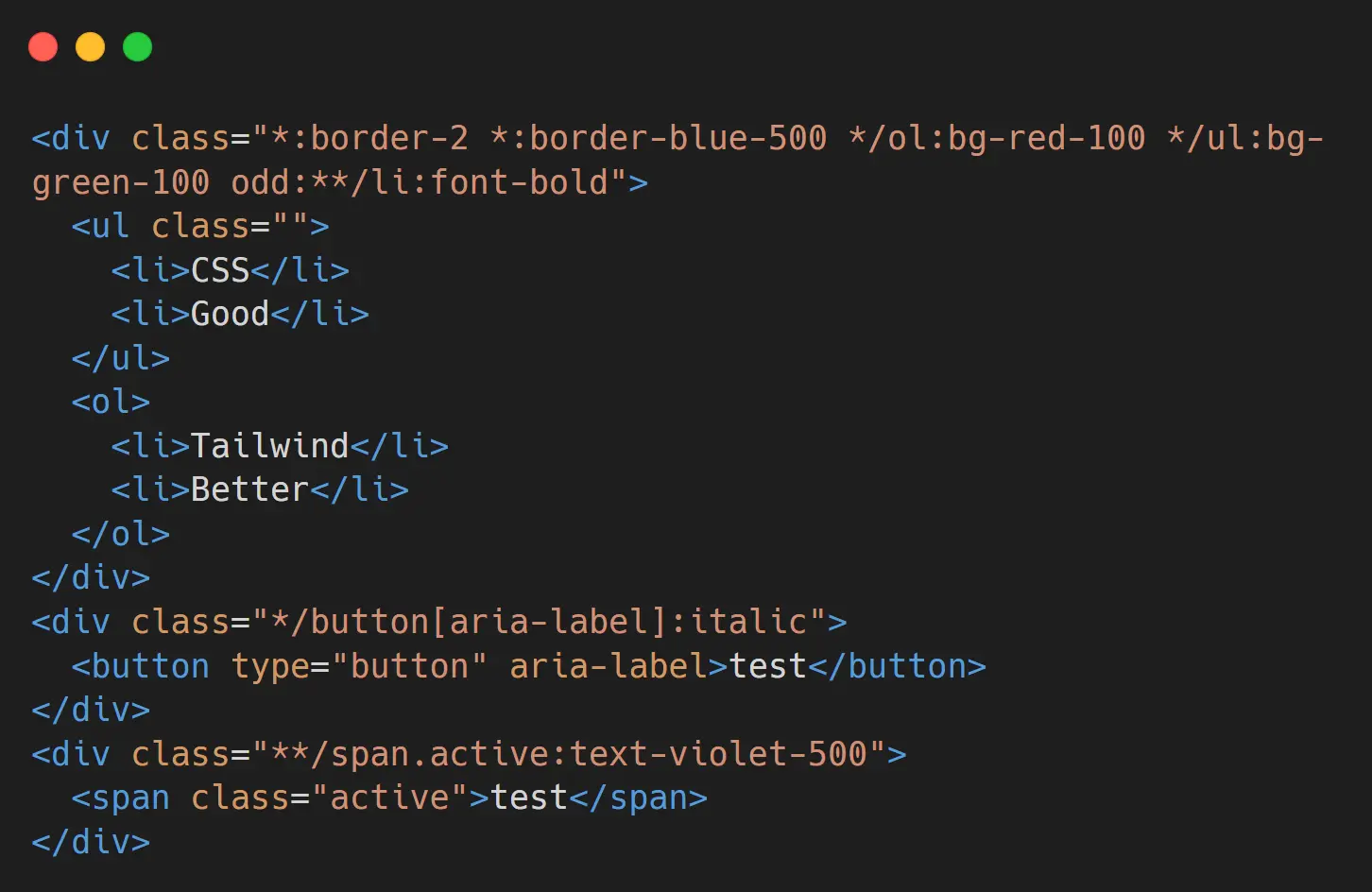
Tagged Combinators is a Tailwind CSS plugin that enhances Tailwind’s built-in child (*:) and descendant (**:) variants. It introduces a slash-modifier to filter which nested elements receive styles. This provides a more direct and readable way to apply utilities in complex component structures.
The plugin allows you to append a CSS selector directly to the child or descendant variant. For instance, you can target only paragraph elements that are direct children with */p or any descendant anchor tags with **/a. This avoids the more verbose syntax of arbitrary variants while offering precise styling control.
You can use this plugin to manage styles for nested elements cleanly. It can be useful for styling lists, forms, or any component where you need to differentiate between child element types without adding extra classes to the HTML. The plugin maintains the standard functionality of *: and **: when no tag is applied.
Features
🎯 Simplified selector syntax for child and descendant elements.
🔧 Support for tagging direct children with the */selector pattern.
📦 Support for tagging any descendants with the **/selector pattern.
✨ Compatibility with class names, attributes, pseudo-classes, and tag selectors.
🚀 Works alongside Tailwind’s native child and descendant variants without conflicts.
Use Cases
- Differentiated List Styling. Apply unique styles to
<li>elements within an<ol>versus a<ul>from a single parent<div>. - Consistent Form Element Spacing. Add a uniform top margin to all
<input>and<button>elements inside a<form>tag. - Article Content Formatting. Style all
<img>and<blockquote>elements within an article body from the root container. - Active State Highlighting. Change the text color of any descendant element with an
.activeclass within a navigation component.
How to Use It
1. Install the plugin in your project.
npm install @toolwind/tagged-combinators2. Register the plugin within your Tailwind CSS configuration. The method depends on your version of Tailwind CSS.
For Tailwind CSS v4, add the @plugin rule to your main CSS file.
/* globals.css */
@import "tailwindcss";
@plugin "@toolwind/tagged-combinators";
For Tailwind CSS v3, add the plugin to the plugins array in your tailwind.config.js file.
// tailwind.config.js
module.exports = {
  // ...
  plugins: [require('@toolwind/tagged-combinators')],
}
3. Use the tagged combinator variants in your HTML. To style all direct children, use the *: variant. To style all descendants, use the **: variant.
4. To filter these variants, append a slash / followed by a selector. For example, to style only direct button children within a div, you can use the */button: variant. To style any descendant span with a specific class, you can use the **/span.active: variant.
<div class="*:my-2 */p:text-gray-600 */button:bg-blue-500 */button:text-white */button:px-4 */button:py-2 */button:rounded">
  <p>This paragraph will have gray text and a vertical margin.</p>
  <div>
    <p>This nested paragraph only inherits the margin.</p>
  </div>
  <button type="button">This button will be styled.</button>
</div>
<div class="**:text-sm **/a:underline **/a:text-blue-600">
  <p>This text will be small.</p>
  <div class="p-4">
    <a href="#">This link will be small, blue, and underlined.</a>
  </div>
</div>
Related Resources
- Official Tailwind CSS Documentation. The official documentation for the Tailwind CSS framework.
- Tailwind CSS Plugins. Discover more TailwindCSS plugins to extend Tailwind’s functionality.
FAQs
Q: How does this plugin compare to using arbitrary variants?
A: This plugin provides cleaner, more readable syntax. Where you would write [&>button]:bg-blue-500, you can now write */button:bg-blue-500. The syntax is shorter, easier to read, and requires no bracket notation.
Q: Can I combine the tagged combinator with other Tailwind variants?
A: Yes. You can stack variants normally, such as odd:**/li:font-bold, which applies font-bold to odd-numbered li descendants. The plugin works seamlessly with Tailwind’s existing variant system.
Q: What selectors can I use with the tagged combinator?
A: You can use tag names, class selectors, attribute selectors, and combinations of these. Pseudo-classes can be included but cannot be used as the main variant due to the colon syntax conflict with Tailwind’s variant system.
Q: Does this plugin affect Tailwind’s native child and descendant variants?
A: No. The plugin preserves the native *: and **: syntax and behavior. Without a tag filter, they compile exactly as they do in standard Tailwind, ensuring backward compatibility.