The Future of Web Dev
The Future of Web Dev
Build Modern Admin Panels with Vite-Shadcn React Template
Build modern admin dashboards fast with Vite-Shadcn template. Includes authentication, internationalization, charts, and responsive design.
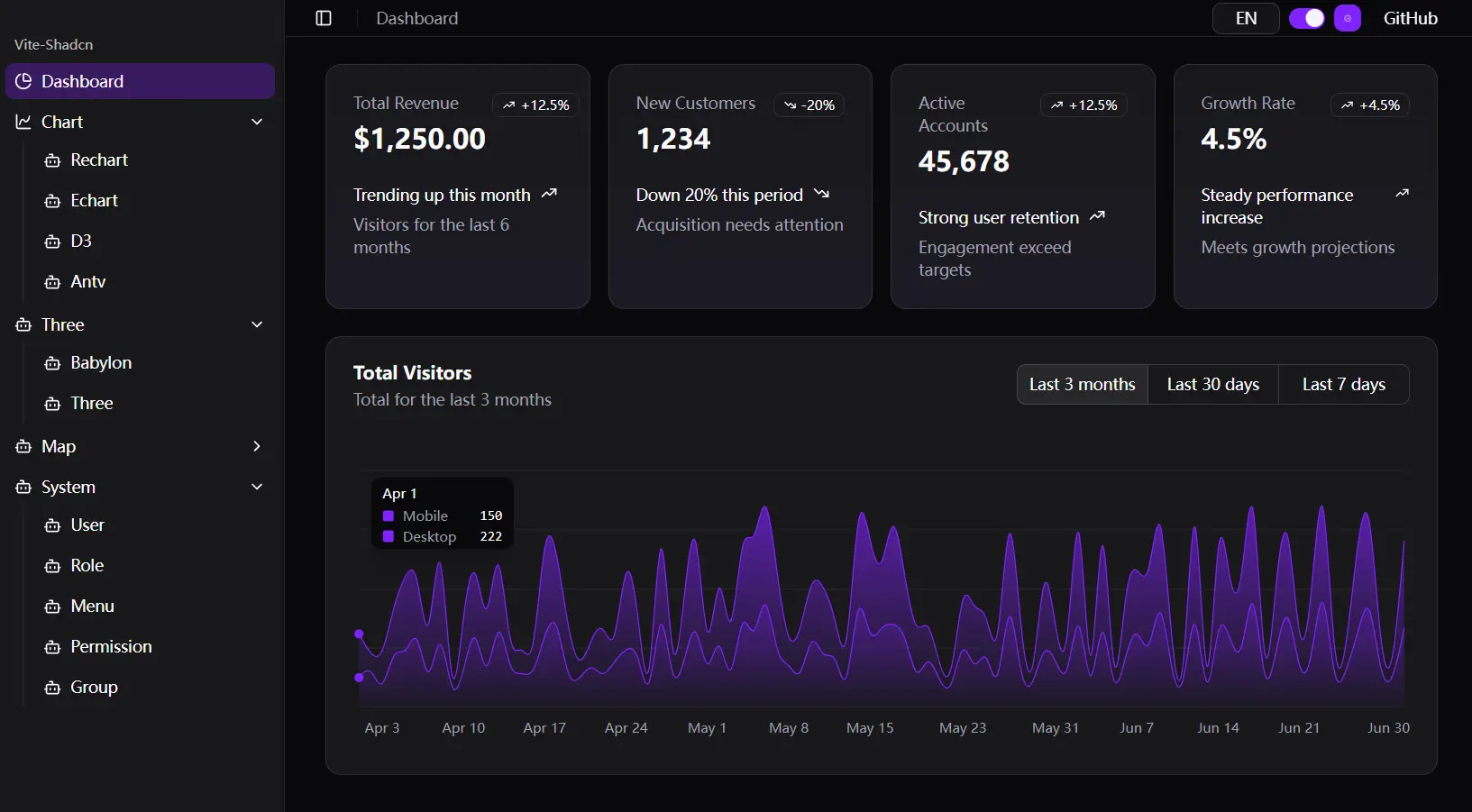
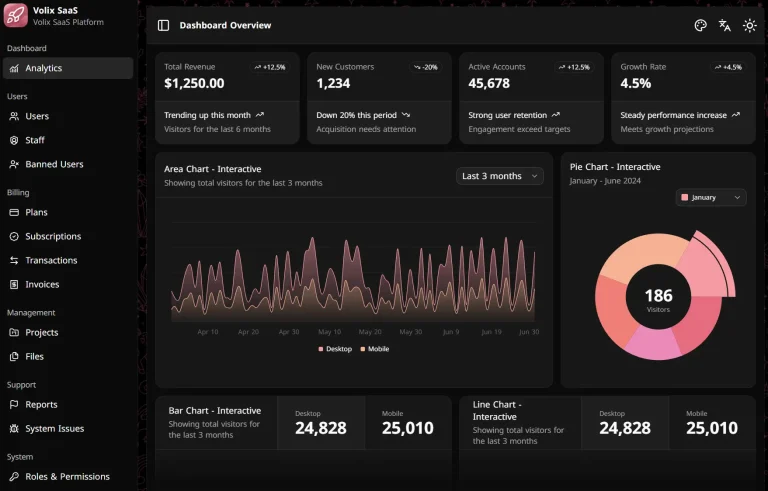
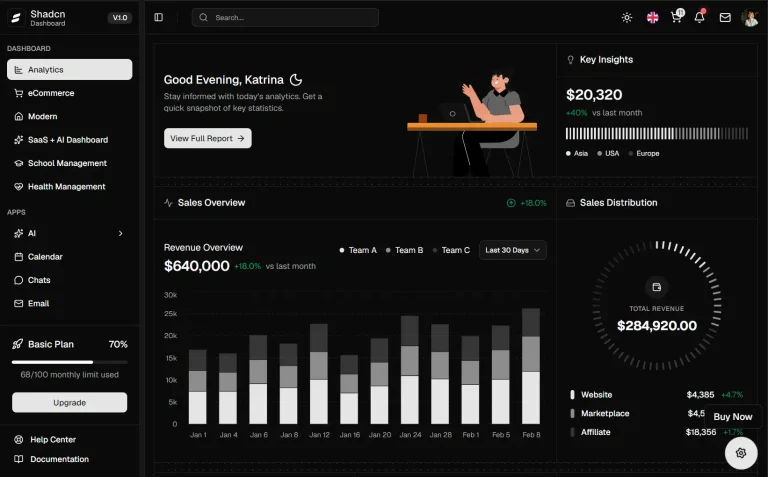
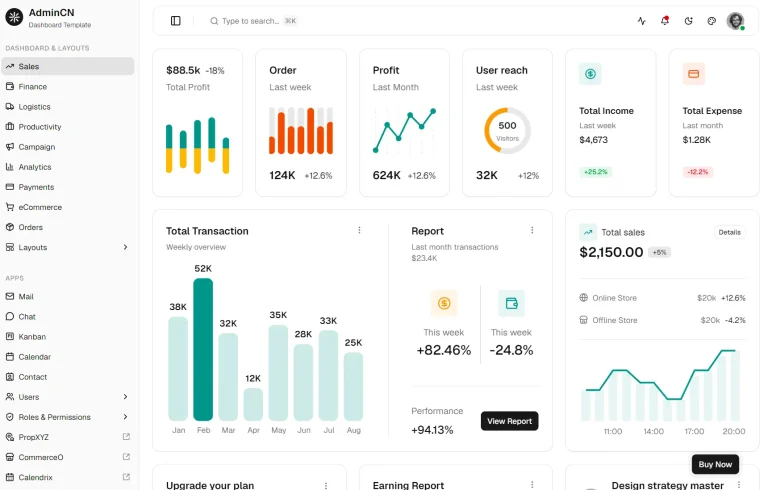
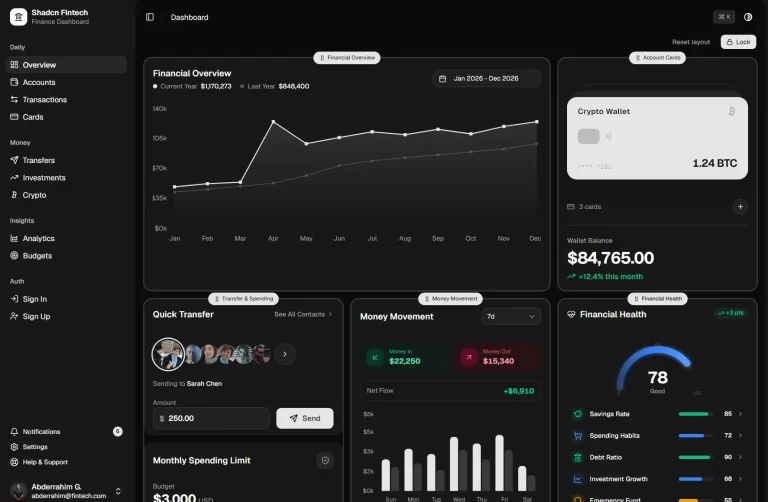
VITE-SHADCN is an admin panel template built with a modern tech stack that includes Vite, React, Shadcn, Zustand, and React-Router.
It provides a pre-configured environment to accelerate the development of admin dashboards and internal tools.
Features
⚡ Fast development server and build process with Vite bundling
🎨 Clean, accessible UI components from Shadcn/ui design system
🔐 Role-based authentication and permission control system
🌍 Multi-language support with React Intl internationalization
🎯 Type-safe development with TypeScript integration
📊 Multiple chart libraries including Recharts, ECharts, and D3
🎨 Dark mode support with theme customization options
📱 Responsive design that works across desktop and mobile devices
🗂️ Zustand state management for predictable app state
🛣️ Dynamic routing with React Router v7
📡 HTTP client setup with Axios for API communication
🧪 Mock Service Worker integration for development testing
📈 Data table components with sorting and filtering capabilities
🎛️ Form handling with React Hook Form and Zod validation
Use Cases
- Internal Dashboards: Develop business intelligence dashboards for monitoring key performance indicators and visualizing company data.
- Content Management Systems: Create the administrative backend for websites, allowing users to manage content, users, and media.
- Customer Relationship Management (CRM): Build interfaces for managing customer data, interactions, and sales pipelines.
- System Monitoring Panels: Construct panels for monitoring server health, application performance, and system logs in real-time.
- E-commerce Admin Panels: Develop a backend to manage products, orders, customers, and inventory for an online store.
How to Use It
1. Clone the repository from GitHub.
git clone https://github.com/moomfe/vite-shadcn.git
cd vite-shadcn
2. Install the required dependencies using npm.
npm install3. Start the development server. You can now see the dashboard interface with sample data and navigation structure at http://localhost:5173.
npm run dev4. Configure the authentication system by modifying the user roles and permissions in the store configuration. The template uses Zustand for state management, which you can find in the store directory. Update the user management logic to connect with your backend authentication system.
5. Set up internationalization by adding your language files to the locales directory. The template supports multiple languages through React Intl. Add new translation keys to the JSON files and import them into your components using the translation hooks.
6. Customize the theme and styling by modifying the Tailwind CSS configuration. The template includes CSS custom properties for theme colors that you can adjust in the globals.css file. The dark mode implementation automatically switches between light and dark variants based on user preference.
7. Add new pages by creating components in the pages directory and updating the route configuration. The template includes dynamic routing that respects user permissions, so you can control which users see which pages based on their assigned roles.
8. Integrate your API endpoints by updating the Axios configuration in the services directory. Replace the Mock Service Worker implementations with real API calls to your backend services. The template includes example patterns for handling authentication tokens and error responses.
9. Build the production version when you’re ready to deploy:
npm run buildThis generates optimized static files in the dist directory that you can deploy to any static hosting service or serve from your web server.
Related Resources
- Shadcn/ui Documentation – Complete component library with examples and customization guides.
- Vite Documentation – Modern build tool documentation with configuration options and plugins.
- React Router v7 Guide – Routing library documentation with advanced patterns and examples.
- Zustand Documentation – Lightweight state management solution with TypeScript support.
FAQs
Q: How do I add new chart types beyond the included libraries?
A: You can install additional chart libraries through npm and create new chart components following the same patterns used for Recharts and ECharts integration. The template structure supports adding new visualization libraries.
Q: Does the authentication system work with external identity providers?
A: The current implementation uses mock authentication, but you can replace it with any authentication provider by updating the auth service and state management logic. The role-based system supports integration with OAuth, JWT, or other authentication methods.
Q: Can I deploy this template to serverless platforms?
A: Yes, the template builds to static files that can be deployed to Vercel, Netlify, AWS S3, or any static hosting service. You need to configure routing rules for single-page application behavior.
Q: How do I customize the dashboard layout for different user roles?
A: The template includes role-based routing that you can extend to show different layouts. Modify the route configuration and create role-specific layout components to customize the interface based on user permissions.