The Future of Web Dev
The Future of Web Dev
Full-Stack SaaS Starter Template with Bun & Next.js – Bstack
Launch your SaaS faster with B(build)stack, a full-stack template featuring Next.js UI, Bun API backend & Clerk authentication. Perfect for modern web applications.
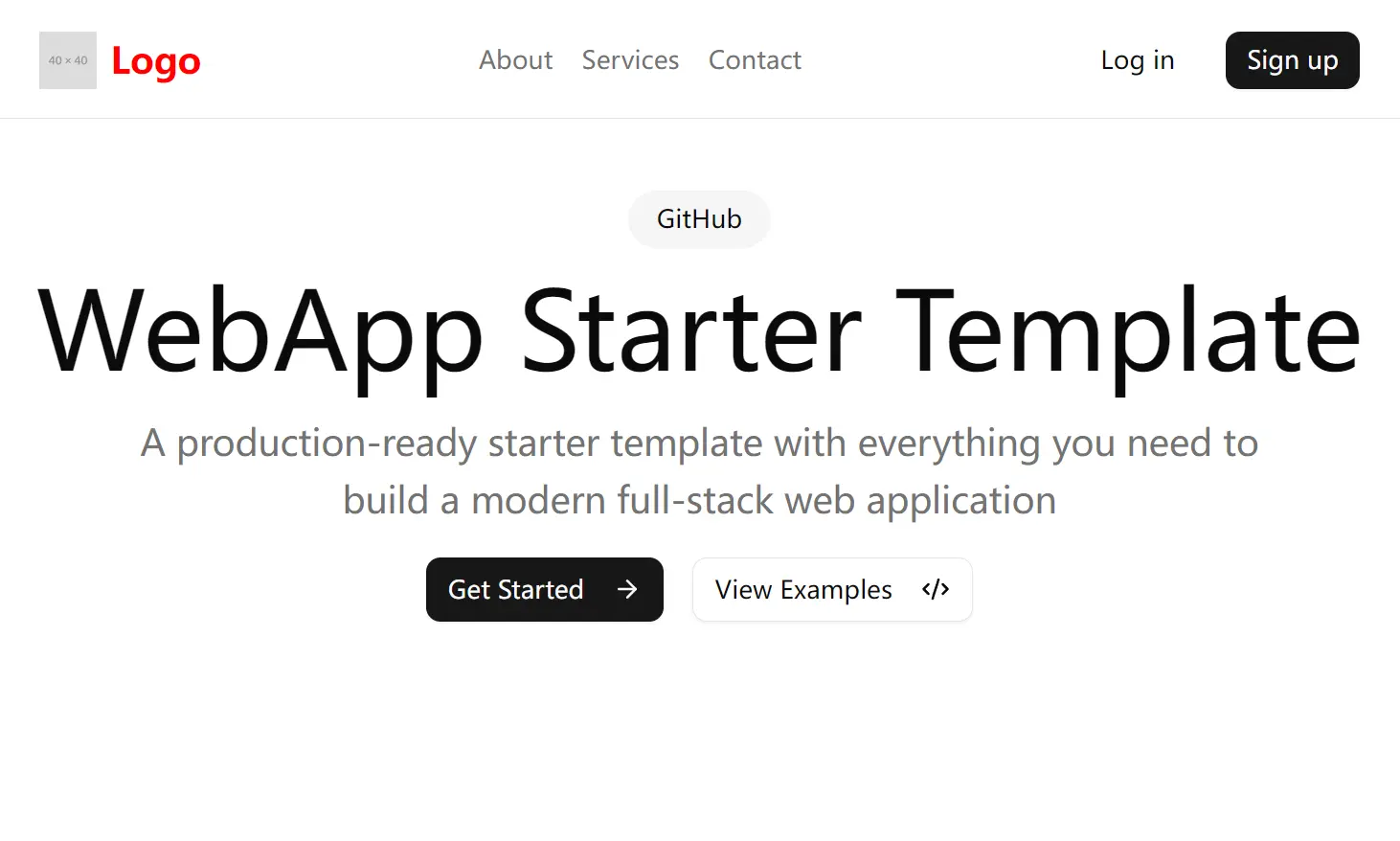
B(build)stack is a modern full-stack application starter template designed for building SaaS products quickly and efficiently.
It combines the efficiency of Turborepo with a Hono and Bun API backend alongside a Next.js frontend, creating an integrated development environment that streamlines the SaaS development process.
Features
🚀 Monorepo Architecture – Organized with Turborepo for efficient code sharing and dependency management across applications and packages.
🔄 Data Management – Integrated with Drizzle ORM and Supabase for type-safe database operations and PostgreSQL storage.
🔐 Authentication System – Ready-to-use user management with Clerk, including social logins and webhook integration.
📦 Modular Package Structure – Clean separation between frontend, backend, and shared code for maintainable architecture.
💻 Modern Backend – Powered by Bun runtime for superior performance and Hono for lightweight, fast API development.
🎨 Polished UI Framework – Built with Next.js, Tailwind CSS, and Shadcn/ui components for responsive, customizable interfaces.
🌐 Deployment Solutions – Configured for Vercel (frontend) and Render (backend) deployments.
🛠️ Development Tools – Includes Ngrok for secure local tunneling during development.
Use Cases
- Subscription-Based SaaS Products. B(build)stack provides the foundation needed for subscription management. Using the Clerk authentication system combined with the database structures, you can implement subscription tiers, payment processing through third-party services, and user access controls—all critical components for monetizing your SaaS product.
- Client Dashboards and Portals. The Next.js frontend with Shadcn/ui components offers a solid foundation for building data visualization dashboards and client portals. The template structure allows you to create secure, personalized user experiences where clients can view their specific data, manage settings, and interact with your services.
- API-First Products. If you’re building a service that provides API endpoints to customers, B(build)stack’s Bun and Hono backend provides exceptional performance. The included webhook handlers and authentication flow make it simple to create secure API endpoints that can be exposed to customers while maintaining proper access controls.
- Internal Tools and Admin Panels. For companies needing to build internal tools quickly, this template offers everything needed to create secure admin panels and management interfaces. The authentication system ensures only authorized personnel can access sensitive company data or administrative functions.
Installation
1. Clone and Install Dependencies
git clone [repository-url]
cd [repository-directory]
pnpm install
2. Install Bun Runtime
For macOS, Linux, and WSL:
curl -fsSL https://bun.sh/install | bashUsing npm:
npm install -g bunUsing Homebrew (macOS and Linux):
brew install oven-sh/bun/bun3. Environment Configuration
Create environment files for both the API and web applications:
For apps/api/.env:
DATABASE_URL=your_database_url
CLERK_SECRET_KEY=your_clerk_secret_key
NEXT_PUBLIC_CLERK_PUBLISHABLE_KEY=your_clerk_publishable_key
CLERK_SIGNING_SECRET=your_clerk_webhook_secret
For apps/web/.env:
NEXT_PUBLIC_CLERK_PUBLISHABLE_KEY=your_clerk_publishable_key
CLERK_SECRET_KEY=your_clerk_secret_key
NEXT_PUBLIC_API_URL=your_api_url
For database operations, create packages/db/.env:
DATABASE_URL=your_database_url4. Database Setup with Supabase
- Create a new project on Supabase (or use any PostgreSQL database)
- Copy your database URL to the appropriate .env files
- Initialize your database schema:
  pnpm db:push   # For development/testing
  pnpm db:generate   # Generate schema
  pnpm db:migrate   # Apply schema to production
5. Configure Clerk Authentication
- Create an application on Clerk
- Add your API keys to the environment files
- Set up webhooks for user synchronization with your database
Usage
To start the development environment:
turbo devThis command runs both applications simultaneously:
- API backend: http://localhost:3004
- Web frontend: http://localhost:3000
The project structure follows a monorepo pattern:
├── apps/
│   ├── api/         # Bun API backend
│   └── web/         # Next.js frontend
└── packages/        # Shared packages, main DB
For webhook integration between Clerk and your database, implement handlers in the API application that receive user events and update your database accordingly.
Deployment
Frontend Deployment on Vercel
1. Connect your GitHub repository to Vercel
2. Configure the deployment settings:
- Root Directory:
apps/web - Framework Preset: Next.js
3. Add your environment variables from your web .env file
4. Deploy
Backend Deployment on Render
1. Create a Web Service on Render
2. Link your repository and configure:
- Root Directory:
apps/api - Build Command:
pnpm install - Start Command:
pnpm start
3. Add all environment variables from your API .env file
4. Deploy
Related Resources
FAQs
Q: What is Turborepo, and why is it used here?
A: Turborepo is a build system for JavaScript and TypeScript codebases. It optimizes and speeds up tasks in a monorepo setup.
Q: Can I use a different database besides Supabase?
A: Yes. While B(build)stack is configured for Supabase, it’s compatible with any PostgreSQL database.
Q: What’s the benefit of using Bun?
A: Bun is a fast, all-in-one JavaScript runtime. It aims to improve performance compared to traditional Node.js setups.
Q: How does Clerk simplify authentication?
A: Clerk provides pre-built components and APIs. You can add user authentication and management to your application with minimal custom code.
Q: How do I add additional API endpoints?
A: New API endpoints can be added in the apps/api/src/routes directory. The template uses Hono for routing, so you can create new route files and handlers following the existing patterns, then import and register them in the main application file.
Q: How does the monorepo structure benefit development?
A: The monorepo approach allows you to share code between frontend and backend, ensures type consistency across your application, centralizes dependency management, and enables running commands that affect multiple parts of your application simultaneously. This results in more efficient development and fewer integration issues.
Preview