The Future of Web Dev
The Future of Web Dev
tailwindcss-squircles: Automatic Squircle Corners for Tailwind CSS
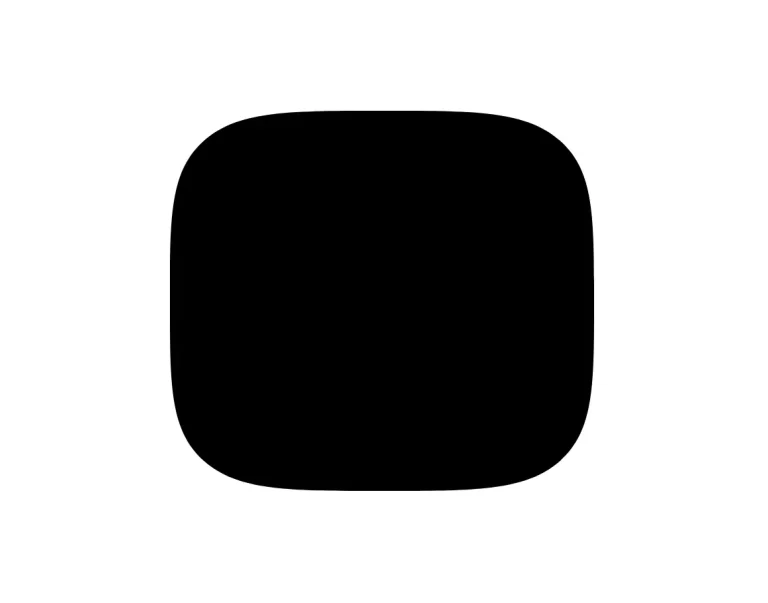
Add native CSS squircles with one Tailwind plugin. Use bevel and custom superellipse variants on selected components.
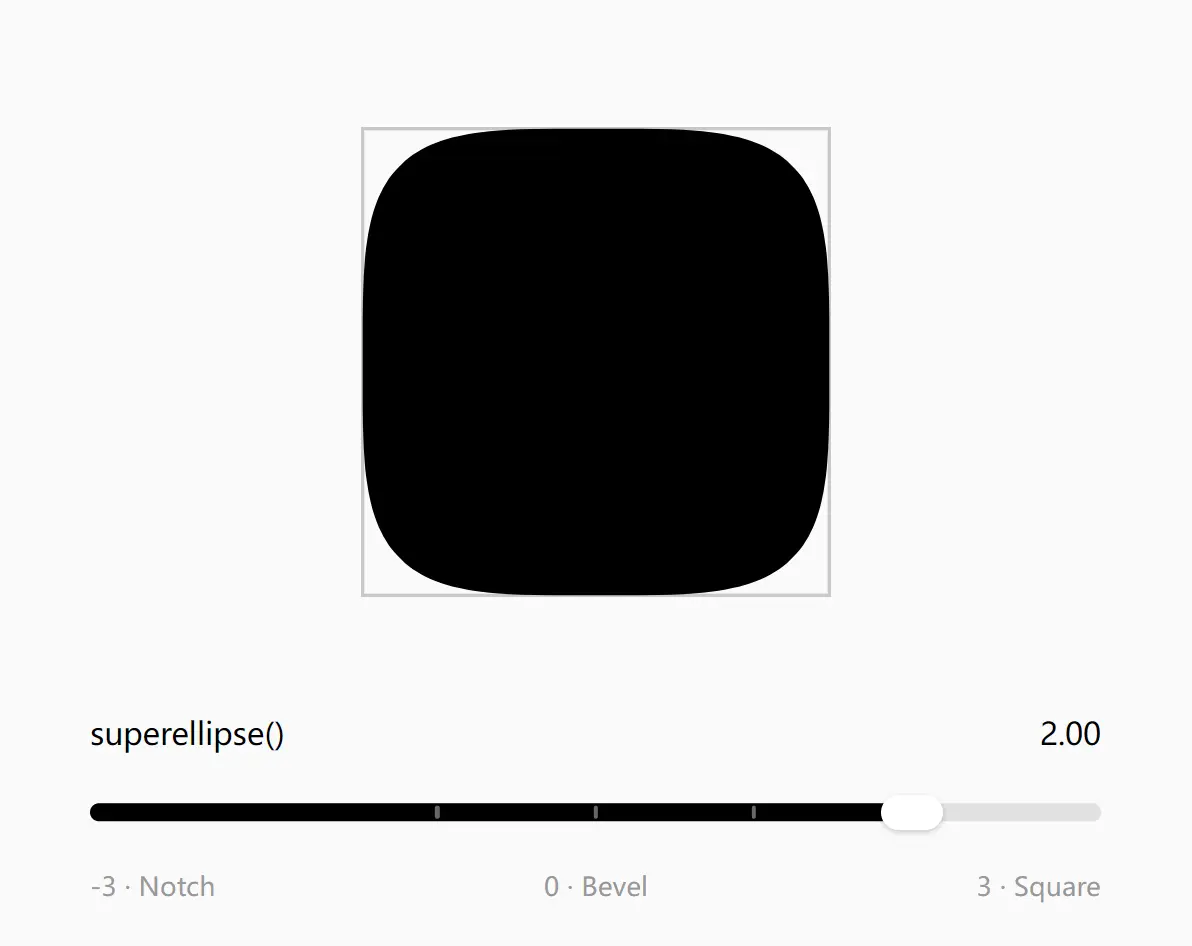
tailwindcss-squircles is a Tailwind CSS plugin that applies squircle corners to existing rounded-* utilities using native CSS corner-shape.
It adjusts the radius to preserve the original corner depth, keeps pills round by default, and retains ordinary rounded corners in browsers that do not recognize the property.
Features
- Automatic radius compensation of approximately 1.841 for squircle corners.
- Existing Tailwind radius tokens and custom
--radius-*theme values. - Arbitrary radius lengths, CSS variables, and multi-value radii.
- Physical and logical corner utilities, including
rounded-t-xlandrounded-es-xl. - Circular defaults for
rounded-fulland percentage-only radii. - Round, bevel, scoop, notch, square, and numeric superellipse shape overrides.
- CSS-only enhancement with no JavaScript initialization or React component wrapper.
How to Use It
1. Install
npm install -D tailwindcss-squircles
# Or use pnpm:
pnpm add -D tailwindcss-squircles
2. Register the Plugin
In your main Tailwind stylesheet, such as app/globals.css in a Next.js App Router project, register the plugin after the Tailwind import:
@import "tailwindcss";
@plugin "tailwindcss-squircles";
3. Basic Usage
Keep the existing radius classes. No new class is required for the default squircle treatment:
<article class="rounded-2xl border border-slate-200 bg-white p-6 shadow-sm">
  <h2 class="text-lg font-semibold">Project activity</h2>
  <p class="mt-2 text-sm text-slate-600">
    Check recent updates and pending approvals.
  </p>
  <button class="mt-4 rounded-lg bg-slate-900 px-4 py-2 text-white">
    View updates
  </button>
</article>
Change the Corner Shape
Use corner-* utilities when an individual component needs another curve. Each utility sets the corner shape and the corresponding radius factor for that element.
<div class="corner-round rounded-2xl bg-slate-100 p-6">Round card</div>
<div class="corner-bevel rounded-2xl bg-amber-100 p-6">Beveled card</div>
<div class="corner-superellipse-1.5 rounded-2xl bg-sky-100 p-6">
  Custom superellipse card
</div>
Shape Utility Reference
The corner-superellipse-<k> utility accepts numeric values, including negative numbers. For example, corner-superellipse--1 sets superellipse(-1).
| Utility | CSS shape | Radius factor |
|---|---|---|
corner-round | round | 1 |
corner-squircle | squircle | Approximately 1.841 |
corner-bevel | bevel | Approximately 0.586 |
corner-scoop | scoop | 1 |
corner-notch | notch | 1 |
corner-square | square | 1 |
corner-superellipse-<k> | superellipse(<k>) | Calculated from k |
Radius Rules and Customization
| Radius class | Plugin behavior |
|---|---|
rounded-xl | Reads --radius-xl and compensates the radius |
rounded-(--card-radius) | Compensates the CSS variable value |
rounded-[10px_20px/5px] | Adjusts each length in the multi-value radius |
rounded-t-xl, rounded-es-xl | Applies compensation and matching corner shapes only to the selected corners |
rounded-full, rounded-[50%] | Stays round by default, with no radius compensation |
rounded-[inherit] | Retains Tailwind’s original radius output |
Customize a Theme Radius
Change the radius token in your main Tailwind stylesheet.
@import "tailwindcss";
@plugin "tailwindcss-squircles";
@theme {
  --radius-xl: 1.25rem;
}
Keep Selected Corners Round
Directional classes retain Tailwind’s ordering. For example, the top corners remain round in rounded-xl rounded-t-full, while the bottom corners receive the squircle treatment. An explicit corner-* utility can override the default round shape of rounded-full and percentage-radius classes.
<div class="rounded-xl rounded-t-full bg-slate-100 p-6">
  Round top corners with squircle bottom corners
</div>
<button class="rounded-full bg-slate-900 px-5 py-2 text-white">
  Circular pill
</button>
Alternatives and Related Resources