The Future of Web Dev
The Future of Web Dev
Vibra UI: Free shadcn/ui Admin Dashboards, Pages, and Components
Start a SaaS, ecommerce, CRM or engineering admin with ready-made routes, sidebar navigation and sample data you can replace.
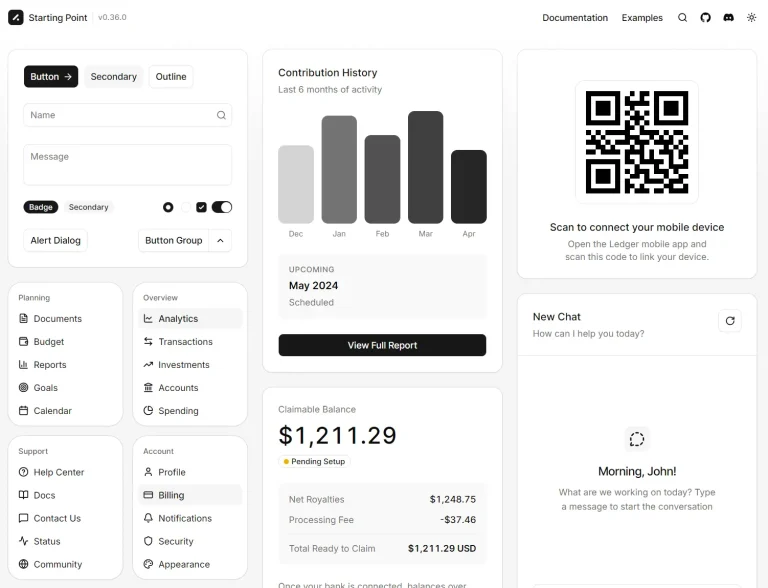
Vibra UI is a shadcn/ui dashboard and component registry that installs complete admin dashboards, Next.js pages, widgets, and reusable React components into your project.
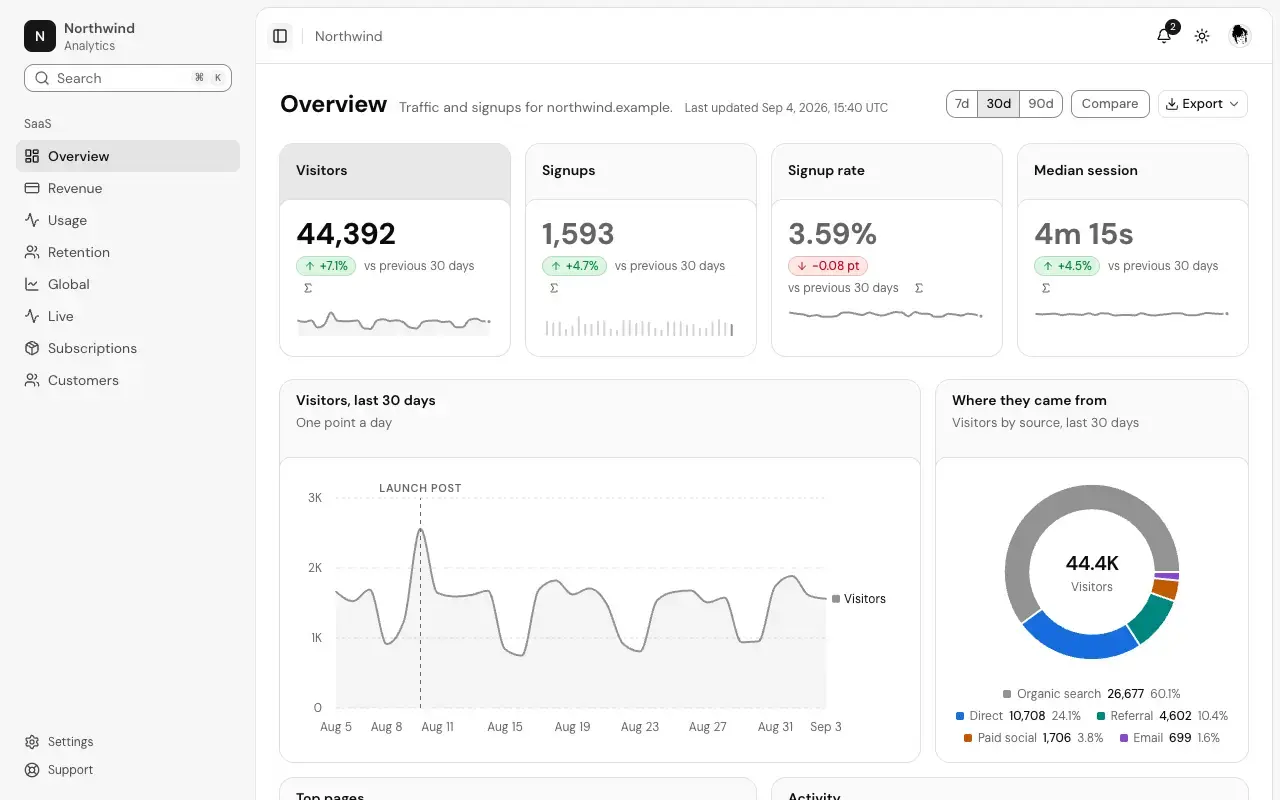
It currently includes 13 dashboard templates for ecommerce, SaaS, CRM, engineering, projects, and other applications, with editable source files and sample data.
Features
- 13 admin dashboards with 80 dashboard-specific pages, plus 29 shared application pages.
- 223 dashboard widgets for metrics, charts, tables, and activity views.
- 285 page sections across marketing, e-commerce, and application UI.
- 191 UI components and 446 component variants.
- 22 color palettes, light and dark modes, and comfortable or compact density.
- Source-file installation through the shadcn CLI, with individual dashboard, page, widget, and component registry items.
- Local sample data, dashboard navigation, and demo server actions for Next.js pages.
- Free use in personal and commercial projects.
How to Use Vibra UI
1. Initialize shadcn/ui
Work in an existing Next.js App Router project for complete dashboard and page installs. If the project does not have a components.json, initialize shadcn/ui:
npx shadcn@latest init2. Configure the Vibra registry
Merge this registries entry into the existing components.json. Keep the project’s aliases and other shadcn configuration:
{
  "registries": {
    "@vibra": "https://vibraui.com/r/{name}.json"
  }
}
3. Install a complete dashboard
Vibra UI replaces some familiar shadcn primitives, including Button and Card, with its own styles.
Install the complete 12-page ecommerce dashboard, including its navigation, page components and sample data:
npx shadcn@latest add @vibra/ecommerceTo install only the sales dashboard page in a project that does not already have the complete ecommerce dashboard, use:
npx shadcn@latest add @vibra/ecommerce-salesVibra UI also accepts direct registry URLs. The following command installs a standalone component directly by URL:
npx shadcn@latest add https://vibraui.com/r/stat-card.json4. Basic usage: Add a metric card
Install the Stat Card, which also brings in its required registry components and npm dependencies:
npx shadcn@latest add @vibra/stat-cardCreate app/metrics/page.tsx in a Next.js App Router project.
import { StatCard } from "@/components/ui/stat-card"
export default function MetricsPage() {
  return (
    <main className="mx-auto max-w-3xl p-6">
      <StatCard
        label="Paid subscriptions"
        value="1,428"
        delta={0.082}
        description="vs last month"
      />
    </main>
  )
}
5. Install and render a standalone widget
The Recent Signups widget has a sortable, paginated customer table. The React component lives at app/saas/components/recent-signups.tsx, with data selectors in app/saas/data.ts.
npx shadcn@latest add @vibra/widget-saas-overview-recent-signupsThe installed widget contains placeholder onSelect callbacks for its row actions. Replace them when connecting account operations to your backend. Create app/saas/signups/page.tsx:
import { RecentSignups } from "@/app/saas/components/recent-signups"
import { planNames, recentSignups } from "@/app/saas/data"
export default function SignupsPage() {
  // Read the installed sample store on the server.
  return <RecentSignups rows={recentSignups()} planNames={planNames()} />
}
Available Admin Dashboards
| Dashboard | Pages | Representative Screens |
|---|---|---|
| Ecommerce | 12 | Storefront, sales, orders, inventory, fulfillment, point of sale |
| SaaS | 8 | Analytics, revenue, retention, subscriptions, customers |
| CRM | 5 | Pipeline, leads, marketing, campaigns |
| Support | 4 | Help desk, inbox, help center, changelog |
| Engineering | 6 | Monitoring, incidents, alerts, logs, status |
| People | 6 | Team directory, permissions, invitations, leave |
| Finance | 5 | Ledger, payments, balances, crypto |
| Projects | 12 | Task board, roadmap, schedule, files, mail |
| Hotel | 4 | Front desk, bookings, rooms, guests |
| Clinic | 4 | Appointments, patients, doctors |
| Real estate | 5 | Listings, agents, property viewings |
| Academy | 4 | Courses, course details, student roster |
| AI | 5 | Model costs, assistants, image studio, voice |
| Shared pages | 29 | Authentication, settings, onboarding, billing, error states |
Available UI Components
| Category | Representative Components |
|---|---|
| Metrics | Stat Card, Metric Delta, Gauge, Score Ring, Goal Tracker, Number Roll |
| Charts | Area Chart, Sparkline, Heatmap Grid, Funnel Chart, Waterfall Chart, Gantt Chart |
| Data and display | Data Table, Status Badge, JSON Viewer, Tree View, Log Viewer, Kanban Board |
| Inputs and filters | Search Input, Filter Bar, Multi Select, Date Range Picker, File Dropzone |
| Navigation and layout | App Shell, Dashboard Grid, Sidebar, Command Palette, Workspace Switcher |
| Feedback and status | Empty State, Loading Skeletons, Uptime Bar, Incident List, Confirm Dialog |
| Utilities | Copy Button, Export Menu, API Key Field, Theme Toggle, Keyboard Shortcut |
Available Page Sections and Blocks
| Group | Available Sections |
|---|---|
| Marketing | Heroes, navbars, footers, pricing, testimonials, FAQs, bento layouts |
| Ecommerce | Product cards, product details, cart, checkout, storefront navigation, reviews |
| Application UI | Stat cards, charts, tables, forms, dialogs, sidebars, dashboard shells, chat bubbles |
npx shadcn@latest add @vibra/hero-01Alternatives and Related Resources