The Future of Web Dev
The Future of Web Dev
Shadcn/ui Authentication Components for Next.js – Better Auth UI
Add customizable authentication components to your Next.js and React apps with Better Auth UI. Styled with shadcn/ui and Tailwind CSS.
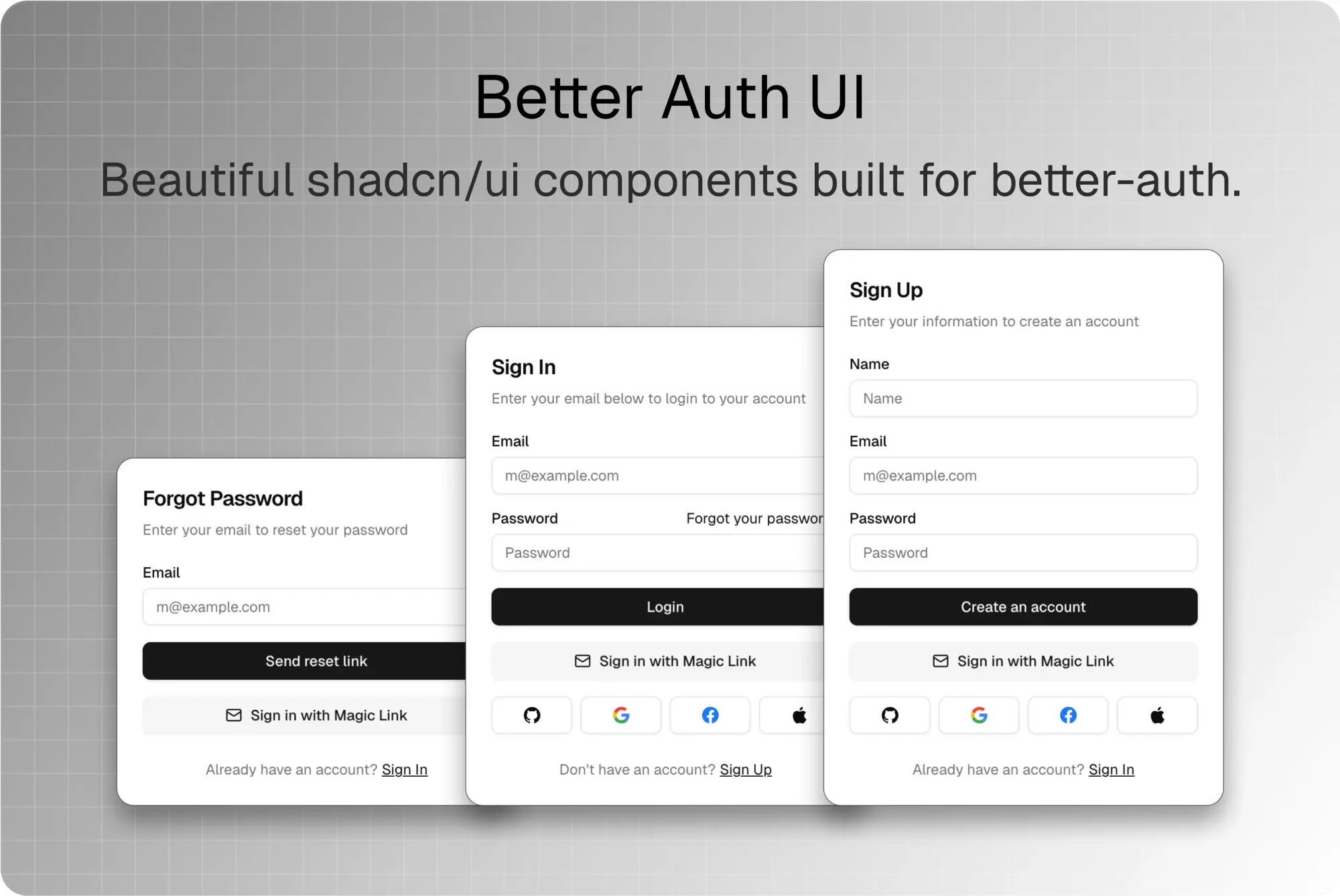
Better Auth UI is a shadcn/ui-based authentication component library that provides pre-built, production-ready UI components for React and Next.js applications.
You can use it to add features like sign-in, sign-up, password reset, and user profile management to your projects.
The components are designed to be plug-and-play, which can speed up the development process for setting up authentication flows in modern web applications.
Features
🎨 Pre-styled Components – Complete authentication UI built with shadcn/ui and TailwindCSS
📦 Tree Shakeable – Import only the components you need
🔐 Complete Auth Flow – Sign-in, sign-up, password reset, and account management
👥 Organization Management – Built-in support for multi-tenant applications
🛡️ Security Features – Two-factor authentication, session management, and API keys
⚡ Zero Configuration – Drop-in components that work out of the box
🎛️ Customizable – Easy to modify styles and behavior to match your brand
🔗 better-auth Integration – First-class support for better-auth backend
Use Cases
- SaaS Applications – Implement complete user authentication and organization management for software-as-a-service platforms
- Multi-tenant Platforms – Build applications that support multiple organizations with role-based access control
- E-commerce Sites – Add user accounts, profiles, and secure authentication flows to online stores
- Developer Tools – Create authentication systems for APIs, dashboards, and development platforms
- Content Management Systems – Build user management interfaces for CMS platforms and content creation tools
Installation
1. To get started, you need to have shadcn/ui installed with CSS variables enabled. You also need to configure a Sonner <Toaster /> for notifications, have Tailwind CSS v4 set up, and have better-auth v1.2 or greater installed.
2. Install the better-auth-ui library using your preferred package manager:
npm install @daveyplate/better-auth-ui@latestpnpm add @daveyplate/better-auth-ui@latestyarn add @daveyplate/better-auth-ui@latestbun add @daveyplate/better-auth-ui@latest
3. For Tailwind CSS v4, add the following @source to your global CSS file:
/* styles/globals.css */
@source "../node_modules/@daveyplate/better-auth-ui";
4. After installation, you can integrate the components into your application. Here is a basic example of how to use the <AuthCard /> component for a sign-in page in your application:
import { AuthCard } from "@daveyplate/better-auth-ui"
export default function AuthPage({ params }: { params: { pathname: string } }) {
  return (
    <div className="flex size-full grow flex-col items-center justify-center gap-3">
      <AuthCard pathname={params.pathname} />
    </div>
  )
}
Related Resources
- better-auth – The authentication library that powers Better Auth UI, providing secure backend authentication
- shadcn/ui – The component library used for styling Better Auth UI components
- NextAuth.js – Popular authentication library for Next.js applications
FAQs
Q: Can I customize the appearance of the authentication components?
A: Yes, all components are built with TailwindCSS and shadcn/ui, making them fully customizable. You can modify colors, spacing, and layouts by adjusting your Tailwind configuration or overriding component styles.
Q: Does Better Auth UI work with frameworks other than Next.js?
A: Better Auth UI works with any React application, including Vite, Create React App, and TanStack Start. The library is framework-agnostic and only requires React as a dependency.
Q: What authentication methods are supported?
A: The library supports email/password authentication, social logins, two-factor authentication, and magic links through its integration with better-auth.
Q: Can I use individual components instead of the complete authentication flow?
A: Yes, Better Auth UI is designed with modularity in mind. You can import and use individual components like UserButton, ChangePasswordCard, or TwoFactorCard based on your specific needs.