The Future of Web Dev
The Future of Web Dev
Undo & Confirmation Components for shadcn/ui – SureUI
Create delete-project dialogs with exact phrase matching, consequence lists, async states, and editable Base UI components.
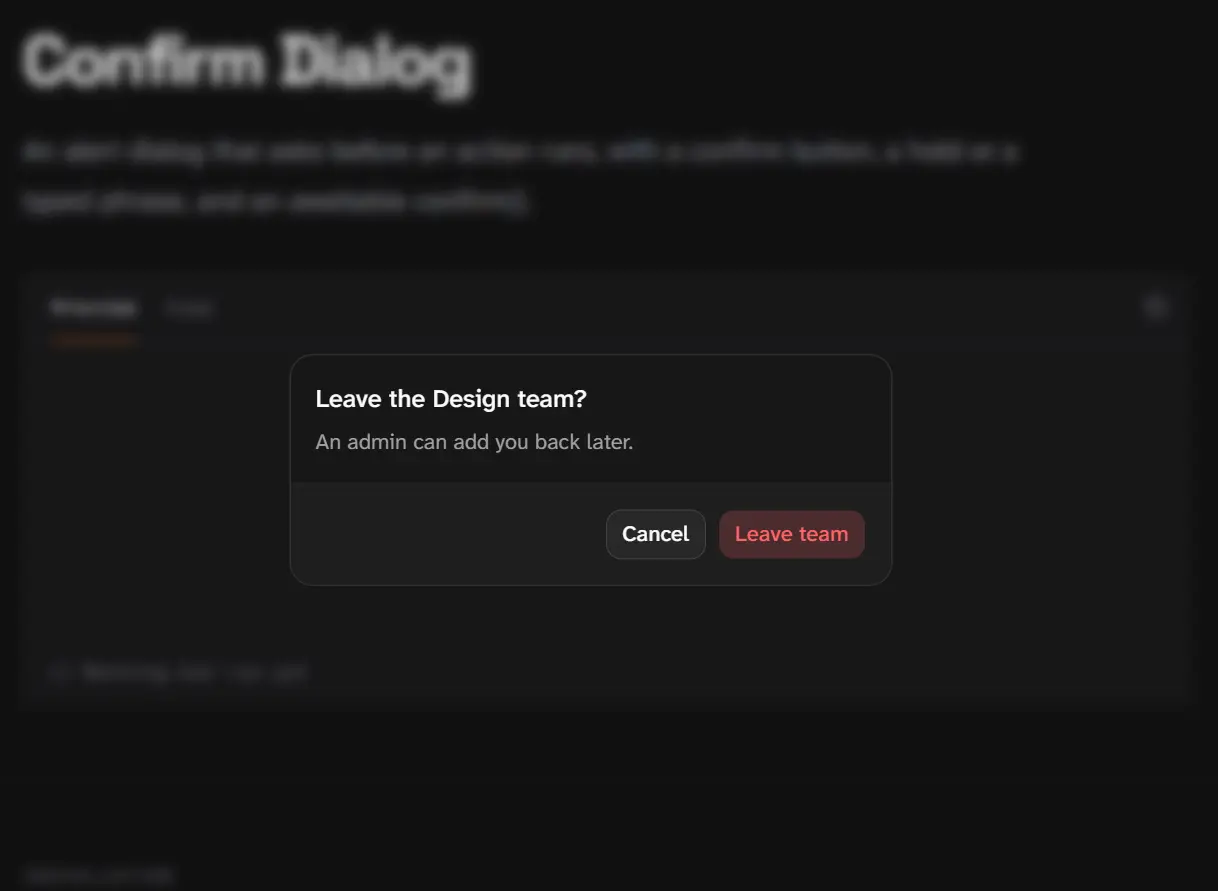
SureUI is a UI component library for shadcn/ui that adds confirmation gestures and Undo to actions that change or delete data.
An archive action can wait for Undo, while a workspace deletion can require its exact name and show what will be removed.
The components use Base UI and install as editable local files through the shadcn CLI.
Features
- Click, second-click, hold, and slide confirmation gestures.
- Timed or manual Undo windows before an action executes.
- Exact-phrase confirmation with optional acknowledgements and consequence lists.
- Pending indicators, retry labels, and error callbacks for async actions.
- Confirmation controls for buttons, dropdown menus, popovers, dialogs, and switches.
- AI SDK tool approvals with low, medium, high, and critical risk settings.
- 10 editable application blocks for account settings, file management, subscriptions, and agent approvals.
How To Use It
Install SureUI
Start with a shadcn/ui project configured for Base UI. For a project that has not initialized shadcn/ui, run:
npx shadcn@latest initChoose Base UI if the initializer prompts for a component library. Install the confirmation button, which includes the shared confirmation.ts hook:
npx shadcn@latest add @sureui/confirm-buttonBasic Usage: Undo and Second-Click Confirmation
In Next.js App Router, use a client component for callbacks. undo defers onConfirm until its five-second window closes. gesture="click-again" arms on the first click and confirms on the next, with a three-second timeout by default. Create components/project-actions.tsx:
"use client";
import { ConfirmButton } from "@/components/ui/sureui/confirm-button";
type ProjectActionsProps = {
  archiveProject: () => Promise<void>;
  deleteProject: () => Promise<void>;
};
export function ProjectActions({
  archiveProject,
  deleteProject,
}: ProjectActionsProps) {
  return (
    <div className="flex flex-wrap gap-3">
      <ConfirmButton undo onConfirm={archiveProject}>
        Archive project
      </ConfirmButton>
      <ConfirmButton
        gesture="click-again"
        variant="destructive"
        onConfirm={deleteProject}
      >
        Delete project
      </ConfirmButton>
    </div>
  );
}
Typed Confirmation for Workspace Deletion
Install the alert dialog and its consequence list:
npx shadcn@latest add @sureui/confirm-dialog
npx shadcn@latest add @sureui/consequences
phrase matches case and surrounding spaces exactly by default. acknowledgements accepts required checkbox statements. For irreversible actions, the dialog starts with focus on Cancel, or on the first input when a phrase is present. Create components/delete-workspace.tsx:
"use client";
import { Button } from "@/components/ui/button";
import { ConfirmDialog } from "@/components/ui/sureui/confirm-dialog";
import { Consequences } from "@/components/ui/sureui/consequences";
type DeleteWorkspaceProps = {
  workspaceName: string;
  projectCount: number;
  apiKeyCount: number;
  deleteWorkspace: () => Promise<void>;
};
export function DeleteWorkspace({
  workspaceName,
  projectCount,
  apiKeyCount,
  deleteWorkspace,
}: DeleteWorkspaceProps) {
  return (
    <ConfirmDialog
      title={`Delete ${workspaceName}?`}
      description="This action permanently deletes the workspace and its data."
      phrase={workspaceName}
      confirmLabel="Delete workspace"
      variant="destructive"
      consequences={
        <Consequences
          title="This deletes"
          items={[
            { label: "Projects", count: projectCount },
            { label: "API keys", count: apiKeyCount },
          ]}
        />
      }
      onConfirm={deleteWorkspace}
    >
      <Button variant="outline">Delete workspace</Button>
    </ConfirmDialog>
  );
}
Add a Toast That Waits for Undo
Use undoToast when the trigger disappears after the operation, such as a file row that leaves the current list.
npx shadcn@latest add @sureui/undo-toastSureUI uses the Sonner Toaster for this utility. If components/ui/sonner.tsx does not exist, install it:
npx shadcn@latest add sonnerPlace <Toaster /> inside the existing app/layout.tsx body, once for the application:
import { Toaster } from "@/components/ui/sonner";
export default function RootLayout({
  children,
}: Readonly<{ children: React.ReactNode }>) {
  return (
    <html lang="en">
      <body>
        {children}
        <Toaster />
      </body>
    </html>
  );
}
undoToast() returns Promise<boolean>: true after the toast closes and false on Undo. The default window lasts five seconds. Pass { duration: "manual" } as the second argument for an explicit dismissal or Undo action. Create a client component for the operation:
"use client";
import { Button } from "@/components/ui/button";
import { undoToast } from "@/components/ui/sureui/undo-toast";
export function TrashFilesButton({
  moveFilesToTrash,
}: {
  moveFilesToTrash: () => Promise<void>;
}) {
  async function handleTrash() {
    // The mutation only runs if the Undo window closes without cancellation.
    const confirmed = await undoToast("Move selected files to trash?");
    if (confirmed) {
      await moveFilesToTrash();
    }
  }
  return <Button onClick={handleTrash}>Move to trash</Button>;
}
Available Components and Utilities
| Component or Utility | Function |
|---|---|
ConfirmButton | Click, second-click, hold, or slide confirmation with optional Undo. |
ConfirmMenuItem | Second-click or hold confirmation in dropdown and context menus. |
ConfirmSwitch | Immediate switch movement, with an Undo window before the change commits. |
TypeToConfirm | Inline confirmation after an exact phrase and optional acknowledgements. |
ConfirmDialog | Alert dialog with button, gesture, or phrase confirmation. |
ConfirmPopover | Short confirmation message beside a trigger. |
Consequences | Counts and item names for data deleted or changed. |
undoToast | Promise-based Sonner toast with a delayed action and Undo. |
Undoable | Collapsible row with Undo before removal commits. |
useUnsavedChanges | Confirmation for dirty forms, navigation, and dialog dismissal. |
ToolApproval | AI SDK approval or denial with risk-specific confirmation. |
useConfirmation | Core gesture and Undo hook for custom triggers. |
Available Blocks
| Block | Included Workflow |
|---|---|
| Danger Zone | Pause deployments, transfer ownership, and delete a project. |
| API Keys | Create an API key and revoke keys through a hold. |
| Delete Account | Review affected data, type an email, and acknowledge account deletion. |
| Team Members | Remove a member and confirm ownership changes. |
| File Manager | Trash files with Undo, restore files, and empty trash after confirmation. |
| Inbox | Archive or delete messages from a list or reading pane. |
| Agent Approval | Review AI tool calls using risk-specific approval controls. |
| Bulk Actions | Increase confirmation requirements as selected item counts rise. |
| Settings Save Bar | Save, discard, or confirm leaving with unsaved settings. |
| Cancel Subscription | Show cancellation consequences and an alternative plan action. |
Install a Complete Block
The CLI installs each block as editable local React code and writes any referenced SureUI controls. Install the project settings danger zone:
npx shadcn@latest add @sureui/danger-zone-01Alternatives and Related Resources