The Future of Web Dev
The Future of Web Dev
Full-Stack Next.js SaaS Starter with shadcn/ui & MongoDB – Volix
A Next.js SaaS starter with MongoDB, nine locales, eight theme presets, user management, subscriptions, invoices, and reports.
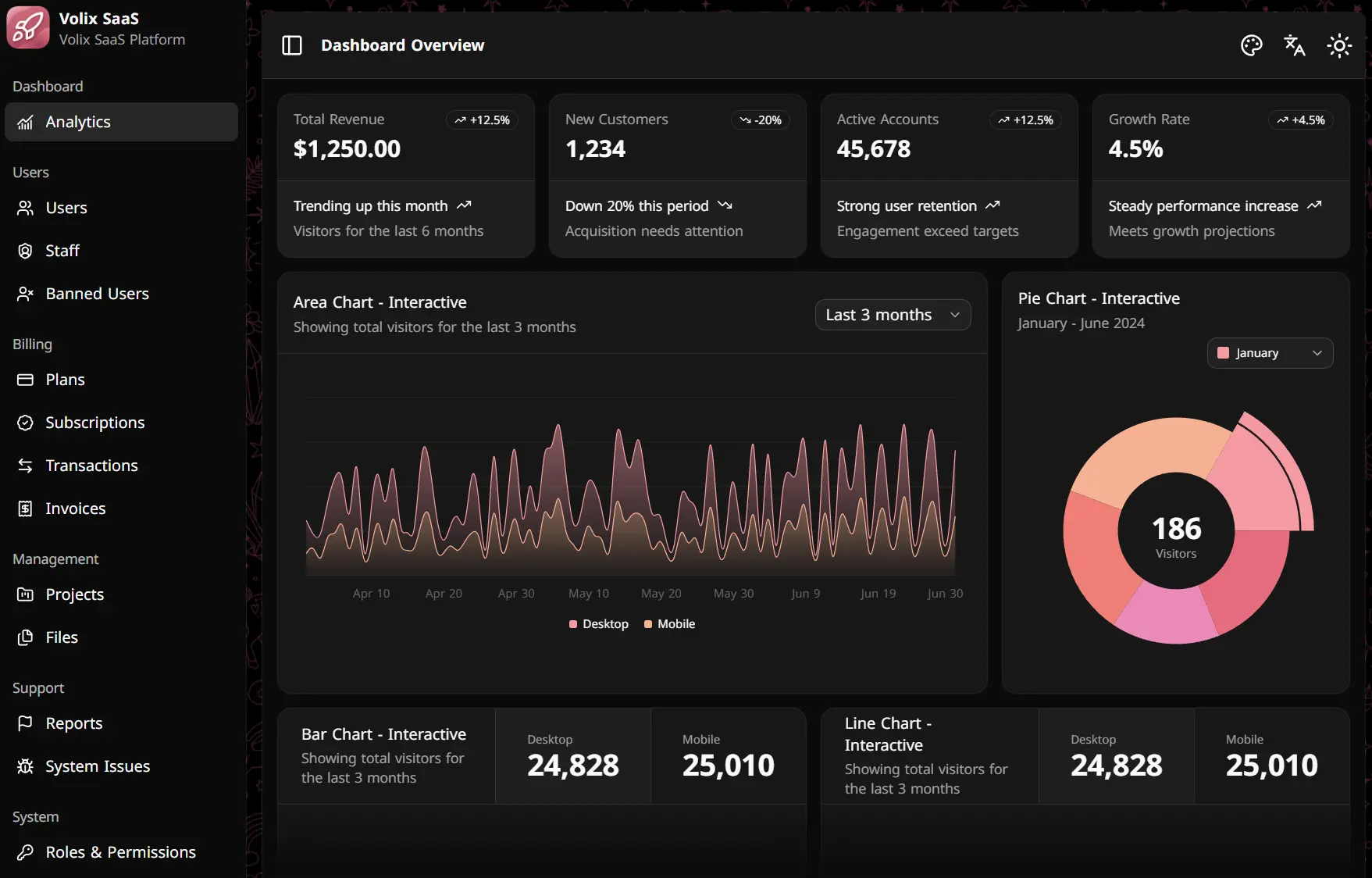
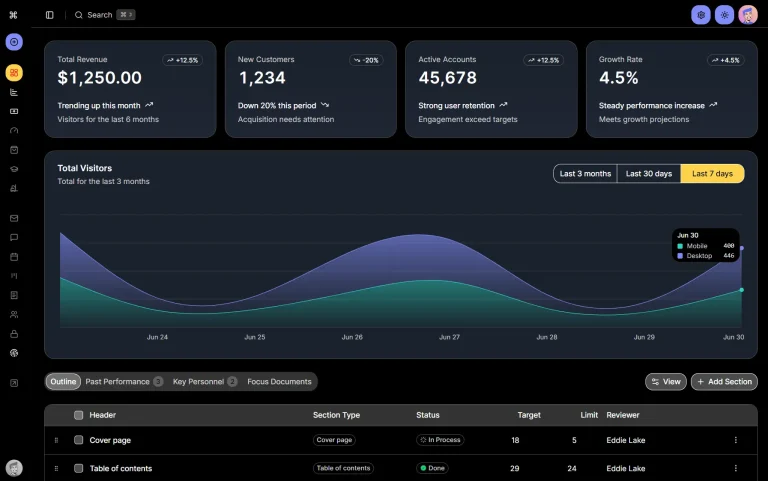
Volix is a Next.js SaaS starter kit that supplies authentication, admin workflows, MongoDB data models, and shadcn/ui-based dashboard screens for full-stack SaaS projects.
The current stack uses Next.js, React, TypeScript, MongoDB, Mongoose, and Tailwind CSS 4, with frontend state and data fetching handled by Zustand and TanStack Query.
Features
- MongoDB and Mongoose models for SaaS application data.
- JWT authentication with registration, email login, OTP verification, password recovery, profile controls, and session management.
- User and staff management with roles, permissions, and banned-user screens.
- Plans, subscriptions, transactions, and invoice records with API handlers and admin screens.
- Project management plus Cloudinary-backed file upload, streaming, download, and file summaries.
- Nine locales with RTL layout for Arabic and Urdu.
- Eight selectable wallpaper presets plus light and dark theme switching.
Tech Stack
| Layer | Technology |
|---|---|
| Framework | Next.js 16.1.6, React 19.2.4, TypeScript |
| Database | MongoDB, Mongoose |
| UI | Tailwind CSS 4, local shadcn/ui components |
| Client data | TanStack Query 5 |
| Client state | Zustand 5 |
| Forms and validation | React Hook Form, Zod 4 |
| Authentication | JWT, bcryptjs |
| Nodemailer | |
| File storage | Cloudinary |
| Localization | next-intl |
| Charts | Recharts |
| License | MIT |
How To Use It
Make sure you have a local MongoDB instance or MongoDB Atlas database ready before seeding.
1. Get the source from the Volix GitHub repository, enter the project directory, and install its npm dependencies.
git clone <repository-url>
cd fullstack-saas-starter
npm install
2. Create .env before seeding when you use MongoDB Atlas or a custom MongoDB URI. The seed script connects to the database immediately. If .env does not exist, it creates one with a local MongoDB URI and placeholder service credentials.
cp .env.example .env| Variable | Purpose |
|---|---|
MONGODB_URI | MongoDB connection string |
NODE_ENV | Application environment |
JWT_SECRET | JWT signing secret |
CLOUDINARY_CLOUD_NAME | Cloudinary cloud name |
CLOUDINARY_API_KEY | Cloudinary API key |
CLOUDINARY_API_SECRET | Cloudinary API secret |
CLOUDINARY_UPLOAD_PRESET | Cloudinary upload preset |
SMTP_HOST | SMTP server |
SMTP_PORT | SMTP port, set to 587 in .env.example |
SMTP_USER | SMTP account |
SMTP_PASS | SMTP password |
EMAIL_FROM | Sender address for application email |
3. The current seed script creates an administrator with [email protected], username volixadmin, and password Aa123456. Change these hard-coded values in scripts/seed.ts before the first seed when you need different initial credentials. Change the seeded password after the first login.
npm run seed4. Start the Development Server
npm run devApp Router Setup Note
The current main branch stores the dashboard screens under src/components/shared, but it does not contain src/app/[locale]/dashboard page files. The authentication guard redirects a signed-in account to /dashboard/overview. Add the matching App Router pages before using that destination.
Create src/app/[locale]/dashboard/layout.tsx for the dashboard shell:
import type { ReactNode } from "react"
import { DashboardLayout } from "@/components/shared/dashboard-layout"
export default function Layout({ children }: { children: ReactNode }) {
  return <DashboardLayout>{children}</DashboardLayout>
}
Mount the overview screen at src/app/[locale]/dashboard/overview/page.tsx:
import OverviewPage from "@/components/shared/overview-chunks/overview-page"
export default function Page() {
  return <OverviewPage />
}
Project Structure
src/
├── app/
│   ├── [locale]/          # Locale layout and authentication entry pages
│   └── api/               # Next.js route handlers
├── components/
│   ├── shared/            # Dashboard screens, tables, headers, and shells
│   └── ui/                # Local UI component source
├── contexts/              # Query, theme, auth, and socket providers
├── hooks/                 # Feature and data hooks
├── i18n/                  # Locale routing configuration
├── lib/
│   ├── api/               # Client API functions
│   ├── auth/              # Auth guards, OTP, email, and sessions
│   ├── db-config/         # Mongoose connection
│   └── models/            # Mongoose models
├── messages/              # Nine locale JSON files
└── store/                 # Zustand stores
scripts/
└── seed.ts
Customization Points
| Task | File or Directory |
|---|---|
| Global theme tokens and Tailwind CSS | src/app/[locale]/globals.css |
| Light/dark and wallpaper presets | src/contexts/theme-provider.tsx |
| Dashboard shell | src/components/shared/dashboard-layout.tsx |
| Sidebar navigation | src/components/shared/sidebar-chunks/dashboard-sidebar.tsx |
| Dashboard feature screens | src/components/shared/*-chunks/ |
| Local UI components | src/components/ui/ |
| API handlers | src/app/api/ |
| MongoDB models | src/lib/models/ |
| Client API calls | src/lib/api/ |
| Translation messages | src/messages/ |
| Locale list | src/i18n/routing.ts |
Alternatives and Related Resources