NextGen JavaScript
The Future of Web Dev
NextGen JavaScript
The Future of Web Dev
Animated React Components for shadcn/ui
Add motion to everyday React/shadcn UI components, including form controls, tabs, menus, and image cards.
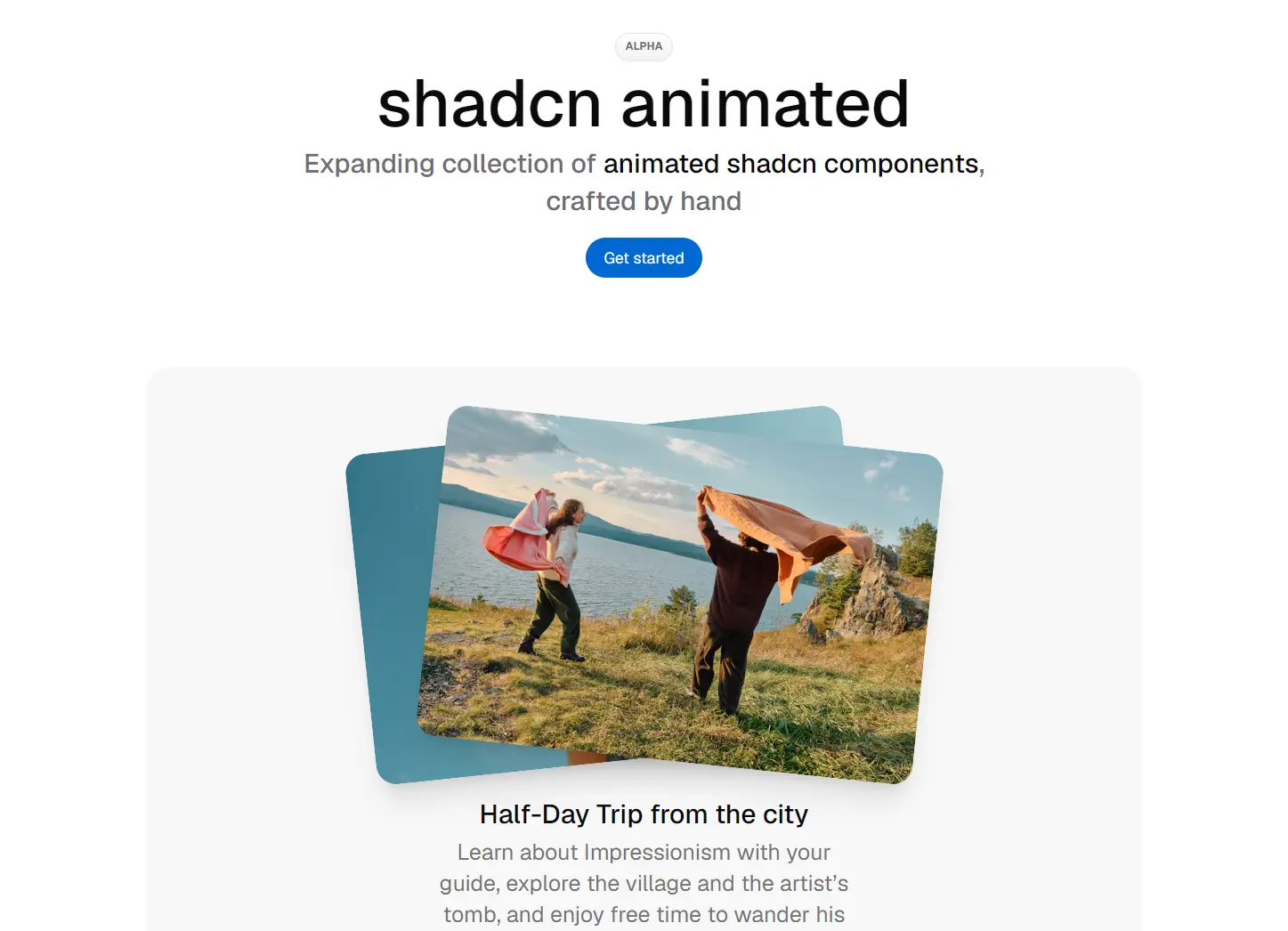
shadcn animated is a React component library that provides 14+ animated interactions for your shadcn/ui project.
You get press feedback on buttons, drawn checkbox ticks, moving tab indicators, expanding panels, layered image cards, and more.
Features
- Animated checkmarks, radio selection indicators, switch thumbs, and button press feedback.
- Expanding accordions and collapsible panels with height and opacity transitions.
- Moving tab indicators, hover-driven image layouts, and staggered floating-menu actions.
- Base UI primitives for interactive controls, with Motion in components that need JavaScript animation.
- Tailwind CSS styles and local TSX or JSX files installed through the
shadcn-animatedCLI. - Individual component installation, declared package dependencies, and overwrite-preview commands.
Use Cases
- Account settings with animated selection states, tab changes, and collapsible preference groups.
- Portfolio pages where overlapping image cards spread apart on hover.
- Product dashboards with compact navigation buttons and expandable quick-action menus.
How To Use It
1. Initialize shadcn/ui
Initialize shadcn/ui in your Next.js/React project.
npx shadcn@latest init2. Install the components you need
Run the component CLI from your project root. It installs external dependencies and writes local component files under the aliases.ui location in components.json (commonly components/ui/).
npx shadcn-animated add button checkbox tabs3. Basic Usage: Add An Animated Button
// components/save-settings-button.tsx
import { Button } from "@/components/ui/button";
export function SaveSettingsButton() {
  return (
    <Button type="submit" variant="default">
      Save settings
    </Button>
  );
}
4. Advanced Example: Animated Settings Tabs
Install tabs before using this example. The line variant animates an underline beneath the active tab.
// components/account-settings-tabs.tsx
"use client";
import {
  Tabs,
  TabsContent,
  TabsList,
  TabsTrigger,
} from "@/components/ui/tabs";
export function AccountSettingsTabs() {
  return (
    <Tabs defaultValue="profile" className="w-full max-w-xl">
      <TabsList variant="line">
        <TabsTrigger value="profile">Profile</TabsTrigger>
        <TabsTrigger value="notifications">Notifications</TabsTrigger>
      </TabsList>
      <TabsContent value="profile">
        Update your profile details.
      </TabsContent>
      <TabsContent value="notifications">
        Choose the alerts you receive.
      </TabsContent>
    </Tabs>
  );
}
Available UI Components
| Component | Description |
|---|---|
| Accordion | Expanding panels animated by height and opacity. |
| Button | Press-scale feedback, hover states, and style variants. |
| Checkbox | Checkmark drawn when selected. |
| Collapsible | Animated height, opacity, and vertical movement. |
| FAB Menu | Floating action menu with staggered item transitions. |
| Hover Image | A fan of image previews inside a hover card. |
| Icon Toggle | Animated switch between two icons, with optional reset. |
| Image Card | Overlapping front and back images that shift on hover. |
| Navigation Button | Forward or back arrow that moves on hover. |
| Radio Group | Animated indicator for the selected radio input. |
| Select | Base UI select with styled trigger, popup, and items. |
| Sheet | Dialog panel that slides in from any edge. |
| Switch | Toggle thumb with a short stretch animation. |
| Tabs | Animated active indicator with default and line styles. |
Alternatives and Related Resources
- Nexvyn UI: 30+ Animated UI Components for shadcn/ui & React
- 30+ Animated UI Components for Next.js/Shadcn – Joly UI
- Motion-Powered Animated Components for Modern UIs – Animate UI
- 20+ Animated UI Components with shadcn/ui & Framer Motion – Indie UI
- Expand shadcn-ui Button Component with 9+ Effects & Styles